
![Personal Budget Spreadsheet [Downloads]](https://chandoo.org/wp/wp-content/uploads/2009/11/household-budget-spreadsheet-th.png)
At PHD household, we believe in using money wisely. Both Mrs. PHD and I come from very modest backgrounds. Our upbringing has taught us value of money in the most effective way – by exposing us to not having any. So when we got our first job (did I tell you that both Jo and I started working in same company and sat in same floor? Oh, it was such a lovely time), we were very prudent and decided not to waste money on anything trivial (we still are, just that over last 6 years our earning capacity increased a bit and we became parents).
Anyways, I am not here to bore you about my household. But I am here to tell you fun ways to track expenses and household budgets using spreadsheets.
Continue »
Today I want to introduce Excel 2010 to you. Excel 2010 is the latest version of spreadsheet software from Microsoft, set to be released for sale in late 2010. On Nov 18th, MS released the public beta of Excel 2010 [download here] along with other Office productivity software.
Excel 2010 has several improvements compared to earlier version – Excel 2007. In this post, I want to highlight some of the User Interface improvements made in Excel 2010 that are very exciting and fun to use.
Continue »As of yesterday, the project management templates have crossed 100 customer milestone. That is right my friend, one hundred project managers have chosen to manage their projects better using our templates. I have asked our customers to share their feedback and this is what they say: I think that the templates are excellent. A million […]
Continue »![Reverse a List using Formulas [Using Excel INDEX() Formula]](https://chandoo.org/img/l/reverse-list-in-excel.png)
Here is a simple yet novel use of formulas. Let us say you have a list of values in range A1:A5 and you want to reverse the list. In an empty cell write =INDEX($A$1:$A$5,6-ROWS($A$1:A1)) and copy down. Boom, you get the reversed list. Here is how the formula works: In the reversed list, first item […]
Continue »![Download Excel 2010 Beta today [Office 2010 Updates]](https://chandoo.org/img/l/office-2010-excel-download.png)
Finally the public beta of Office 2010 is out. Go to Office Beta site and download the installation today. Make sure you select the “custom” installation option and choose to “keep the old versions”, otherwise the beta will upgrade your office installation. (Beta installation expires by October 2010) Here is a brief list of new […]
Continue »![Transpose Excel Rows and Columns [Quick Tip + Video]](https://chandoo.org/img/i/transpose-rows-columns.png)
Transposing rows and columns in a table is one of the most useful tricks when you are pasting data. Yet, it always surprises me that very few people actually know this. So here it is…
Continue »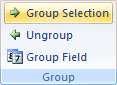
Do you know you can group dates in pivot tables to show the report by week, month or quarter? I have learned this trick while doing analysis on a pivot table today. In this online lesson on pivot tables, I will teach you how to group dates in pivot tables to analyze the data by month, week, quarter or hour of day.
Continue »
