

Ok people. Let me tell you that this post is almost not about Excel. It is about how one Excel blogger’s (yours truly) dream of long distance cycling came true. So sit back, grab your favorite drink and read between sips.
PS: if you just want to see the dashboard, click here.
So what is this all about?
Last Sunday (27th July) & Monday (28th), I finished my first ever 200KM bicycle ride. I rode for a little more than 12 hours, burned 5,179 calories & rode 206 kilometers.
It is definitely one of the most memorable, tiresome & uplifting experiences in my life. So naturally, I want to share the story with you.
Where it all began
Around late last year, I read a book called Free Country by George Mahood. It is a story of two young British lads cycling from Lands End to John O’ Groats (from one end of Britain to another) without spending a penny of their own money. While reading the book, I kept thinking, ‘I should do something mildly similar one day’.
But I did not do much cycling in the next several months. Until…,
I read truly inspiring story of how adc cycled from Manali to Leh (500 km). The story is special because the terrain between Manali & Leh is filled with high altitude passes, dangerous mountain roads, harsh weather, almost no habitat & breath taking scenery.
That travelogue motivated me enough to get out my dusty cycle from garage and start riding it.
Soon I was riding 20 KM per day. I started doing a few long rides (~40km) in the weekends to build strength.
Once I felt confident, I discussed my plans for a longer ride with Jo (my wife). She was a little apprehensive as I have never done something like that and long rides could mean increased chance for injury or accident.
Finally we agreed that doing a round trip to Annavaram (a small temple town 118 km away from our home) would be reasonable. The roads to Annavaram are in excellent condition. There is ample help available all the way (plenty of food stops, villages & towns along the way). Plus in case of fatigue or injury, I could easily hitch a ride back home.
I fixed on the dates 27 & 28th of July for ride. Weather app on Jo’s iPad said there is 70% chance of rain. I kept my plans fluid & wanted to ride only if there is no rain in the morning when I started.
Route Map
Here is the route I took (link).
Day 1 – Vizag to Annavaram (118 km, 7:34 hrs riding)
I woke up at 4:45 AM and unlocked the doors immediately to see if there is any rain. No rain and the skies looked ok. I got ready, had a glass of milk & woke up Jo. She gave me a farewell hug and I left the house at 5:24.
The initial 20 km was a breeze to ride. The route so far is familiar as I bicycle on it almost everyday.
After riding 25 km, I took a short water break.
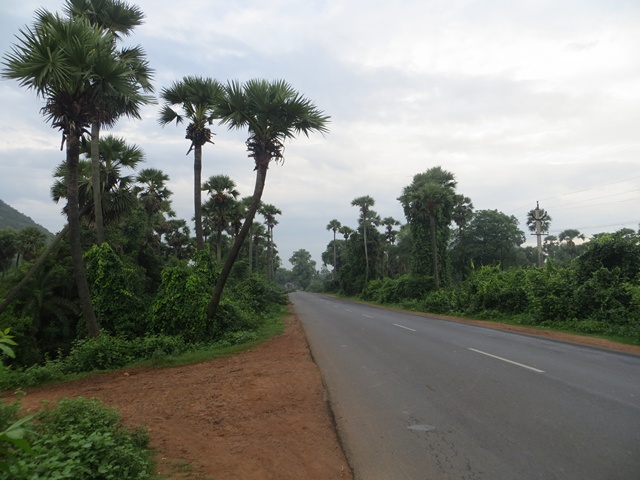
I barely rode for another 4 km and stopped again, this time to enjoy the view from top of a flyover. The rolling hills, green rice fields, railway track, chirping birds & fresh morning air provided perfect setting for a few pictures.
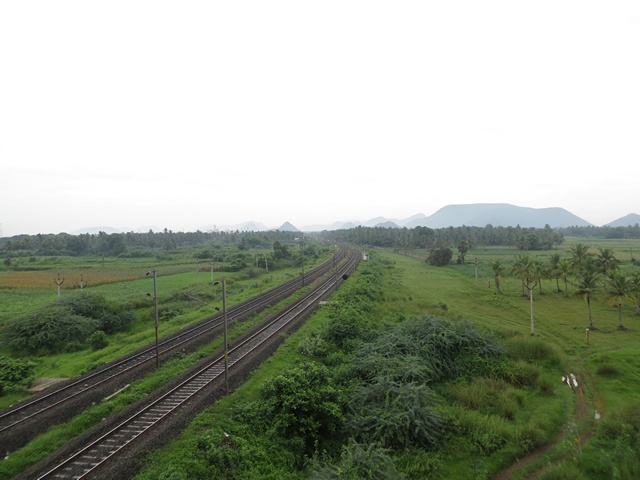
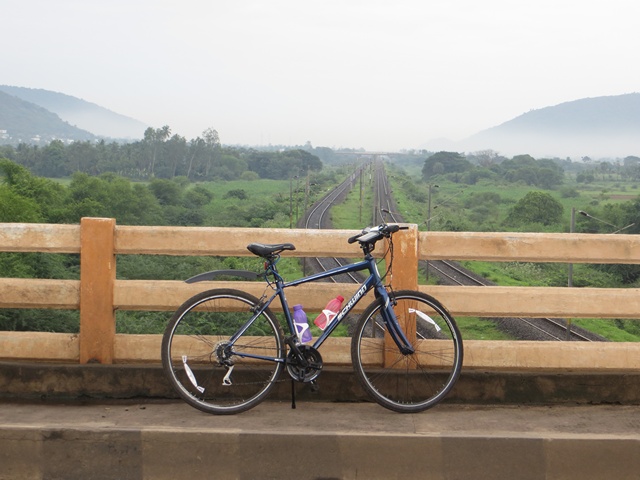
Soon I left the state highway & joined national highway 45 (and 16 too). This is a 4 lane highway with wide shoulder. Unlike in US (and many other western countries), in India bicycles, pedestrians and many other forms of moving objects are allowed on highways. The best part of riding on national highway is that the gradients are better. Next 15 km felt like one long flat ride.
I crossed Anakapalli (a small town on the outskirts of Vizag) and stopped for breakfast at 41 KM mark. 1/3rd distance completed!
After feasting on Idly, Dosa & a tea (traditional breakfast in south India), I resumed the journey at 8:10 AM.
Still no rains. So I rode on.
At around 50 KM mark, stopped for a quick drink of water & electral (oral re-hydration solution made with essential salts & minerals).
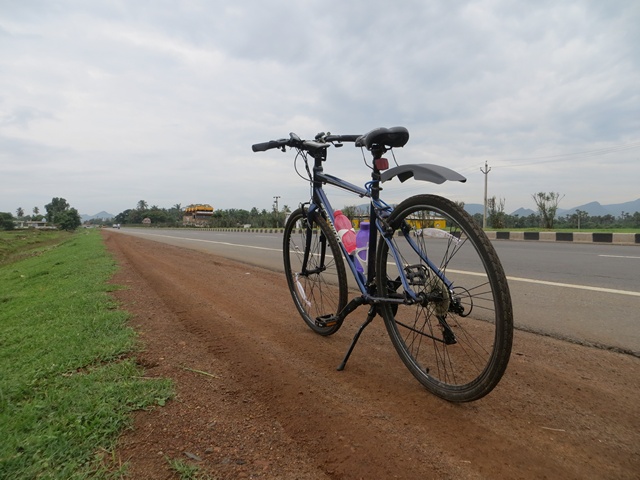
Around 60 km mark I started feeling a little thirsty and wanted to stop for some tea. Soon (after 6km) found a road side tea stall. My original plan is to ride until 80k mark and stop for lunch.
But seeing that I finished 66km by 9:56AM, I have decided to ride until Annavaram (my destination for the day) before lunch.
After the tea stop, I rode for another hour to reach Nakkapalli (a small village on the highway). There I saw a fruit juice stall. Immediately stopped to have a full glass of banana juice. The shop owner told me that Annavaram is another 36 km from there. It started drizzling now. I am a little worried that it may rain heavily.
But my fears were unfounded. Soon the skies cleared and I was on a climb. After riding just another 10 km, I had to stop again to quench my thirst and relax a bit. As I was sitting by the road side, a mini truck stopped next to me. the truck driver was curious to know where I am heading & my story. After chatting for a while they left me.
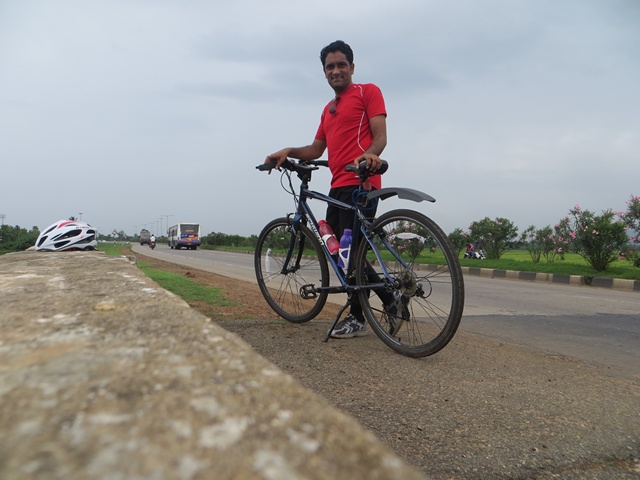
At 95KM mark, I stopped again for a quick snack (snickers bar). Soon 2 kids on a cycle approached me. They are Siva & Siva Ganesh. Siva Ganesh (eldest one, studying 9th class) wanted to test ride my cycle. He was curious to know how the gears work. He took the cycle for a short spin and returned. They spend another 5 minutes with me asking several questions.
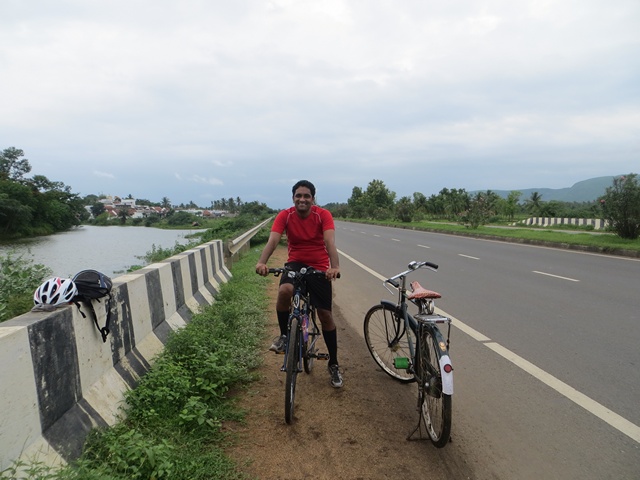
Once again I found myself on a steady climb. And then there are strong head winds. My speeds dropped to the range of 10-15kmph. After a lot of pedaling & sweat, I crossed Tuni at 12:30PM.
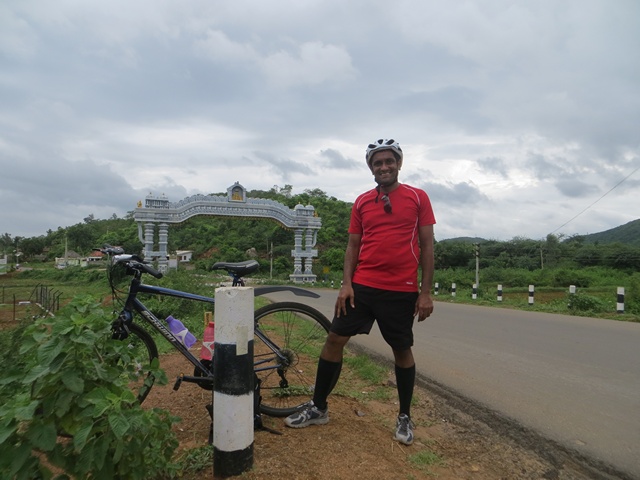
Selfie @ 100km mark
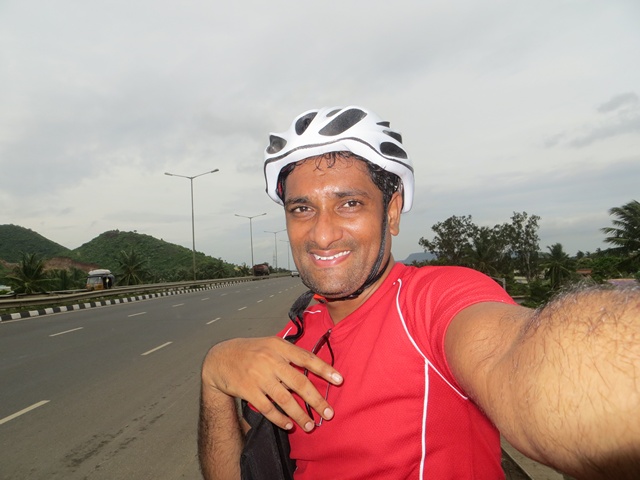
It took me another 30 minutes & 6 km of biking to reach a small temple village called Lova Gudi. By now my water bottles are emptied. So I stopped here to purchase a bottle of water. From here Annavaram (my destination) is 15 km. Normally I would have finished this distance in 40-50 mins. But after riding for 6 hrs, I find myself tired & sweaty. Plus the winds have picked up again. And to top it, almost all of this stretch is a climb.
I took a deep breath and resumed cycling.
The wind & gradient made my task all the more difficult. But I pressed on.
See how harsh the wind is. The coconut leaves are all bent.
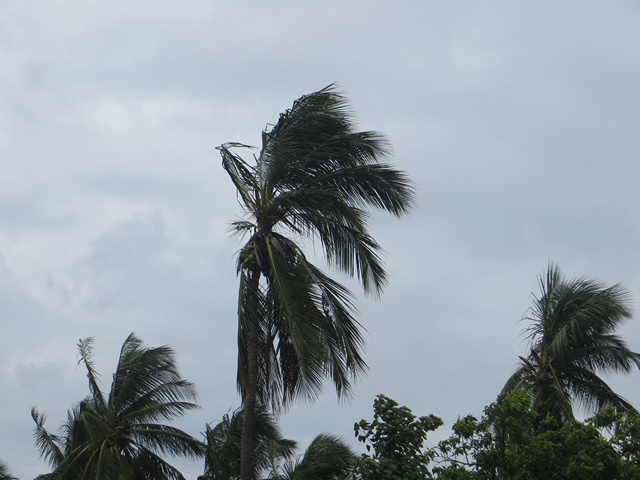
About 5 km away from Annavaram (around 110 km mark), someone in a car was waiting for me. As soon as he saw me, he waved his hands and stopped me. Turns out he is a biker from Vizag. He got curious upon seeing the site of a lone biker and wanted to know about me. We chatted for a while and exchanged phone numbers.
Finally at 2:50 PM, I reached Annavaram village gate. Yay!. It took me more than 9 hours & 30 minutes to reach here. Out of this riding time is 7:30 (it might have been slightly less than this as my tracking app – MapMyRide was not set to autopause for the first 65 km).
Finally, at Annavaram village gate after 9:30 hours of riding.
Day 1 – At Annavaram
I went to the first hotel I can find and ordered lunch. While waiting for lunch, I called Jo & my mom to tell that I reached safely.
After lunch I asked them if they have any rooms to stay. They have vacancies and I immediately took a room. I quickly showered and took a nap. But I could hardly sleep as my thighs and wrists were aching. It looked like I could not ride back and may have to take a bus to my home.
Originally I planned to visit the famous Annavaram temple in the evening. But my legs & back felt too sore to do anything. So instead I went for a short walk to explore the village in the evening.
Later I ordered dinner and watched some football on TV.
Around this time, I have decided to skip the return ride & take a bus instead. I told the same to Jo when I called her to say good night.
I kept waking up in the night due to one pain or other. I turned off the alarm at 6:15 AM and went back to sleep again.
Finally when I woke up at 8:00 I surprisingly felt rejuvenated and ready.
At that moment I decided to ride back home. My plan is to ride as far as I can and then take a bus.
Day 2 – Annavaram to Anakapalli (88 km, 4:30 hrs riding)
After a heavy breakfast & some coffee, I checked out of the hotel and started my return journey at 8:43 AM.
Since I have climbed & gained elevation yesterday, the first 40 km ride from Annavaram was almost downhill mixed with few flats. So I could maintain speeds between 20-30 kmph. At one point I even reached 43.5 kmph, although barely for a minute.
I did not stop anywhere for first 25 km. But then the views by the road are too breathtaking to ignore. So I stopped for a few pictures at 25k mark & again at 27k mark.
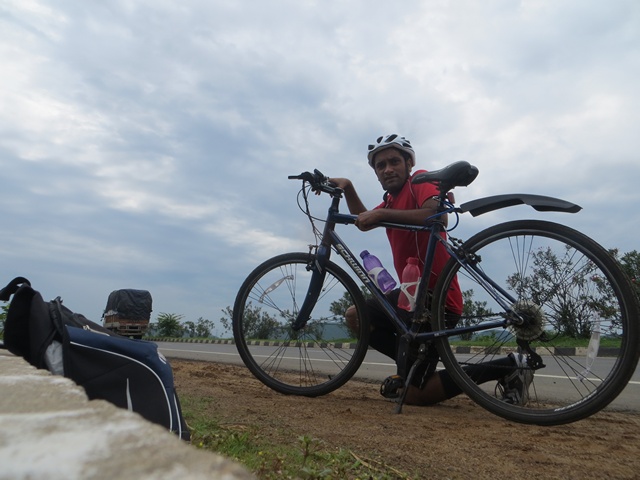
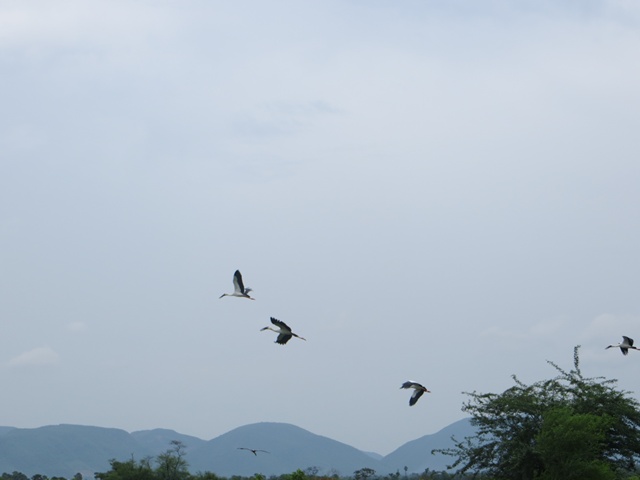
At the later stop, I found several open billed storks in the rice fields. It was a pleasure watching them forage for food & fly elegantly.
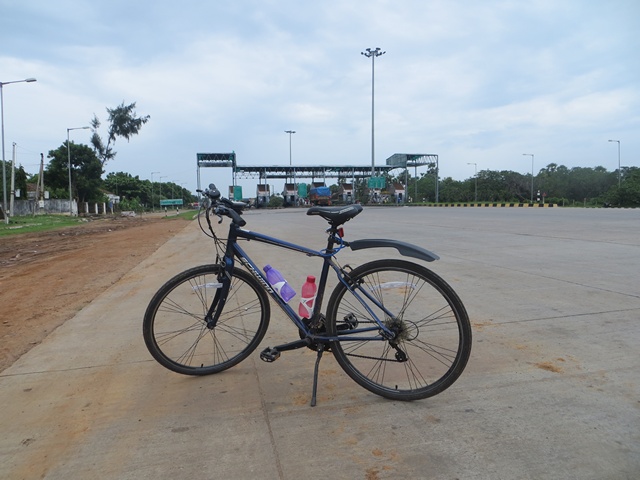
Pretty soon I reached the toll plaza. And yay!, no toll for me. Another reason to bike.
Had to stop again at 10:55AM to appreciate the beautiful green & blue views. Took a few pictures and resumed ride. Reached 50 KM by now.
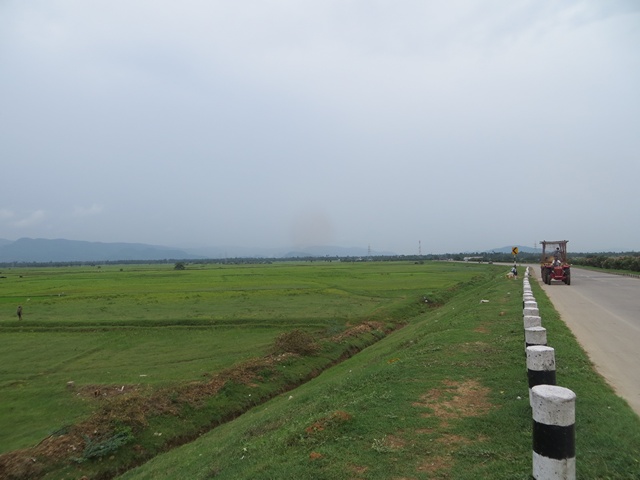
At this point, I changed my plan to ride for 83 km. This will make the total distance as 200km.
By 11:30, I reached Elamanchali (a small village 20 km away from Anakapalli, my destination for the day). By now it started raining quite a bit. My bike accumulated quite a bit of dirt & soot.
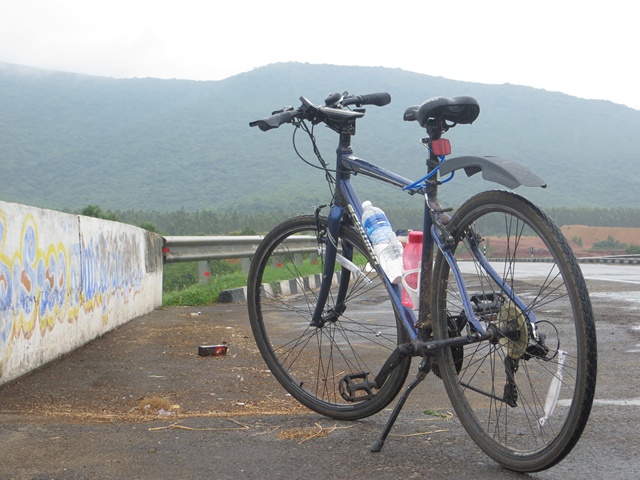
By 1:00 PM, I reached outskirts of Anakapalli and spotted a nice road side restaurant. Immediate stopped there for lunch. As soon as I stopped it started raining heavily. So I had a leisurely lunch spending close to an hour there. Finally the skies cleared at 2 PM and I resumed my ride.
When I was 3 km outside Anakapalli, a gentleman on motorcycle slowed down and rode with me for a few minutes. He asked me several questions about where I am riding, what I do, why I am riding etc. He even invited me to have lunch with him. But I had to decline as I already finished my lunch.
Finally, at 3:06 PM, I finished 88km and stopped my bicycle ride.
An empty mini truck going towards Sabbavaram (half way between where I stopped & my home) offered me a ride.
From Sabbavaram I took an Auto (a 3 wheeled taxi, also called as tuk-tuk) to my home.
And that marked the end of my first ever 200 km bike ride.
My impressions:
Growing up, I used to be the least fit kid in my school. I sucked at all sorts of sports. I got kicked out of football, hockey, badminton, cricket and all other sporting teams in school.
So naturally I assumed that I am not good for athletic activities.
Once I completed my studies and got a job, I realized the importance of living an active life. So I started jogging, cycling and playing sports.
Ever since I quit my job to start my own business, I became even more fitness conscious. Every year (since 2010), I have challenged myself to break personal barriers. When I first considered biking, I could not imaging anything beyond 50km per day. But with practice and motivation, I could finish this ride.
Few thoughts:
- Do a few practice rides: I have been riding 20-30km per day for almost a month before taking up this challenge.
- We underestimate our body: We can take on big challenges, endure pain & perform at our peak so much more than we estimate.
- Drink & Eat well: I call my diet really healthy. We eat home cooked food 90% of the time. Most of our diet is veggies, fruits, milk, nuts, rice & wheat. Almost half of the vegetables & fruits we eat are grown in our back yard. We rarely drink and eat meat once a week.
- Enjoy the ride: Stop and enjoy the scenery. Talk to fellow travelers and take ample breaks. Any distance can be covered easily.
Thanks to
- Jo: for supporting & encouraging me.
- My mom: for not freaking out when she learned about the ride.
- Free Country & ADC: for the motivation
- You: for supporting Chandoo.org so that I can chase my passions.
Now for an Excel Dashboard visualizing the ride
Soon after I got back, I started thinking about analyzing all the ride data. I did what I do best. I created an Excel dashboard to tell the 200km ride story.
Here is a snap shot of the dashboard (click to expand).

Click here to download the Excel Workbook.
It is unlocked. So go ahead and examine the file. Break it apart to understand the logic & formulas. Learn something new & be awesome.
How is this dashboard made?
Here I am going provide only the highlights. Please visit Excel Dashboards page for fantastic tutorials & explanations on how to make dashboards.
- Tables: for structuring ride data. All the ride data came from MapMyRide. I used Doogal.co.uk to get elevation profile of the route.
- Column & line charts: for the splits, speed & elevation.
- Form controls: to make the charts dynamic & to control the Ride pics slideshow.
- Picture links: to show one of the many ride pictures thru scroll bar form control.
- Ample dose of formulas: Mainly INDEX, MATCH, SUMIFS & COUNTIFS.
More personal stories
If you are in the mood to know Chandoo.org & me a little more, check out these:
- Story of Chandoo.org startup
- Thank you, we have a home
- Thank you, we have a car (and another one too)
- Travelogues from my visits to Maldives & Australia
- Confessions of a dad
See you again with more awesome Excel stuff.


56 Responses to “Story of my first ever 200KM bike ride (plus an Excel dashboard with ride stats)”
Good work. Have a look at Strava.com - great for tracking rides and providing all the stats you might like. You did well doing that distance in that heat and on that bike - a road bike would definitely make life easier and maybe a hydration system like a camelbak.
That was a killer! must have been an awesome ride! Bravo!!
Chandoo …loved your biking story…as an old guy that loves to bike (and excel (but not as crazy about it as you are of course)) I have never taken a bike ride over about 35 miles as I ride alone for the most part. The fact that you did this by yourself on a Schwinn inspires me to do the same…perhaps a ride to New Jersey from Philadelphia, Pennsylvania, USA and back…Nice and flat and only 120 miles. Thanks for sharing!
It is always great to conquer your fears and come out winning.
You have helped me to conquer my Excel fears (Partially though) as I am still learning from you. Thank you!!
Congratulations! What a great accomplishment! I've been road cycling this summer as well but I haven't done more than 25 miles or so, and even that's pushing it. My family did an overnight bike trip a couple of weeks ago with just us and our clothes/toiletries/etc in a backpack on each of our backs. We biked at a leisurely pace enjoying the views and the beach, and then found a hotel for the night and then made our way back the next day. It ended up being about 27 miles in total for the 2 days but such a great experience for the family (me, husband, and 3 kids ages 15, 13 and 11). Something to look forward to when your little ones get a little older!
What a fun thing to do Chandoo. I recently started running and did my first 10k. Half marathon on the cards next. It's fun to be out and about doing things you've never some before. Thanks for the inspiration!
Very impressive, and a great accomplishment indeed. I second everything Mark's comments and recommendations. You never cease to impress me! Keep up the good work.
That's awesome. Congratulations.
Great job. God bless you.
Wow! CONGRATS Chandoo!
I absolutely enjoyed reading through your journey. Quite an accomplishment indeed!
Perhaps, one day I can do that as well? For now I'm learning excel and I'm so inspired by your on-going attitude of initiative in data excel analysis. Best Wishes and now you can rest a bit!
Cheers!
Awesome and inspiring!!
As a 77 year old usetobe, may I congratulate you for your unswerving good nature, your Excel work and this wonderful accomplishment.
Well done, Chandoo!!
Great story! And a great ride! I am also a big fan of cycling and recently went for a ride of 200 km, so I understand what a great feeling of freedom and achievement you had.
And yet you provided us with another awesome dashboard. Keep going on! I wish you very best!
Awesome achievement Chandoo! Keep it up and do more often.
Congratulations on your adventure! I thoroughly enjoyed reading about it. Thank you for sharing it with all of us.
You are right. Just about everyone - with a fair amount of practice, the right basic gear, patience and good nutrition - can pursue similar physical challenges.
I ride a similar distance (240km / 150mi) 2 day, cross country bike ride once or twice a year that is put on by the Multiple Sclerosis Society as a fundraiser. The Houston to Austin ride has 12,000 cyclists (yes! you and 11,999 of your closest new friends!) and countless volunteers. It raises more than $20MM USD each year - in just one weekend!
While riding by yourself is pleasant and provides an opportunity for introspection, riding with friends allows for fellowship and shared memories. Riding for a cause much greater than yourself can inspire to pursue even greater heights! If you are ever going to be in the US, check ahead of time to see if your trip coincides with one of these. Even if you only work at one of the breakpoints (every 10-12 miles), it is an experience you will never forget.
Congratulations! awesome ride! Bravo!!
Chandoo.org: THE best website known to mankind....EVER!!! :))
Thank you Chandoo!!!
What a fantastic accomplishment! Keep publishing your adventures. Regards.
Tom
I just love this blog. Your adventures, your encounters with people along the way. Their curiosity and openness, inviting you for lunch, borrowing your bike to check it out, offering you a ride. It's a lovely and refreshing view of a side of humanity we rarely see anymore. Thank you for sharing AND still tying it in to Excel.
Also, CONGRATULATIONS on your ride! That's impressive and inspiring for someone who just started riding her bike to work.
This is a deadly combo of Cycling juiced with technical Excels.
This is indeed a gr8 motivational story, for the ones who are thinking to start these sort of rides and whose cycle is covered with dust at garage!! 🙂
Thanks for sharing both your story and the dashboard. They are both very inspiring. The next time you come to Virginia you can join us for a ride along the Creeper Trail.
http://www.vacreepertrail.com/gallery/index.html
Wow truly inspiring hope you had a lovely time.
Wow! CONGRATS Chandoo
Nice story.. your dash board is awesome...
Congratulations! what an amazing adventure that must have been and such a monumental achievement. I look forward to reading about the next adventure!!!!
Awesome, Chandoo. Congratulations!! Thanks for sharing your story and tips on using this data and excel dashboards. -James
It is always feel great to cross n win our own set targets especially for the boy who challenged his own physical short - comings by motivation of his dogged commitments and valued the healthy life style to come to this task which was initially laid for fun but at the end become milestone of well pursuant goal..Lesson for everyone to live his/her dreams.
Congratulations on the amazing trip 🙂 thanks for the dashboard!
Contratulations....Fantastic work.
That's quite an achievement topped up with an awesome dashboard. Keep it up!
Well done you have excelled at cycling. Keep pushing the boundaries. Love your excel site and support. Regards Harald
Katthi Chandoo bhai,great job.Really inspiring trip.It was more interesting to know the way you have accomplished small targets and motivated for the bigger one.It might have given you a real "kick",expecting for some more similar stories.
Too good sir, congratulations...
Dear Chandu,
Congratulations... !!!! on the successful completion of 200Kms ride.
Really you are inspiring to lot of us in Excel and also in this real world being a nice human being & enjoying the life as you want to have.
We follow you for your excellence & the thought of Chandoo.org
I consider your website/blog as one the best source for learning lots of new things in Excel/VBA. We are really lucky to have an Indian who is really helping lots of us in taking up our careers to new heights.
Best Regards, Shashiraj. S
awesome story
Wow - what an achievement. Good on you for setting a goal, working towards it, and the accomplishing it. You are an inspiration to many.
As always, I cherish reading your ventures on the blog. Simply impressive because of your natural expression of emotions and there are many people who just love to connect with it easily.
Congrats and keep up your openness to share without any reservation.
Fantastic, well done on the ride Chandoo and great way to visualise the data. Your adventures make you quite the celebrity in our office! Next stop: Commonwealth Games 2018! 🙂
Hi Chandoo,
Awesome Mate !!!! Well done.
Loved the blog and loved the photos, good ole Indian Countryside !
Thank you very much for sharing and for sharing your knowledge 🙂
Cheers
Randy
Truly inspiring!
Liked the article and love your work on excel.
Thats great wish and hard to accomplish,nice thought at hard time congratulations for the ride.......................we have great inspirations from that
Awesome ride bro....it was really inspiring. Thanks for sharing the story...all the best.
Lovely photos and Awesome Climate....
Congrats..
Gr8 work bro!!! The monsoon is a great season for such drives. I have started jogging, and planning to run a marathon. So that was an inspiring story!
Awesome ride.................... Impressive not only the ride, the contribution towards excel excellence............
You are a legend sir.. A salute from me and my team !!!
Nice ride, I thought you were going to go all the way. You might think about getting some SPD pedals & shoes. It will really make your cycling experience better as you will much more efficient. Plus you can still walk with the shoes since the cleat is recessed. http://en.wikipedia.org/wiki/Shimano_Pedaling_Dynamics
That was awesome! Thanks for your inspiring storoy & I've decided to cycle around Jeju Island in 3 days, and finish the trip with the beautiful dashboard.
Congratulations on your adventure! Sir......
That must be a memorable ride of a life. The beauty of Vizag and eastern ghats is truly breathtaking and lucky ones are those who experience that.
My house is in Sujatanagar, A-zone. Next time during your adventure please drop by so that I can have the pleasure to offer you snack 🙂
Thanks Hemanth for the offer. I live in C2 zone which is just a kilometer away from where you are. So while the offer to stop for a snack is tempting, I am usually even more excited to get home and enjoy a snack with kids. But we can certainly catch up sometime.
I find it more and more natural to view things this way, a bike ride for example, and see how they can be deconstructed into data. A great story can be told with an excellent dashboard.
Fantastic post Chandoo! Beautiful countryside. I travel to India a lot and my wife and I have a small house in Goa that we come to as often as we can. She went to school there. I have been thinking should I get a hybrid road bike like I have here at home (Aus) because it would be such a great way to get around and the speeds on a scooter are slow anyway. May as well peddle. But I have not seen one other person with one - not one at all, zilch. So I kind of thought there must be a reason no one is doing this. Then I see this (catching up on emails after just returning from India) here you are doing it yourself showing people how to get out there and have an adventure and a lot of fun.
Awesome chandoo,, you gave the motivation to me, thanks
Hi Chandu,
Do you still live in Vizag. am too a fellow cyclist . perhaps we can meet some day for some rides and a chat.
Please share your contact details. thanks.
Hi Kumar.. Yes, I live in vizag and still ride. Do you ride often? If so, you can join Vizag randonneurs cycling whatsapp group. Find my email address from the site and email for details.