

Today is my kids’ (we have twins – boy & girl) 3rd birthday. As we celebrate the day, I want to take a moment away from all Excel stuff and share my experience being a dad. Grab a cup of coffee or whatever keeps you going, relax and read on.
The first shock
My first shock of being a dad arrived even before my kids were born. It was the first ultrasound scan Jo (my wife) went thru. The nurse announced,
I hear two heart-beats. Let me re-check
It would not be an understatement to say Jo and I skipped a few heart-beats hearing that! We never thought we would be blessed with twins. While we are doubly happy we also worried whether we can be good parents.
To top it, when they turned up we realized that we have one of each – Nakshatra (girl) and Nishanth entered our world on September 24th, 2009.
(Note: In India parents are not allowed to know the sex of baby before they were born, hence the surprise)
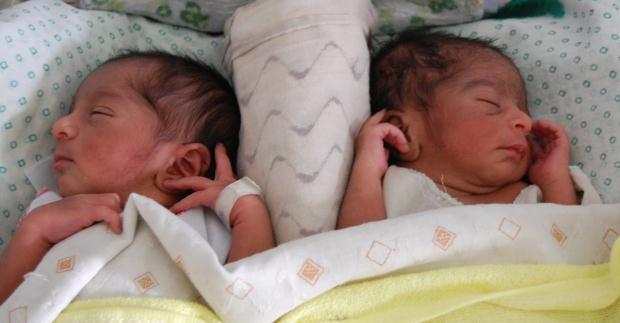
My 6 Daddy years…
A quick TODAY()-DATE(2009,9,24) tells you that it has been only 3 years since my kids were born. But I have amassed 6 daddy years, thanks to raising twins!
In these 6 years, there were a handful occasions when I felt like sending a classified ad to newspapers to this effect:
Take one or both. 2 lovely kids, well raised but naughty. Potty trained and can brush their teeth. Hurry up!
But better sense prevailed and we kept them 😀
To be honest, they are not all that mischievous. But sometimes they get on our nerves so bad.

A dinner to remember
After spending probably zillion nights eating at home, one day, my wife declared, “Honey, lets go out tonight.” We usually leave the kids with our in-laws (they live close by) when we do this. But that day we must have been possessed by cruel demons. Why else would I say, “Lets take the kids along!”
And all 4 of us got in to a car and went. We did a bit of shopping (getting new clothes for kids for their upcoming birthday) and reached the restaurant. Being weekend it was full. So I left Jo & kids at lobby and went inside to book a table.
Let me break this story at this point and give you one basic rule of parenting.
You need 100% attention of one adult per one children when they are in public places.
Coming back to the lobby, as I walked inside, suddenly Nishanth and Nakshatra felt liberated & started running like incredible hulk after breaking free from underground army prison. With in a span of 30 seconds, Nakshatra walked to a near-by mini pond and sat on the ledge. As Jo managed to lug Nishanth from the other corner to that pond, Nakshatra made a backward move with a swiftness rarely seen outside tom and jerry cartoons.
SPALSH!
She is drowned up side down and started crying aloud.
Thankfully, Jo quickly pulled her out. But now all her clothes are wet and she is shivering a lot.
Fortunately, we had new clothes in the car. So I took her to the car and changed. By the time I got back, Jo already got us seats and ordered something. So we started eating. And then, Nakshatra wanted to pee. So Jo took her to the rest-room. And then Nishanth started running behind them. So I followed him.
Meanwhile a clever waiter noticed an empty table with no food items. He promptly asked the next group to occupy it.
When all of us got back, we had 4 strangers looking hungrily at our order of chicken something, Indian breads & something else!
I will not bother you with how the rest of dinner, drive to dessert place and drive back home went. But rest assured that we had few more nasty surprises.
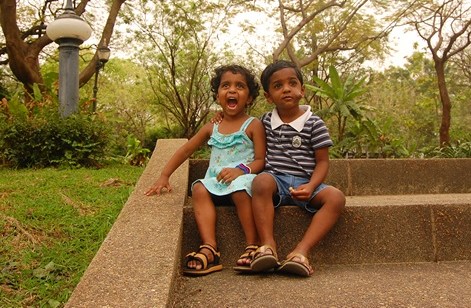
The car that wont start
My kids have taken a strange fancy to keys & key holes. Once every few weeks they invent a hare-brained scheme to spoil a lock, key or something. Once when visiting family friends, my son has managed to bend my car keys by 900. Fortunately they had a hammer and we could twist it back.
But we are not always so lucky. Recently, in one of their invented games, they poked small sticks in to the key hole my car. Later when I tried to open the door, it was jammed. I ended up calling the service center folks and they sent a technician who gave me the look, “Sucker! I am sure you will become a regular customer”.
This is not a one off thing. I had same experience with my bike key hole, car trunk key hole and our gate locks. And did I tell you my kids derive a lot of pleasure locking the doors when we are in bath?!?
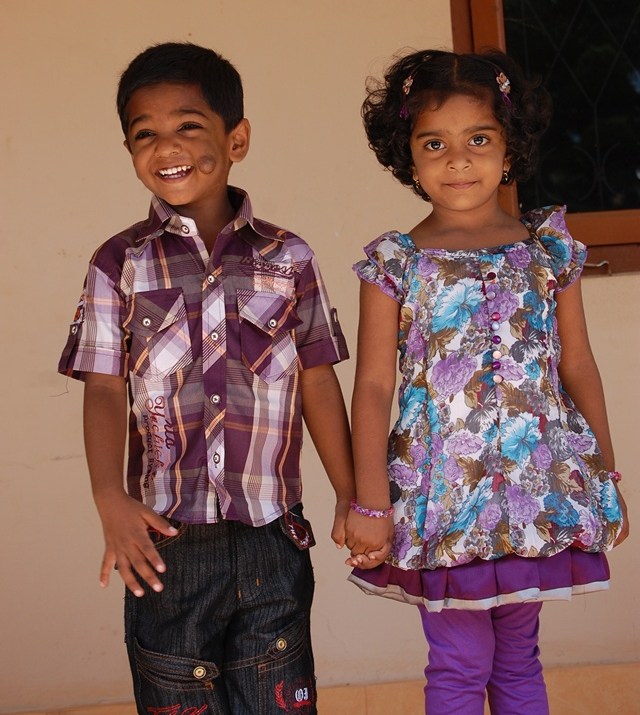
But its not all that bad
If there is one thing I am doing more after my kids are born, it is laughing & smiling. We (Jo and I) laugh at least a dozen times everyday watching the kids. They make us immensely happy. It is a joy to watch them grow, take good care of each other and learn things. Their innocent smiles and immense curiosity put us at ease almost immediately even when we are tired, stressed or worried. And that is worth more than a jammed key hole or spoiled dinner.
I wish you many more years of happiness, health & wealth Nakshatra & Nishanth. Now go and have the cake.
Just don’t spoil your new clothes 😛
PS: If you have kids, Learn Excel. You will have more free time to chase those little lunatics.


49 Responses
i am first. very happy family
Keep it up…
Congratulation to Nakshatra & Nishanth along with their Mummy daddy…BTW which is elder one?
One other thing to celebrate, it looks like the birthday of your children has shamed you into getting the “mop” on top of your head cut, 🙂
Happy B-day you your little ones… It’s a good date for a birthday, actually mine 32nd is tomorrow … ;o]]]
Dear friend,
i’m glad to read about your twins birthday. Congratulation !!!
I follow your great stuff in excel and finaly I come to somthing in commen between us… 😉
as I have twins (boys) as well , and LOVE them (and love Excel, of course).
wish you and your kids all the best in the world!
keep them happy and they will do the same to you & your wife.
Rgds,
Shlomi
Chandoo,
what a lovely story and what cute pair of twins. Although my (one) son is ony 19 months old I can see myself in lots of the things you share in this post. Wrinkles get deeper, nights get shorter but life is so much more pleasant that I cannot imagine how it was before he was there.
Here in Germany we have a saying: A kid brings out the best in you. And that is so true. Happy happy birthday to your two kids and have a wonderful day celebrating.
It amazes me every time I read their – from my persepctive – very poetic names. You rock!
Phil
WE ALL WISH YOUR LOVELY CHILDREN A VERY VERY HAPPY BIRTHDAY. AND MORE THAN THAT, WE ALL WISH YOU HAPPINESS, PEACE AND JOY. MAY ALL YOUR WISHES AND DREAMS COME TRUE, NOW AND FOREVER. GOD BLESS YOU ALL
Wishing a very cheerful Happy Birthday to Nakshatra & Nishanth….God bless u all & always keep smiling.
Hi KuttyS………Wish you both a Happy Birthday and Many more happy returns of the Day!. Two Prospective Excel 16GB Specialists! Advance Greetings!
Mohan K
Welcome to parenthood. Over time, the antics of the kids may get bigger and worse. But you will still love the. Funny story.
Happy birthday to your twins and happy giving-birth day to Jo!! (And happy bystander day I guess to you!). I love these stories, especially since it further reinforces the belief that as parents we aren’t alone…I have 3 terrors myself at home and with just my husband and me we’re outnumbered!! Hope your adorable children have a wonderful birthday!
Thank you for sharing this day!
It’s such a blessing to have active healthy children. My wife and I celebrate 36 years together this year and we have 4 children – one adopted at the age of 16! We currently have 8 grandchildren and enjoy the energy, life and love they bring to our home and lives.
Keep up playing with your kids, they become the best of your friends and make for a terrific family.
Happy birthday to you amazing duet!
Paul
Great story and adorable children–born the same day as my father–9/24. Blessings to you all from Nashville!
best
Andy
Thanks for sharing those “pleasant” adventures. I too am a father of twins and I know the joy (and pain) of raising twins. I enjoyed looking at them as they slept and wondered it these are the same kids that run amok and cause endless damage in the house when they are awake. However, things can be replaced. I wouldn’t trade them for anything in the world.
Happy Birthday to your twins. Enjoy and treasure these days. You will not believe how quickly they go by. My daughter is 16 going on 21 and it seems like just yesterday we were bringing her home from the hospital!
Blessings to an ‘awesome’ family! Happy birthday to your lovely twins.
Purna Duggirala is one of the best excel expert on the web but first of all is a good father and a nice person. Greetings from Italy
SumIf(mini pond * Nearby) = Fall in
With kids, this function will always return true.
Congrats1 I have a 8 month old and a 3.75 yr old.
The age between 3-4 is really neat as will now talk alot more and have a better understanding of the environment around them and can share their thoughts with you. It is also funny as they learn and start using slang or phrases that are said by you or family members, so watch what you say!!
Beautiful. Thank-you for sharing and bringing a big smile to my day.
Happy Birthday to your adorable children! WOW they are absolutely gorgeous. Thank you for sharing your story and for your awesome blog!
Happy Birthday to your kids! They look so cute! I liked your stories and I’m looking forward to reading more 🙂
Hi Chandoo, Happy birthday to your Kids…I like your blogs…
I have twins of 8 and another who is 7 later this week.
Every day, it gets easier! (Although I suspect soon, as they are all girls, we hit the bottom of the slope and it’s a steep climb up again until their teenage years are over!).
The worst time was around 3 months old, 1 1/2 hours sleep a night, feed one, wind, settle, feed next one, wind, settle over and over again. (they were premature and tiny) – nappies all over – formula (not Excel!) all over. Too young to smile…but then a spark of personality, and every day since, lots of laughs.
You remind me of the scan for our third, I’m standing over the nurses shoulder “what’s that?” – a heart beat…”what’s that?! – nothing – “What’s that???!!!” – “Nothing. What’s your problem?!” She said. I’ve got 8 month old twins at home! “Oh.” She said…..”I’ll just check, but I think it’s only one”.
Enjoy every day with them. It’s incredibly fulfilling. But I disagree with you on one thing.
I’m studying Excel because it keeps me in the office a bit longer to avoid the cries of “Daddy!…” for just a while longer! 🙂
Thanks for sharing the special day with us. Congrats to you and your family!
Hi Chandoo,
First of all, Congratulation for your babies birthday!!! I am sure your kids are so proud you are their fathter and they are Chandoo’s children.
Bless your family.
Hi Chandoo,
Just can’t help myself to comment on your post today. Am a father too, so I can relate to your story. That’s the magic of being a father! Congratulations to you and your wife for having such two lovely kids!
Happy birthday Nakshatra & Nishanth!
Hi Chandoo,
Having you as a dad, and Jo as a mother is the best birthday present your kids will ever have!
You even manage to share with others ( us) your passion for (excel, sure,)..:)) but for fun and life, and the joy of parenthood, and the adventures of your kids.
Thank you… and happy many returns to your little offsprings that have all the right demons in their belly that will make their lives and yours delighfully happy!
Live it up!
What a nice family Chandoo. You’re indeed very lucky!!
That’s a lovely story. Or, should I say an adventure. I wish the kids a very happy birthday. God bless the cutie pies. And, wishing the parents many more such adventures, laughter, and fun. God bless you all.
– DG
What a lovely story to wake up to this morning! Congratulations to you and Jo! You sound like amazing, fun-loving parents – you are doing a great job.
And your kids are so cute!
Subscribing to Chandoo.org has been enriching in so many ways, thank you so much!
Take care
Nikki
Happy Birthday Nakshatra & Nishanth..
Hi Chandoo,
Happy Birthday to your adorable kids, God Bless you
Birthday wishes to Dear Nakshatra & Nishanth
(((((((((*********)))))))))))Happy B’Day Nakshatra and Nishanth(((((((((*********)))))))))))
My best wishes to you and your family 🙂
hello
touch wood , kisi ki nazar nhai lage
My best wishes to the kids. Happy life.
Birthday wishes in Guruji’s (Chandoo’s) style
=IF(TODAY()=2012/9/24,”Happy birthday Nakshatra & Nishanth; No excel post from Chandoo”,”Checkout the formula forensics posting from Chandoo”)
best wishes to you and your family
Happy belated birthday to your delightful twins. Great day for a birthday, same as mine. I have two boys 27 and 21yrs.
you’re a great dad 🙂 thanks for inspired me…i’m a brand new dad also.
Happy belated birthday to your cuties …
Thanks everyone for lovely wishes & blessings. We had a fun day on 24th, with a quite a few friends & relatives joining us for the cake.
Reading your post/email warmed my heart – really enjoyed it and had a good laugh at the memorable stories you have.
Happy belated birthday to two very energetic youngsters – all the way from South Africa…
Hello! I could have sworn I’ve been to this website before but after browsing through a few of the posts I realized it’s new to me. Nonetheless, I’m definitely happy I came across it and I’ll be bookmarking it and checking back often!
Your business story is inspiring. I wonder how could you spin out newer tricks\tips\templates from excel. I guess…what i am saying is too regular for you :-). I had decided not to comment but then I got to this post & surprise….I could relate to your story. Our Boy-Girl twins are 22 months old & as monstrous as they could be 🙂 But as you concluded its fun more often than not. I am looking forward to read some more on your parenting experiences. 🙂