
![2010 Calendar – Excel Template [Downloads]](https://chandoo.org/img/n/2010-calendar-thumb.png)
Here is a 2010 new year gift to all our readers – a free 2010 calendar excel file (a little secret: just change the year in “outline” sheet from 2010 to 2011, to get the next years calendar. It works all the way up to year 9999). You can even get a Printable PDF Calendar. There are 14 different sheets in the calendar file. First one is an outline calendar for the entire year. The next 12 are monthly calendars. And the last sheet shows a mini-calendar for the year 2010.
Read the rest of this post to know more and download the calendar.
Continue »![Use CTRL+F1 to collapse ribbon [super-mini-quick-tip]](https://chandoo.org/wp/wp-content/uploads/2009/12/ctrl_f1_keyboard_shortcut.png)
In office 2007 (and 2010) you can immediately collapse the ribbon by pressing CTRL+F1. Thanks to Loranga for sharing this tip. More ribbon goodness | Free e-book to learn Excel Ribbon
Continue »![How to pick a random date? [Formulas]](https://chandoo.org/img/i/random-date-time.png)
Often when you need to generate a sample from large data set, you may want to pick data from a random date. In such cases, you can use excel’s RAND() and RANDBETWEEN() formulas to pick a random date. Here I have included few examples,
Continue »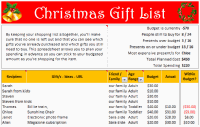
Steven, one of our readers from England sent me a Christmas gift tracker worksheet. I found it pretty cool, so made some minor changes to it and sharing it with you all so that you can have great time shopping for the holidays.
The workbook is full of lessons on conditional formatting, cell formatting, using formulas. Go ahead and download it today.
Continue »
Dilbert is my favorite cartoon (Calvin & Hobbes comes second). I like it so much that I have named this blog after Dilbert. So, today, as as ode to Dilbert and all things excel, we present you… Dilbert on Excel. Read the rest of this post to find some great dilbert strips on excel modeling, formulas, errors and annoyances. Have a fun weekend.
Continue »![Use Shapes and Images to make Prettier Charts [Dashboard Tricks]](https://chandoo.org/img/c/use-shapes-to-make-better-dashboard-charts.png)
One of the annoyances of charts is that they all look like boxes (except for pie charts, they just look wrong). Boxes might be ok when you are making 1 or 2 charts. But a whole dashboard of boxes can look little rigid. So how can we make the charts peppy without loosing any effect? Like these charts below:
Very simple, we use drawing shapes in MS Excel to draw whatever we want and overlay the chart on top.
Continue »![50% off on ExcelUser’s Dashaboard Kit [2 days only]](https://chandoo.org/wp/wp-content/uploads/2009/12/exceluser-dashboards-th.png)
Charley at Excel User is running a sale on the excel dashboard kits. It is too good to be true. You get the plug and play dashboard kits for half the regular price. Go here to avail this offer and read on, if you are not sure what the dashboard kit is.
For a long time now, I have been an advocate of Excel User’s dashboards. Charley is a pioneer when it comes to excel based dashboard reporting. He has popularized several techniques like using sumproduct formula, using camera tool etc. I have been such a fan boy of his work that I even interviewed him once on this blog.
Continue »
