
Weekly Links – Even More Downloads Edition
excel links - 1 comment
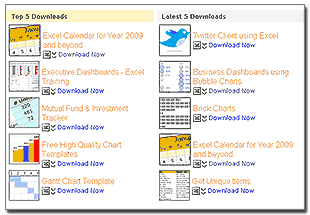 Over the weekend I could get sometime to cleanup few of the pages on the blog. Checkout the free excel spreadsheets page, we now have almost 30 excel spreadsheet files for download neatly arranged in to areas like Top 5, Latest 5, Excel Chart Templates, VBA, Excel Apps. Check out the page yourself and download a file or two.
Ok, moving on to this weeks excel links from around web.
Note to new readers: Every week (ok, not really every week, but almost) I share few excel, charting, presentation related links that can help you become more productive and successful.
Excel to Twitter, now in Add-in Format
JP at Code for outlook and excel blog has taken one look at my excel from twitter workbook and immediately felt that, an add-in is a cool way to extend it. Being the compulsive VBA programmer he is, he just did that and posted the add-in for download at his blog. While there, also checkout his random sample data generator add-in, might come handy when you need to generate sample data.
Bars are good, only when focus + context are taken care
Jorge at his charts blog touches a very relevant and important issue. Often when you have more data, we plot bars without really emphasizing on focus and context. It is important to plot your data, but it is more important to highlight the key values and bring context so that readers will know the story better. He suggests using accordion charts, something that I have been experimenting in the last few weeks. check out more at Jorge’s site.
Debra shares this wonderful little mouse based shortcut to paste copied values as cell. Just select the values you want to copy, right click on the border and drag the range to where you want to paste while holding the right mouse button depressed. When you are ready release mouse button and select one of the options shown (copy here as values only). You can do this and much using excel’s paste special features too.
Simple Expense Tracker using Excel 2007 Features
Monica, a software engineer in Excel team at MS tells us how you can build an expense tracking application using Excel 2007’s features like SUMFIS formula.
What would you do if you do not have excel 2007 or not want to use SUMIFS ? Well, you can build an expense tracker using Google docs.
Leaving the door open could cause excessive CPU load
Dick at Daily Dose of Excel discovers that leaving few ADO data connections open in the VBA code could lead to excessive CPU consumption and slowing down of every app including Excel. Make sure you are not doing the same mistake in your vba / macro code.

Hello Awesome...
My name is Chandoo. Thanks for dropping by. My mission is to make you awesome in Excel & your work. I live in Wellington, New Zealand. When I am not F9ing my formulas, I cycle, cook or play lego with my kids. Know more about me.
I hope you enjoyed this article. Visit Excel for Beginner or Advanced Excel pages to learn more or join my online video class to master Excel.
Thank you and see you around.
Related articles:
|
Leave a Reply
| « Review of PTS Clustered Stack Chart | PHD reader gears up for a promotion despite recession and makes my day » |
 At Chandoo.org, I have one goal, "to make you awesome in Excel & Power BI". I started this website in 2007 and today it has 1,000+ articles and tutorials on data analysis, visualization, reporting and automation using Excel and Power BI.

One Response to “Weekly Links – Even More Downloads Edition”
Very funny Chandoo! Thanks for the mention, I know you were excited about it. I've been promoting the hell out of it, so hopefully you get some hits from my blog 🙂