

Hello folks,
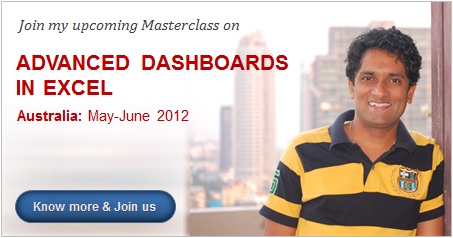
We pause the regular broadcast of Excel awesomeness to share something exciting. As you may know, I will be running a series of Advanced Excel Dashboard Masterclasses in Australia this May & June. So if you live in (or nearby) Sydney, Melbourne, Canberra, Perth or Brisbane and want to one up your dashboard skills, you know what to do next.
I am conducting these masterclasses in partnership with Plum Solutions.
What is in this Masterclass & Who should attend?
This 2 day masterclass is aimed at managers, analysts, reporting professionals, executives in sales, marketing, customer service or anyone who wants to learn about Excel Dashboards.
In this masterclass we will be learning,
- Day1: Our first dashboard in Excel
- Excel formulas for dashboards
- Applying advanced conditional formatting for dashboards
- Building our first dashboard – hands-on exercise
- Day 2: Advanced dashboard skills
- Selecting right charts for any situation
- Enhancing dashboards with Excel 2010 – sparklines, slicers
- Customizing Excel charts – top 5 problems
- Building our second dashboard – hands-on exercise
- Q&A
For complete details about the masterclass, please download our brochure.
Benefits of this Masterclass – what you will get?
These are the benefits of the of our Masterclass:
- Learn the process to create robust, easy-to-maintain Excel Dashboards
- Build better & error-free Excel reports
- Know how to choose right charts based on your need
- Understand design principles that make your work stand out
- Discover some of the less commonly-known Excel features
And you will get this by enrolling:
- Two full days of tuition by me
- Use of workstations, lunch and refreshments
- USB stick with Example workbooks, PDF guides & videos
- Access to selected videos & material on Chandoo.org
- Email support for Excel questions for 3 months following the course by Chandoo.org
When is it?
The venues and dates of the masterclass are,
- Thu 03 May 2012, Sydney
- Thu 10 May 2012, Canberra
- Mon 21 May 2012, Perth
- Thu 31 May 2012, Brisbane
- Thu 07 June 2012, Melbourne
Sign-up before April 15th to get $100 discount
This masterclass is AUD 950 + GST per participant.
If you sign-up before April 15th, you get $100 discount. Please use the discount code CHANDOO during checkout to claim it.
Click here to sign-up for our Advanced Excel & Dashboards Masterclass.
Do you want me to conduct training in your company?
I will be Australia between April 23rd and June 10th. I would love to visit your team and spend a day or two discussing Excel. So if you want to have an in-house training session by me, just drop an email to chandoo.d @ gmail.com.
Any questions: Comment on this page or email me.
Thank you
I got my visa few days. I have booked my tickets too. I am very eager to visit Sydney, Perth and all other beautiful places down under. I am even more eager to meet some of you and share my knowledge. Thank you so much for making this happen.
PS: If you are live in any of those 5 cities and want to have some coffee / beer, let me know. I would love to meet you.
PPS: If you live in any of those 5 cities and want to become awesome in Excel, go ahead and sign-up. You know it is going to rock.


6 Responses
I wish it wasn’t on other side of the planet 🙂
Funny, that’s how most of us Aussies feel about all the stuff that happens in the states and europe! 😀
Chandoo, just let us know if ever visit Poland. It would be great to sign-up on one of your classes 🙂
Welcome to Mongolia
As the Perth event has been cancelled (and an inhouse course is not possible for us at this time) 🙁 … will you have your Masterclass available as an online course in the future?