

Few weeks back I have invited all of you to share your excel keyboard shortcuts in a open thread. More than 50 people commented on that post and shared a hundred excel keyboard shortcuts with us. There were so many wonderful keyboard shortcuts and tricks buried in the comments section of that post. During the weekend, I spent sometime to collect all these beautiful shortcuts and arranged them neatly so that you can easily learn them. Here is the complete list of Excel Keyboard Shortcuts.
Special thanks to all the commenters on the original post. Without you I couldn’t have learned these shortcuts.
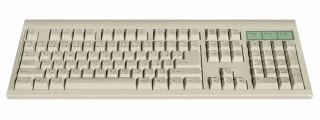
Here is the complete list of excel keyboard shortcuts.
- Shortcuts for Selection
- Shortcuts for Editing
- Shortcuts for Navigation
- Shortcuts for Formatting
- Shortcuts for Formulas
- Shortcuts for Excel Options
- Shortcuts for Auto Complete
- Shortcuts for Everything Else
Note: I have *ed some of the most important shortcuts. These are very useful and extremely time saving ones. You may want to remember a few to boost your productivity.
| Select the whole column
Selection
|
| Select the whole row
Selection
|
| Select table
Selection
|
| Save
Selection
|
| Select visible cells only
Selection
|
| Select entire region
Selection
|
| Select range from start cell to far left
Selection
|
| Select range from start cell to end in direction of arrow
Selection
|
| Select a continuous range of data (e.g. pivot), no matter where your cursor is.
Selection
|
| Select blank cells
Selection
|
| Select all cells with comments
Selection
|
| Select all cells that are directly or indirectly referred to by formulas in the selection
Selection
|
| Select all cells with formulas that refer directly or indirectly to the active cell
Selection
|
| Selects all the way to a1 from cursor position
Selection
|
| Select cells in the direction of arrow
Selection
|
| Previous sheet
Navigation
|
| Next sheet
Navigation
|
| Launch GO TO Dialog (from here you can select special or jump to a cell or range)
Navigation
|
| Go to top left (will go to top left of freezed pane if set)
Navigation
|
| Go to last non-blank cell
Navigation
|
| Go to previous sheet
Navigation
|
| Go to next sheet
Navigation
|
| Print
Navigation
|
| Toggle between workbooks in a given session of excel.
Navigation
|
| Change the type of cell reference from relative to absolute or semi-absolute
Formulas
|
| Repeat whatever you did last
Formulas
|
| Debug portions of a formula (select and press)
Formulas
|
| Sum range
Formulas
|
| Enter array formula
Formulas
|
| Select array formula range
Formulas
|
| Display range names (can be used when typing formulas)
Formulas
|
| Evaluate formulas. (its easy to remember when working with some “tuf” formulas!)
Formulas
|
| Copy a formula from above cell and edit
Formulas
|
| Display the formula palette after you type a valid function name in a formula
Formulas
|
| Alternate between displaying cell values and displaying cell formulas
Formulas
|
| Calculate formulas
Formulas
|
| Select all precedent cells
Formulas
|
| Select all dependent cells
Formulas
|
| Format Selection (cells, objects, charts)
Formatting
|
| Bold a cell’s content
Formatting
|
| Format Painter – Paste formats from selection
Formatting
|
| Format as number with 2 dp
Formatting
|
| Format as local currency
Formatting
|
| Format as percentage with 0 dp
Formatting
|
| Hide row
Formatting
|
| Hide column
Formatting
|
| Unhide row
Formatting
|
| Unhide column
Formatting
|
| Display the style command format menu
Formatting
|
| Sets/removes strikeout in current cell
Formatting
|
| Show/hide the top bar when you have a group
Formatting
|
| Single border around selected cells
Formatting
|
| Sort
Formatting
|
| Insert hyperlink
Formatting
|
| Freeze panes
Formatting
|
| Remove grid lines or (alt+t)ov(alt+g)[enter]
Formatting
|
| To wrap lines
Formatting
|
| Save as
Excel Options
|
| Collapse the ribbon (press again to expand)
Excel Options
|
| Opens print preview
Excel Options
|
| Maximize the current window
Excel Options
|
| Activate next window
Excel Options
|
| Activate previous window
Excel Options
|
| Close an excel workbook
Excel Options
|
| Split screens
Excel Options
|
| Create a pivot table in new sheet (of course after selecting the range)
Everything Else
|
| Create a pivot table in the same sheet.
Everything Else
|
| Show visual basic editor
Everything Else
|
| Macro dialog
Everything Else
|
| Apply/remove filter
Everything Else
|
| Keep filter on columns, but show all rows
Everything Else
|
| Insert pivot table
Everything Else
|
| Turn filter on or off
Everything Else
|
| Paste values only
Editing
|
| Edit a cell, place cursor at the end
Editing
|
| Show in-cell drop down with previously entered values
Editing
|
| Fills down value from cell above
Editing
|
| Add a comment or Edit comment
Editing
|
| Insert new sheet
Editing
|
| Insert row
Editing
|
| Delete row
Editing
|
| Copy
Editing
|
| Paste
Editing
|
| Cut
Editing
|
| Undo
Editing
|
| Get a line break inside the cell
Editing
|
| Clear all contents
Editing
|
| Copy
Editing
|
| Paste
Editing
|
| Make chart/pivot chart
Editing
|
| Edit a cell in Apple Macs
Editing
|
| Copy the value from the cell above the active cell into the cell or the formula bar
Editing
|
| Copies whatever is in the cell to the left of it.
Editing
|
| Delete box (cell, row, column)
Editing
|
| Insert box (cell, row, column)
Editing
|
| Enter current date
Auto Complete
|
| Enter current time
Auto Complete
|
Thanks to the contributors
Here is a list of people who contributed these shortcuts.
Vipul, Dau, Stružák, Paul, Eliavs, Pavel S, Fabrice, Noone, Clarity, Jp, Pascal, Jair, Yoav, Nimesh, Bill, Patricia, Mike, Iesmatauw, Chrisham, Harvey, Pranav, Rohit Choudhary, Rohit1409, Rickard, Sachin, Gerald Higgins, Ericlind, Zzz, Felipe, Sridhar, Halva, Catherine, Lavkesh Bhatia, Rick Rothstein, Vishal Haria, Ak, Daniel Ferry, Mehdi Raza.
Thank you 🙂
Share your shortcuts
I know this post is unusally lengthy. But I wanted the list to be as comprehensive as possible. If you know some shortcuts that are not listed, please share them using comments. 🙂


153 Responses
Bookmarked. Great post.
Hey
here are some short-cuts – sorry, but only in german
regards stef@n
ALT + ‘ ( Apostroph ) Formatvorlage
ALT + = Formel SUMME einfügen
ALT + (Pfeil nach unten) Anzeige der AutoEingabe – Liste
ALT + EINGABE Zeilenumbruch innerhalb einer Zelle
ALT + F1 Einfügen Diagrammblatt
ALT + F11 Anzeige des VB-Editors
ALT + F2 Speichern unter
ALT + F4 Beenden
ALT + F8 Anzeigen Dialogfeld “Makro”
ALT + SHIFT + F1 Einfügen Tabellenblatt
ALT + SHIFT + F2 Speichern
F1 Online-Hilfe oder Office-Assistent
F2 Bearbeiten aktive Zelle
F3 Einfügen eines Namens in eine Formel
F4 Wiederholung der letzten Aktion
F5 Gehe zu
F6 Wechseln zum nächsten Ausschnitt
F7 Rechtschreibung
F8 Markierung erweitern
F9 Alle Blätter berechnen
F10 Menüleiste aktivieren
F11 Erstellen Diagramm
F12 Speichern unter
SHIFT + F1 Direkthilfe
SHIFT + F2 Bearbeiten Zellkommentar
SHIFT + F3 Einfügen einer Funktion in eine Formel
SHIFT + F4 Weiter Suchen
SHIFT + F5 Suchen
SHIFT + F6 Wechseln zum vorherigen Ausschnitt
SHIFT + F8 zur Markierung hinzufügen
SHIFT + F9 Aktives Tabellenblatt berechnen
SHIFT + F10 Anzeigen Kontextmenü
SHIFT + F11 Einfügen Tabellenblatt
SHIFT + F12 Speichern
SHIFT + BildAb Erweitern der Markierung um eine Bildschirmseite nach unten
SHIFT + BildAuf Erweitern der Markierung um eine Bildschirmseite nach oben
SHIFT + Leertaste gesamte Zeile markieren
SHIFT + Pfeiltaste Erweitern der Markierung um eine Zelle
SHIFT + POS1 Erweitern der Markierung bis zum Zeilenanfang
SHIFT + Rücktaste Reduzierung der Markierung auf die aktuelle Zelle
STRG + – ( Minuszeichen ) Zelle löschen
STRG + ! Zahlenformat “Zahl mit Tausendertrennzeichen, 2 Dezimalstellen + Vorzeichen” zuweisen
STRG + ” Zahlenformat “Wissenschaft mit 2 Nachkommastellen” zuweisen
STRG + # Wechseln der Anzeige zwischen Zellwerten und Zellformeln
STRG + $ Zahlenformat “Währung + 2 Nachkommastellen” zuweisen
STRG + % Zahlenformat “Prozent ohne Dezimalstellen” zuweisen
STRG + & Zahlenformat “Standard” zuweisen
STRG + ( Spalte einblenden
STRG + ) Zeile einblenden
STRG + * markieren des aktuellen Bereichs
STRG + . ( Punkt ) aktuelles Datum einfügen
STRG + / Markieren der aktuellen Matrix
STRG + : ( Doppelpunkt ) aktuelle Uhrzeit einfügen
STRG + ; ( Semikolon ) Kopieren des Wertes aus der Zelle darüber
STRG + _ ( Underscore ) Gesamtrahmen zuweisen
STRG + + ( Pluszeichen ) leere Zelle einfügen
STRG + > alle Rahmen löschen
STRG + < Zelleninhalt von darüber liegender Zelle kopieren
STRG + § (Paragraph) Datumsformat "01.Jan 00" zuweisen
STRG + 0 ( Null ) Excel97: Ein-/Ausblenden der Standard-Symbolleiste, Excel 2003: Spalte ausblenden
STRG + 1 Format Zellen
STRG + 5 Formatierung "Text durchgestrichen"
STRG + 6 Wechseln dem Ein-/Ausblenden von Objekten und dem Anzeigen von Platzhaltern
STRG + 8 Excel 97: Spalte ausblenden, Excel 2003: Standard-Symbolleiste ein-/ausblenden
STRG + 9 Zeile ausblenden
STRG + A alles markieren bzw. nach Eingabe eines Funktionsnamens: Anzeige der Formelpalette
STRG + Ä Markieren aller Zellen, deren Formel die aktuelle Zelle referenziert ( direkt )
STRG + BildAb Wechseln zum nächsten Blatt innerhalb der Arbeitsmappe
STRG + BildAuf Wechseln zum vorherigen Blatt innerhalb der Arbeitsmappe
STRG + C markierten Bereich kopieren
STRG + EINGABE alle markierte Zellen erhalten aktuellen Eintrag
STRG + ENDE Bewegen an das Ende des Tabellenblattes
STRG + F Suchen
STRG + F2 aktive Zelle anzeigen
STRG + F3 Festlegen eines Namens
STRG + F4 Fenster schließen
STRG + F5 Wiederherstellung der Fenstergröße
STRG + F6 Wechseln zum nächsten Arbeitsmappenfenster
STRG + F7 Verschieben Fenster
STRG + F8 Fenstergröße ändern
STRG + F9 Arbeitsmappe minimieren
STRG + F10 Maximieren oder Wiederherstellen des Arbeitsmappenfensters
STRG + F11 Einfügen einer Excel (4.0) Makrovorlage
STRG + F12 öffnen
STRG + K Hyperlink einfügen
STRG + Leertaste gesamte Spalte markieren
STRG + N neue Arbeitsmappe
STRG + O öffnen
STRG + P Drucken
STRG + Pfeiltaste Bewegen an den Rand des aktuellen Datenbereichs
STRG + POS1 Bewegen an den Anfang des Tabellenblattes
STRG + R Zelleninhalt von linker Zelle kopieren
STRG + Rücktaste aktive Zelle anzeigen
STRG + S Speichern
STRG + SHIFT + A nach Eingabe eines Funktionsnamens: Einfügen der Argumentnamen und Klammern
STRG + SHIFT + ä Markieren aller Zellen, deren Formel die aktuelle Zelle referenziert ( direkt oder indirekt )
STRG + SHIFT + EINGABE Eingabe einer Formel als Matrixformel
STRG + SHIFT + ENDE Erweitern der Markierung bis zur letzten verwendeten Zelle (rechts unten)
STRG + SHIFT + F Formatierung Fett
STRG + SHIFT + F12 Drucken
STRG + SHIFT + F3 Erstellen eines Namens unter Verwendung von Zeilen- und Spaltenbeschriftungen
STRG + SHIFT + F6 Wechseln zum vorherigen Arbeitsmappenfenster
STRG + SHIFT + K Formatierung Kursiv
STRG + SHIFT + Leertaste alle Zellen markieren
STRG + SHIFT + O Markieren aller Zellen mit Kommentar
STRG + SHIFT + Pfeiltaste Erweitern der Markierung bis zur letzten nicht-leeren Zelle
STRG + SHIFT + POS1 Erweitern der Markierung bis Tabellenblatt Anfang
STRG + SHIFT + TAB Wechseln zur vorherigen Arbeitsmappe
STRG + SHIFT + U Formatierung Unterstreichung
STRG + SHIFT + ü Markieren aller Zellen, auf die sich die aktuelle Formel bezieht ( direkt oder indirekt )
STRG + TAB Wechseln zur nächsten Arbeitsmappe
STRG + U Zelleninhalt von darüber liegender Zelle kopieren
STRG + ü Markieren aller Zellen, auf die sich die aktuelle Formel bezieht ( direkt )
STRG + V Einfügen aus Zwischenablage
STRG + W Fenster schließen
STRG + X Ausschneiden der Markierung
STRG + Y Wiederholung der letzten Aktion
STRG + Z Rückgängigmachen der letzten Aktion
thank s chandoo
Great. How do we translate these into English?
Thanks Chandoo
Hello Chandoo.
Nice list of shortcuts. But some of them doesn’t work in French. Here’s what I found.
How about a multilingual sheet of shortcuts ?
Select blank cells :
F5 + ALT + S + K + ENTER=> F5 + ALT + C + D + ENTERSelect all cells that are directly or indirectly referred to by formulas in the selection
CTRL + SHIFT + {=> ALT + L + RS + S + N + {S|T} {Direct|All}Select all cells with formulas that refer directly or indirectly to the active cell
CTRL + SHIFT + }=> ALT + L + RS + S + A + {S|T} {Direct|All}Evaluate formulas. (its easy to remember when working with some “tuf” formulas!)
ALT + TUF=> ALT + UVCopy a formula from above cell and edit
CTRL + ‘=> Not FoundAlternate between displaying cell values and displaying cell formulas
CTRL + ` (Single Left Quotation Mark)=> Not FoundFormat Selection (cells, objects, charts)
CTRL + 1
Single border around selected cells
CTRL + SHIFT + 7=> CTRL + 0Sort
ALT + DS=> ALT + éTFreeze panes
ALT + WFF=> ALT + NVFCreate a pivot table in new sheet (of course after selecting the range)
ALT + DPF=> ALT + SYTNCreate a pivot table in the same sheet.
ALT + DPN=> ALT + SYTFClear all contents
ALT + EAA=> ALT + LEA“Selects all the way to a1 from cursor position
SelectionCTRL + SHIT + HOME”
You might get a smelly finger if you use that shortcut
Think you missed the F out 😛
I think it would be cool if you add a Printer friendly button.
gr8 job..Chandoo.. n all others..
How about translating german contribution by stef@n ??
Regards.
ALT + ‘(apostrophe) style
ALT + = SUM formula insert
Alt + (down arrow) display the AutoComplete – list
Alt + Enter line break within a cell
ALT + F1 Insert Chart Sheet
ALT + F11 to display the VB Editor
ALT + F2 Save As
ALT + F4 Quit
ALT + F8 to display dialog “macro”
ALT + SHIFT + F1 Insert Worksheet
ALT + SHIFT + F2 Save
F1 online Help or the Office Assistant
F2 Edit active cell
F3 insert a name in a formula
F4 Repeat the last action
F5 Goto
F6 Move to the next pane
F7 Spelling
F8 mark expand
F9 Calculate all sheets
F10 Activate the menu bar
F11 Create chart
F12 Save
SHIFT + F1 Live Support
SHIFT + F2 Edit cell comment
SHIFT + F3 to insert a function into a formula
SHIFT + F4 Find Next
SHIFT + F5 Search
SHIFT + F6 Switch to the previous pane
SHIFT + F8 to add label
SHIFT + F9 Calculate active worksheet
SHIFT + F10 Display shortcut menu
SHIFT + F11 Insert Worksheet
SHIFT + F12 Save
SHIFT + PgDn Extend selection one screen down
SHIFT + PgUp Extend the selection down one screen to the top
SHIFT + SPACE Select entire row
SHIFT + arrow key Extend the selection by one cell
SHIFT + POS1 Extend selection to start of line
SHIFT + Backspace reduce the mark to the current cell
CTRL + – (minus sign) to delete cell
CTRL +! Number format “number with thousand separator, 2 decimal places + sign” Assigning
CTRL + “Number format” Science with 2 decimal assign ”
CTRL + # display switch cell values and cell formulas
CTRL + $ number format “Currency + 2 digits” Assigning
CTRL +% number format “percentage with no decimal places” Assigning
CTRL + & number format “standard” Assign
CTRL + (show column
CTRL) line Show
CTRL + * Mark the current range
CTRL +. Insert (point) current date
CTRL + / Select the current matrix
CTRL +: (colon) to insert current time
CTRL +; (semicolon) Copy the value from the cell above
CTRL + _ (Underscore) overall framework assign
CTRL + + (plus sign) to insert blank cell
CTRL +> delete all frames
CTRL + <content of cells overlying cell Copy
CTRL + § (Article) Date Format “01.Jan 00” Assigning
Ctrl + 0 (zero) Excel97: hide the Standard toolbar, Excel 2003: Hide column
CTRL + 1 format cells
CTRL + 5 formatting “strikethrough text”
CTRL + 6 Go to the hiding objects and displaying placeholders
Control + 8 Excel 97: Hide column, Excel 2003: Hide Standard toolbar
CTRL + 9 Hide row
CTRL + A to select everything or after entry of a function name: Display the Formula Palette
CTRL + Ä Select all cells whose formula the current cell referenced (directly)
Ctrl + Page Down Move to the next sheet in the workbook
Ctrl + Page Up Move to the previous sheet in the workbook
Ctrl + C to copy selected area
CTRL + ENTER all labeled cells receive current entry
CTRL + END Move to the end of the spreadsheet
CTRL + F Search
CTRL + F2 active cell show
CTRL + F3 to set a name
CTRL + F4 Close window
CTRL + F5 Restore the window size
CTRL + F6 Switch to the next workbook window
CTRL + F7 Move window
CTRL + F8 Resize Window
Ctrl + F9 Minimize workbook
CTRL + F10 Maximize or restore the workbook window
CTRL + F11 Insert an Excel (4.0) macro template
CTRL + F12 Open
CTRL + K Insert Hyperlink
Ctrl + Spacebar Select entire column
CTRL + N New Workbook
CTRL + O Open
CTRL + P Print
Ctrl + Arrow key Move to the edge of the current data region
CTRL + POS1 Move to the beginning of the worksheet
CTRL-R cells to copy cell contents from left
Ctrl + Backspace show active cell
CTRL + S Save
CTRL + SHIFT + A to enter a function name: Insert the argument names and parentheses
CTRL + SHIFT + ä Select all cells, the formula of the current cell is referenced (directly or indirectly)
CTRL + SHIFT + ENTER you enter a formula as an array formula
CTRL + SHIFT + END Extend the selection to the last used cell (bottom right)
CTRL + SHIFT + F bold formatting
CTRL + SHIFT + F12 Print
CTRL + SHIFT + F3 Create a name by using row and column labels
CTRL + SHIFT + F6 Switch to the previous workbook window
CTRL + SHIFT + K italic formatting
CTRL + SHIFT + SPACE select all cells
CTRL + SHIFT + O Select all cells with comments
CTRL + SHIFT + arrow key Extend the selection to the last nonblank cell
CTRL + SHIFT + POS1 Extend the selection to the beginning of the worksheet
CTRL + SHIFT + TAB Switch to the previous workbook
CTRL + SHIFT + U Underline formatting
Ctrl + Shift + u Select all cells, applies to the current formula (directly or indirectly)
CTRL + TAB Switch to the next workbook
CTRL + U content of cells overlying cell Copy
CTRL + ü Select all cells, applies to the current formula (directly)
CTRL + V Paste from Clipboard
CTRL + W Close
CTRL + X Cut the mark
CTRL + Y Repeat the last action
CTRL + Z Undo the last action
do u have PDF for this?
Chandoo
One you missed
CTRL + ALT +F9
Rebuilds the internal links within a spreadsheet and then saves
I think it is similar to the Open, Repair option in 2007
Chandoo, great post!
Chandoo there’s yet a very important shortcut key that should get mention for its huge benefit. The CTRL +. (Period) helps bring back the yellow diamond shaped Symbol that usually is available only on the Top Cell of a selected Column. So instead of scrolling your way all the way to the top, with a click of CTRL +. makes this accessible immediately, and by clicking on it, giving you a number of options like converting text to number etc etc.
its not working
Chandoo, how about having a seperate blog for Excel VBA shortcut keys???
Hi Chandoo,
Here’s another useful one for the formatting group.
To erase all formatting from your selected cells
Alt + E + A + F (easy to remember E[rase] + A[ll] + F[ormats]
Note that dates/times format to general numbers/decimals
Very good additions Stef@n and Cyril. 🙂
@Leonel: I am trying to prepare a print.css for my blog. It is one of those low priority tasks, so I kind of neglected it. I could use plugins but they un-necessarily slow down the blog.
@Hui.. I didnt forget it. I just dont know it 🙂 thanks for sharing the beautiful shortcut.
@Chrisham: Wow, I didnt know that. thank you 🙂 Also, my VBA programming is very limited. I never had to use shortcuts in that. But if you know some good ones, send them over to me (chandoo.d @ gmail.com) I will upload a new post later next week.
@Ethoros: Aw, crap. I cant believe I did it. I am gonna leave it there as a testimonial to your keen eye.
I think this excel is helful for all the people but when you have try to do it.
Hello again.
I was trying to use Chrisham’s shortcut in my french Excel and I found this weird shortcut :
CTRL + . (period form numpad only)
This one change the corner selected (turns clockwise) in a selection range.
CTRL + SHIFT + ; (SHIFT+; = . period with french keyboard) bring “Photo” icon in the quick toolbar. Doesn’t seem to do anything else.
Cyril
err.. should have written CTRL+, (comma)
Sorry 🙂
Nice list of shortcuts. It’s good to be reminded of the old Alt + menu key shortcuts (I just wish more of them still worked in XL 2007). Although the list is great, an Excel table would be much, much better!
Hey together
my idea:
let’s create a list / table of all short-cuts
shortcut – english – german – french – … – … – …
good idea ?? 😉
Stef@n
you can translate it with
http://translate.google.de/#
AND
don’t forget short-cut’s like
Alt + 0155 “ø”
Alt + 0216 “Ø”
Alt + 0241 “ñ”
Alt + 241 “±”
Alt + 184 “©”
Alt + 0137 ” ‰”
Alt + 230 “µ”
AltGr + E “€”
regards Stef@n
ANd where n how do i get those Special Characters! 🙁
@Yogesh
Goto the Insert, Symbols menu
Find the Symbol you want, taking note of the Font and Character Code
You can either press Insert or
Go back to the Excel screen
Press and Hold Alt and enter the Character Code
Make sure the cell is formatted in the correct font
AND 😉
test the following short-cuts
some of them seemed UNUSED?!
Stef@n
STRG = CTRL !!
Alt + F3
Alt + F5
Alt + F7
Alt + F9
Alt + F10
Alt + F12
Alt + n. oben
Alt + n. rechts
Alt + n. links
Alt + Pos1
Alt + Entf
Alt + Einfg
Alt + Ende
Alt + Shift + 0
Alt + Shift + 1
Alt + Shift + 2
Alt + Shift + 3
Alt + Shift + 4
Alt + Shift + 5
Alt + Shift + 6
Alt + Shift + 7
Alt + Shift + 8
Alt + Shift + 9
Alt + Shift + >
Alt + Shift + ;
Alt + Shift + :
Alt + Shift + _
Alt + Shift + *
Alt + Shift + `
Alt + Shift + °
Alt + Shift + F3
Alt + Shift + F5
Alt + Shift + F6
Alt + Shift + F7
Alt + Shift + F8
Alt + Shift + F9
Alt + Shift + F10
Alt + Shift + F11
Alt + Shift + F12
F3
Shift + F7
Strg + ´
Strg + ^
Strg + B
Strg + D
Strg + E
Strg + I
Strg + J
Strg + L
Strg + M
Strg + Q
Strg + T
Strg + F1
Strg + F2
Strg + Shift + 0
Strg + Shift + ß
Strg + Shift + `
Strg + Shift + #
Strg + Shift + A
Strg + Shift + B
Strg + Shift + C
Strg + Shift + D
Strg + Shift + E
Strg + Shift + F
Strg + Shift + H
Strg + Shift + I
Strg + Shift + J
Strg + Shift + L
Strg + Shift + M
Strg + Shift + N
Strg + Shift + P
Strg + Shift + Q
Strg + Shift + R
Strg + Shift + T
Strg + Shift + V
Strg + Shift + W
Strg + Shift + X
Strg + Shift + Y
Strg + Shift + Z
Strg + Shift + F1
Strg + Shift + F2
Strg + Shift + F5
Strg + Shift + F7
Strg + Shift + F8
Strg + Shift + F9
Strg + Shift + F11
Strg + Alt + F3
Strg + Alt + F5
Strg + Alt + F6
Strg + Alt + F7
Strg + Alt + F8
Strg + Alt + F9
Strg + Alt + F10
Strg + Alt + F11
Strg + Alt + F12
Hey Chandoo
if you don’t like so LONG comment’s
— please delete my threads 😉 —
regards Stef@n
@Sk1412: What gives you the idea that I dont like long comments… ? I *love* lengthy elaborate and passionate discussions. That is the whole purpose of this blog.
Thank you so much for your shortcuts and ideas. 🙂
I like your idea “let’s create a list / table of all short-cuts
shortcut – english – german – french”
Unfortunately we cannot use google translate to do this. I will make a base template and release it later this week or next week. Folks from other countries and fill it and send it back to me. Once it is ready we have a complete list of international shortcuts 🙂
Has it been translated to spanish yet? if not send it to me and I’ll translate it.
Nice Idea… I’ll will put in my list as soon as it is ready for this !!!
But don’t prepare this sheet instead of taking care of your nice twins 🙂
Chandoo, you mentioned…
Copy the value from the cell above the active cell into the cell or the formula bar
Editing
CTRL + SHIFT + ”
You can also use CTRL + D.
Never mind what I said… It’s there already.
Try CTRL ~ (tilde). This command will view any worksheet formulas. This is great for quick on the fly eyeballing a worksheet that you are reviewing.
This is my second post, not sure if the first one went through.
Hey
CTRL ~ (tilde)
is
STRG #
in Germany
but it doesn’t work in switzerland :O
…
what i mean:
It does not seem quite so easy to create a “comprehensive” overview
best regards
Stef@n
Greetings,
Stef@n
I am not sure about what the translation is for this in Switzerland (Swedish), however the purpose of the command (CTRL ~ ) is to view all of the cell data and range formulas in a worksheet in one view. Maybe we can try something together to make it work for you. Let me know what your feedback is…. are you getting a message in EXCEL when you use this command?
Also, maybe you have a Global setting function that might prevent this from working? Let’s see what we can come up with together.
Hey
I think that problem is the keyboard layout
In Germany there is a button (next to the key input)
you can typed on the following characters
AltGr + shift * ~ (tilde)
So: in many countries, the keyboard layout is different.
ie: Ctrl (AltGr) ~ does not work at all.
The following formulas only when you press Ctrl #
the only way is, in my view – the use of vba
Sub formulasHide ()
ActiveWindow.DisplayFormulas = False
End Sub
Sub formulasFade ()
ActiveWindow.DisplayFormulas = True
End Sub
regards Stef@n
Stef@n
Thanks for the info. I never really thought about how this may work in other countries. let me know if I can help on anything else.
Best regards,
Michael
Quick reference sheet:
EXCEL : http://www.its.qut.edu.au/assist/userguides/exfiles/xl.pdf
WORD : http://www.its.qut.edu.au/assist/userguides/exfiles/office.pdf
Not forgot the original source at Microsoft Office Excel 2007 shortcut and function keys here:
http://office.microsoft.com/en-us/excel/HP100738481033.aspx
and the Ribbon, Help, and other Microsoft Office keyboard shortcuts here:
http://office.microsoft.com/en-us/excel/HA101680811033.aspx?pid=CH100947761033
and how to disable user interface items and shortcut keys here:
http://technet.microsoft.com/en-us/library/cc179143.aspx
Anyone want to generate a pdf with everything?
@Pedro.. I am in the process of collecting all the shortcuts in to one big sheet so that anyone can download and master these. If you would like to collaborate, pls. drop me an email.
@Chandoo.. Professionally I am interested about Accessibility in Office System as shown here:
http://www.microsoft.com/enable/products/office2007/
and keyboard navigation:
http://office.microsoft.com/training/Training.aspx?AssetID=RP100664581033&CTT=6&Origin=RC100664431033
and keyboard shortcuts:
http://www.microsoft.com/enable/products/keyboard.aspx
but in Spanish language as shown here:
http://office.microsoft.com/es-es/excel/HP100738483082.aspx
You should know that keyboard shortcuts methods are different in different languages and with different keyboard layouts, so your mammoth project to assemble all in one piece it should apply only to English language and there is no automatic translator to translate the keyboard shortcuts methods.
For my part, once you publish the English sheet, I could be able to develop the corresponding Spanish version.
Hi Pedro,
Can you please help me with the Alt D P short cut of pivot table. I need the corresponding version for Spanish.
Hi Vipin, it is a pleasure to help you.
Asistente en español (Spanish) para tablas y gráficos dinámicos: ALT, T, B
PivotTable and PivotChart English Wizard: ALT, D, P
NOTE: Comma separator (,) means press Alt first, release the key and then press T. Again, release the key and then press B which in this example opens the Spanish Pivot table wizard.
If the plus symbol (+) is shown between two or more keys then the keys have to be pressed at the same time.
Great list. Love the Select Visible Cells Only. That saves a lot clicks with Edit/GoTo/Special/Visible Cells Only.
Thanks!
Not technically Excel Shortcuts but these works just the same
Windows Button + Right/Left Arrow – Toggles from Current Window position to Left Half Display, Right Half Display and Back to Current View
Windows Button + Up Arrow – Toggles from Current Window position to Full Screen Display and back to current position
Windows Button + Down Arrow – Toggles from Current Window position to minimised position
Alternate Keyboard Shortcut for Right Click – Press the Menu Button which is located between the Alt and Ctrl keys on the Right Side of the Space Bar.
I added custom keyboard shortcuts using Simple Shortcuts (http://www.simpleshortcuts.net)… It’s addictive. They have these cool customizable cycles that save me a ton of time. It looks like they’re working on a new program called Smart Shortcuts (http://www.smartshortcuts.com) that is supposed to be even better. I can’t wait to try it…
Chandoo,
I haven’t seen this one yet in the list – Ctrl+6
When you have a chart covering your dataset toggle Ctrl+6 to clear the chart out of the way and back again
I know you can drag sheet tabs with the mouse to re-order them and even drag them from one workbook into another but I didn’t know (until about 5 mins. ago) – if you hold the Ctrl key and then drag the sheet tab it will create a duplicate.
PS Is it common knowledge that the office button (xl 2007) when clicked once (to open the menu also turns red and if you click it once more will act as an ‘Off’ button completely closing Excel. Not great if you stutter a mouse click – everything shuts! 🙂
anyone tried the ALT + PGUp or ALT + PGDown. It pages left and right, so easy to scan accross a table rather than using left/right arrow, or CTRL & left/right arrow which can take you too far.
Another v. easy method to generate your own shortcuts is to use icons. Eg, the paste values icon, with the name “&V” means that if I now type ALT + V it will paste values.
How do I add this “ALT + V” shortcut using the paste values icon? and “&V” name?
Thx
Hi,
Use full information for all that people whom r learning Excel
Thanks to Google Translate : Here is the translation of Stef@n’s shortcuts:
Hope this helps!!
ALT + ‘(apostrophe) style
ALT + formula = SUM insert
ALT + (arrow down) display the AutoComplete – List
ALT + ENTER line break within a cell
ALT + F1 Insert Chart Sheet
ALT + F11 Display the VB Editor
ALT + F2 Save
ALT + F4 Quit
ALT + F8 displays dialog box “macro”
ALT + SHIFT + F1 Insert sheet
ALT + SHIFT + F2 Save
F1 online help or Office Assistant
F2 Edit active cell
F3 Paste a name into a formula
F4 Repeat last action
Go to F5
F6 Move to next pane
F7 Spelling
F8 Extend a selection
F9 Calculate all sheets
F10 Activate the menu bar
F11 Create chart
F12 Save As
SHIFT + F1 This?
SHIFT + F2 Edit cell comment
SHIFT + F3 Paste a function into a formula
SHIFT + F4 Find Next
SHIFT + F5 Search
SHIFT + F6 Move to the previous pane
SHIFT + F8 to add to the mark
SHIFT + F9 Calculate active worksheet
SHIFT + F10 Display shortcut menu
SHIFT + F11 Insert sheet
SHIFT + F12 Save
SHIFT + PgDn Extend selection up one screen down
SHIFT + PgUp Extend selection up one screen to the top
Shift + Space Select entire row
SHIFT + arrow key Extend the selection by one cell
SHIFT + POS1 expand the selection to the beginning of the line
SHIFT + Backspace reduce the selection to the current cell
CTRL + – (minus sign) Delete the cell
CTRL +! Number Format number with thousands separator characters, 2 decimal places + sign “to assign
CTRL + “number format” Science with 2 decimal places Assign
CTRL + # change the display between cell values and cell formulas
CTRL + $ number format currency and 2 decimal places Assign
CTRL +% number format “percentage with no decimal places” to assign
CTRL + & number format “default” assign
CTRL + (column Show
CTRL +) Line Show
CTRL + * mark the current scope
CTRL +. insert (point) current date
Ctrl + / Select the current matrix
CTRL +: (colon) Insert current time
CTRL +; (semicolon) copying the value from the cell above
CTRL + _ (underscore) assign overall framework
CTRL + + (plus sign) Insert a blank cell
CTRL +> delete all frames
CTRL + <cell content of about copy-lying cell
CTRL + § (paragraph) Date Format 01.Jan 00 "assign
CTRL + 0 (zero) Excel97: hide the Standard toolbar, Excel 2003: Hide Column
CTRL + 1 Format Cells
CTRL + 5 Formatting text crossed out "
CTRL + 6 Jump to hide objects, and displaying placeholders
CTRL + 8 Excel 97: Hide column, Excel 2003: hide standard toolbar
CTRL + 9 Line Hide
CTRL + A Select all or to enter a function name: Display the Formula Palette
CTRL + Ä Select all cells, that the current formula cell references (directly)
Ctrl + Page Down Move to the next sheet in the workbook
CTRL + PgUp Switch to the previous sheet in the workbook
CTRL + C Copy selected area
CTRL + ENTER select all cells receive current entry
CTRL + END Move to the end of the sheet
CTRL + F Find
CTRL + F2 active cell's
CTRL + F3 to set a name
CTRL + F4 Close window
CTRL + F5 Restore the window size
CTRL + F6 Switch to the next workbook window
CTRL + F7 Move window
CTRL + F8 Resize window
CTRL + F9 Minimize workbook
CTRL + F10 Maximize or restore the workbook window
CTRL + F11 Insert an Excel (4.0) macro sheet
CTRL + F12 to open
CTRL + K Insert Hyperlink
Ctrl + Space Select entire column
CTRL + N New Workbook
CTRL + O Open
CTRL + P Print
CTRL + arrow key Move to the edge of the current data region
CTRL + POS1 Move to the beginning of the worksheet
CTRL + R to copy cell contents of the left cell
CTRL + Backspace active cell's
CTRL + S Save
CTRL + SHIFT + A to enter a function name: Insert the argument names and parentheses
CTRL + SHIFT + ä select all cells whose formula the current cell is referenced (directly or indirectly)
CTRL + SHIFT + ENTER to enter a formula as an array formula
CTRL + SHIFT + END Extend the selection to the last used cell (bottom right)
CTRL + SHIFT + F bold formatting
CTRL + SHIFT + F12 Print
CTRL + SHIFT + F3 to create a name using row and column labels
CTRL + SHIFT + F6 Move to the previous workbook window
CTRL + SHIFT + K italic formatting
CTRL + SHIFT + Space all cells
CTRL + SHIFT + O Select all cells with comments
CTRL + SHIFT + arrow key Extend the selection to the last non-blank cell
CTRL + SHIFT + POS1 Extend the selection to beginning of worksheet
CTRL + SHIFT + TAB Move to the previous workbook
CTRL + SHIFT + U Underline formatting
CTRL + SHIFT + ü Select all cells to which the current formula (directly or indirectly)
CTRL + TAB Move to the next workbook
CTRL + U content of cells overlying cell copy
CTRL + ü Select all cells to which the current formula (direct)
CTRL + V Paste from clipboard
CTRL + W Close window
CTRL + X Cut the selection
CTRL + Y Repeat the last action
CTRL + Z Undo the last action
Hi,
I am about to buy a new laptop soon, probably with bundled office 2010. Are the shortcuts different on 2010 from 2007?
No..all shortcut keys of 2007 can use for 2010 & 2013 too.
I have tried to translate the german shortcuts given by Stefan…….though I dont know German but I did it in seconds:
Hey
here are some short-cuts – sorry, but only in German
regards stef @ n
ALT + ‘(apostrophe) style
ALT + formula = SUM insert
ALT + (arrow down) display the AutoComplete – List
ALT + ENTER line break within a cell
ALT + F1 Insert Chart Sheet
ALT + F11 Display the VB Editor
ALT + F2 Save
ALT + F4 Quit
ALT + F8 displays dialog box “macro”
ALT + SHIFT + F1 Insert sheet
ALT + SHIFT + F2 Save
F1 online help or Office Assistant
F2 Edit active cell
F3 Paste a name into a formula
F4 Repeat last action
Go to F5
F6 Move to next pane
F7 Spelling
F8 Extend a selection
F9 Calculate all sheets
F10 Activate the menu bar
F11 Create chart
F12 Save As
SHIFT + F1 This?
SHIFT + F2 Edit cell comment
SHIFT + F3 Paste a function into a formula
SHIFT + F4 Find Next
SHIFT + F5 Search
SHIFT + F6 Move to the previous pane
SHIFT + F8 to add to the mark
SHIFT + F9 Calculate active worksheet
SHIFT + F10 Display shortcut menu
SHIFT + F11 Insert sheet
SHIFT + F12 Save
SHIFT + PgDn Extend selection up one screen down
SHIFT + PgUp Extend selection up one screen to the top
Shift + Space Select entire row
SHIFT + arrow key Extend the selection by one cell
SHIFT + POS1 expand the selection to the beginning of the line
SHIFT + Backspace reduce the selection to the current cell
CTRL + – (minus sign) Delete the cell
CTRL +! Number Format number with thousands separator characters, 2 decimal places + sign “to assign
CTRL + “number format” Science with 2 decimal places Assign
CTRL + # change the display between cell values and cell formulas
CTRL + $ number format currency and 2 decimal places Assign
CTRL +% number format “percentage with no decimal places” to assign
CTRL + & number format “default” assign
CTRL + (column Show
CTRL +) Line Show
CTRL + * mark the current scope
CTRL +. insert (point) current date
Ctrl + / Select the current matrix
CTRL +: (colon) Insert current time
CTRL +; (semicolon) copying the value from the cell above
CTRL + _ (underscore) assign overall framework
CTRL + + (plus sign) Insert a blank cell
CTRL +> delete all frames
CTRL + <cell content of about copy-lying cell
CTRL + § (paragraph) Date Format 01.Jan 00 "assign
CTRL + 0 (zero) Excel97: hide the Standard toolbar, Excel 2003: Hide Column
CTRL + 1 Format Cells
CTRL + 5 Formatting text crossed out "
CTRL + 6 Jump to hide objects, and displaying placeholders
CTRL + 8 Excel 97: Hide column, Excel 2003: hide standard toolbar
CTRL + 9 Line Hide
CTRL + A Select all or to enter a function name: Display the Formula Palette
CTRL + Ä Select all cells, that the current formula cell references (directly)
Ctrl + Page Down Move to the next sheet in the workbook
CTRL + PgUp Switch to the previous sheet in the workbook
CTRL + C Copy selected area
CTRL + ENTER select all cells receive current entry
CTRL + END Move to the end of the sheet
CTRL + F Find
CTRL + F2 active cell's
CTRL + F3 to set a name
CTRL + F4 Close window
CTRL + F5 Restore the window size
CTRL + F6 Switch to the next workbook window
CTRL + F7 Move window
CTRL + F8 Resize window
CTRL + F9 Minimize workbook
CTRL + F10 Maximize or restore the workbook window
CTRL + F11 Insert an Excel (4.0) macro sheet
CTRL + F12 to open
CTRL + K Insert Hyperlink
Ctrl + Space Select entire column
CTRL + N New Workbook
CTRL + O Open
CTRL + P Print
CTRL + arrow key Move to the edge of the current data region
CTRL + POS1 Move to the beginning of the worksheet
CTRL + R to copy cell contents of the left cell
CTRL + Backspace active cell's
CTRL + S Save
CTRL + SHIFT + A to enter a function name: Insert the argument names and parentheses
CTRL + SHIFT + ä select all cells whose formula the current cell is referenced (directly or indirectly)
CTRL + SHIFT + ENTER to enter a formula as an array formula
CTRL + SHIFT + END Extend the selection to the last used cell (bottom right)
CTRL + SHIFT + F bold formatting
CTRL + SHIFT + F12 Print
CTRL + SHIFT + F3 to create a name using row and column labels
CTRL + SHIFT + F6 Move to the previous workbook window
CTRL + SHIFT + K italic formatting
CTRL + SHIFT + Space all cells
CTRL + SHIFT + O Select all cells with comments
CTRL + SHIFT + arrow key Extend the selection to the last non-blank cell
CTRL + SHIFT + POS1 Extend the selection to beginning of worksheet
CTRL + SHIFT + TAB Move to the previous workbook
CTRL + SHIFT + U Underline formatting
CTRL + SHIFT + ü Select all cells to which the current formula (directly or indirectly)
CTRL + TAB Move to the next workbook
CTRL + U content of cells overlying cell copy
CTRL + ü Select all cells to which the current formula (direct)
CTRL + V Paste from clipboard
CTRL + W Close window
CTRL + X Cut the selection
CTRL + Y Repeat the last action
CTRL + Z Undo the last action
NICE
Hi can plz help???
tis short cut is not working
Select visible cells only ALT + ;
HI,
i am very fine how are you your lession is very useful i am very happy so that you give me any format in excel your formula is very easy thanks for your corporate
I often have to switch between how Excel moves to the next cell when you hit Enter. Sometimes I want it to go down, sometimes I want it to go to the right. So one of my most used shortcuts is
Alt+F, I, A, Alt+I,
From there you can press D for down or R for right.
I know it sounds complex, but once you learn it it goes much faster than clicking with the mouse.
Thank you for sharing all your info about Excel on this wonderful website!
You can also use this
Tab – move right
Shift+Tab – move left
Enter – Next Cell
Shift+enter – Prev. Cell
Awesome
Thanks for sharing
Happy New Year 2016!
Great work and nice short cuts
@Rick I would the same in an even simpler way.. With your default settings, Hit Enter to move down and hit Tab to move right! 🙂
Could some one please provide me the formulas that can be used in excel like V look up, sum, and others.. i am not sure of other formulaes. Does some one have it.. ??
Chandoo…Can you PLEASE put this into an Excel doc, so that we can download it in a list format? Give that to us for Christmas!! Thanks brother!
Hai how to perform the true position symbol ? Because when i make excell i can’t able to type the symbol pls help me to do .
@MAHARAJA
What is the True position symbol ?
.
If its a Circle with a cross through it
Choose the Symbol Font
Using the Right Hand Numeric Keypad Alt 0197
You might like to update this in your article by adding an F in word underlined below – Comprehensive List of Excel Keyboard Shortcuts
Selects all the way to a1 from cursor position
CTRL + SHIT + HOME
CTRL + SHIFT + HOME@Mike & Ethoros
Done
thanks bro,it is going to help me in lot, And keep update this site to help my kind of people. thanks
great list! I was specifically looking for Paste Values and found a lot more, Thanks for compiling this 🙂 Hope to see you at a Summit ~
Warm Regards,
Crystal
http://www.YouTube.com/LearnAccessByCrystal
*
(: have an awesome day 🙂
*
Stef@n : OMG!!! This is the shortcut (CTRL ~ (tilde)) which has disturbed me a lot..
I prefer not to use mouse while working with excel, so while doing it I sometime press some wrong key and then find my sheet get changed into something else? I after that I don’t even remember which key i pressed last time??? this happened many of the time in past..
Now I found which key I pressed and it became a very helpful shortcut for me now. Thanks Stef@n and Chandoo for this platform. 🙂
to select blank cells press
alt + ;
To delete to the end of a cell use ctrl delete, useful when messing about with formulas or when autofill is not what is desired
Hello, check
CTRL + SHIFT + 6 to apply outside borders to selected cells.
Isn’t it actually CTRL + SHIFT + 7?
Hi, One more addition:
Alt+D+E – to convert a text in cell separated by commas/space into different cells: for example, if there are values like ABC, DEF, HIJ in one cell and u want these values separated in different cells, you can click the cell , use ALT+D+E, Select delimited (Commas, space , etc.) and Finish. It will past values in separate column.
I have a question, is there a way to reverse this function??
As in can you put values of different cells in one single cell (seperated by comma or space etc.)??
It doesn’t appear that either:
CTRL + SHIFT + 6 nor CTRL + SHIFT + 7 will apply outside borders to selected cells.
What is the ESV key? Where is the menu key? (Sorry if for the dumb questions – I’m on a Mac.)
ESV is not any key it is combination of keys E, S & V.
Sorry but I didn’t find any menu key in above post but for your information windows keyboard has a special key near right ctrl key is called as menu key it can show you the various options. It is equal to right click of mouse.
I think I am in heaven. Thanks ALL for the great posts!
Ctrl+Shift+L for add/remove filters
Alt+Down Arrow to see list in the drop down
Space to select/deselect option in the drop down
Alt+DFS to clear filters
can we move or re-arrange the worksheet in a spreasheet with help of keyboard shorts?
can we Move-copy a worksheet with help of keyboard short cut?
Is it possible to get these shortcuts in a downloadable format? (Please advise if I missed a post with this contained)
Any chance you can provide a Mac version? I love your site, but so much is geared to the PC that I occasionally have trouble translating. It would be great to have Mac-friendly posts too. Thanks!
Hello all, since you are all so awesome, I was wondering whether you would know shortcut for ‘paste – special -value’
I need that a lot within a table so I cant use it for the entire row, but was hoping that there was something. You may have mentioned but there are too many comments up there!
THANKS x
hi,
you can check here:
http://chandoo.org/wp/2008/07/02/17-excel-paste-special-tricks/
Hi Martina,
Please use –> ALT + ES
Regards
Chandra
It’s awesome for me to have a website, which is helpful in favor of my know-how.
thanks admin
Hi Chandoo .. I am facing a problem under the heading “Here is the complete list of excel keyboard shortcuts”, the links are not working
Please could you look into it .
Thanks a ton for the help with Excel
Good list of Excel keyboard short cut. I would like to add one.
Often time, when my Excel class students were practicing the keyboard shortcuts, they would press the wrong key combination and causing the screen turning side way or upside down. This is because they pressed CTRL + ALT + Arrow Left (Right, Down). This shortcut will turn the screen to the direction of the Arrow key you pressed, i.e. CTRL + ALT + Arrow Down will turn the screen upside down.
chandoo is a excelman very nice website specially for excel lover.
Shortcuts are case sensistive in Excel. For instance, they are
[CTRL]+[a], [CTRL]+[b], [CTRL]+[c],.. etc.
NOT [CTRL]+[SHIFT]-[A], [CTRL]+[SHIFT]+[B],..
[CTRL+SHIFT+B] will NOT toggle cell to BOLD
Awesome post Chandoo. I started checking my knowledge on how many shortcuts do i know.. very helpful indeed 🙂
Alt+D+F+F: For Filter
Alt+D+P: Pivot Table
Dear Sirs,
I just need a help that when i work in Exel Sheet. If i want to edit the text in a single cell. How can i do this without holding or operating mouse. I just want to use the keyboard only.
thanks
Waseem, press the key “F2”.
For paste special you can use ALT+HVV
The links on the Comprehensive Shortcuts page don’t go anywhere.
how to type ø in excel
diameter ø
keyboard shortcut ø
@Faris
Goto the Insert, Symbol menu
Select Normal Font
Scroll down until you see the ø character, it is 4 rows under the lowercase w
Insert
You can also use its Character Code 248
=Char(248)
=”My answer = “;a1;Char(248)
or you can use the keyboard Shortcut
Hold Alt+0+2+4+8
Hi,
I am using excel 2013 latest version want to know how can i get the symbol logo of Indian ruppes which know a days very comman sign like USD $ in American currency. Please me Indian currency logo in excel.
Regards,
Nandan
Hi Nandan,
follow the steps:
Insert –> Symbol –> Subsets –> Currency symbol –> ?
Great list of shortcuts all in one document. One I’d like to add is in the editing range is:
ALT + EIU
This copies the value in the active cell upwards from the point of the active cell up to the cells highlighted above within the same column.
ALT + ESV Enter.
This shortcut disconnects formulas
Sometimes I have spreadsheets that can pull out needed information for other spreadsheets or reports. To disconnect the formulas:
* Select the cells you want to disconnect the formulas.
* Press Control C.
* If you want to move the information to another area, select a cell in the area you want to move the information to.
* Press Alt + ESV and then Enter.
* The information will copy to the new area, and the formulas will be disconnected.
This is important, because if you try to move information without disconnecting the formulas you will get 0’s in all the cells.
AWESOME Chandu mama!!!!!
I love your style
Hello All,
Ctrl+shift+0=unhide column ,is not working ,can anyone please help?
Thanking in you!
You can use Alt+E+U for unhide the column.
Am besten sich die Facts sicher in klären.
[Google Translate] The best way to ensure the Facts in cleared.
I would also add:
http://www.exceltrick.com/how_to/excel-function-keys-shortcuts/
http://wmfexcel.com/2015/09/19/what-the-function-keys-do-in-excel/
When a standard shortcut does not operate is there a method to restore the defaults?
In general a Shift key is not working for shortcuts but does work for normal typing.
ALT+N+T ( To create a table)
ALT+N+C ( To create a chart)
ALT+M+U ( To sum the numbers)
thank u chadoo sir. because of you sir.I learn a lot of excel formulas.
HI , First of All thanks for Sharing keyboard Shortcuts.
i have a question? How can i change small letters into Capital letters in Excel 2007?
@Sadafkazmi
Use a Helper Column =Proper(A1)
Then Copy/Paste as Values
What is the shortcut key for sheet delete.
ALT + AVV : This brings in data validation.
ALT + AT : This applies/removes filters.
ALT + WFF : This freezes/unfreezes panes
I am glad knowing this link. its awesome. thanks to the admin, God bless. expecting more of this from you
Awwwsome!!!! no words for appreciation.
Using Excel 2013:
Another thing about the Shift + spacebar shortcut is that it also works in edit mode. Followed by F4 function key it is great for locking in an anchor row …. ROW($7:$7).
I haven’t been able to find an in edit mode shortcut for selection of columns yet. Does anybody have anything on that?
call me contact no. -7742436070
Excel sheet ke formulas ki excel sheet please mail me sir rksjatawali@gmail.com
very helpful and nice
{=INDEX(range1,MATCH(1,(A1=range2)*(B1=range3)*(C1=range4),0))} this formula is not working
Dear Chandoo, Please email me your complete list of shortcuts.
This good information.
Thank you.
You have entries for and twice, spaced not too far apart in the list.
I’ve collected shortcuts from a bunch of sources and put them all into a spreadsheet. It is approaching 600 lines at the moment (some shortcuts are in more than one category). Is still growing. Feel free to download a copy
https://1drv.ms/x/s!Am8lVyUzjKfpoj74J3Y0Q7Layp_z?e=tArhUc
That is quite extensive. Thanks for sharing it Ron.
I want to know how I can use the tilde key to paste something I’ve copied onto a dos program/sheet
Really wonderful list
Sir, 16/11/2022
I must salute for efforts taken by you.
Once again I salute.
Kanhaiyalal Newaskar.