Starting this week I will post cool infographics from around the web, 4-5 of them a week to inspire , to give more ideas on presenting information and to provide some eye candy for awesome readers @ Pointy Haired Dilbert.
Go ahead, click through these awesome graphics:
California Walkability Score Heat Map
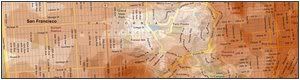
Lee Byron took the Walksocre for california locations and highlighted them on the map to generate this beautiful infographic. [via flowingdata]
Mozilla Firefox vs. Internet Explorer Security Incidents – Cool Square Pie

This chart is nothing but a square pie chart (or totally defragged partition chart), effective, easy on eye and tells one point as Seth Godin suggested 🙂 [via coolinfographics]
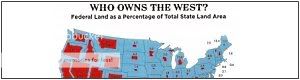
This map shows % of land owned by federal government vs. total land for each state in the US map, pretty cool even though it could be difficult to immediately interpret anything due to varying areas of each state.
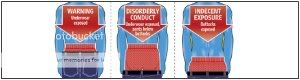
This is not entirely a chart, but uses the ideas to tell people how much they will be fined based on their how much their pants sagged. Pretty neat 😀 [via Publication Design]
Visualizing Large Text Data – The trick is in colors
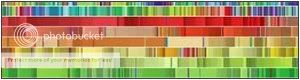
The biggest challenge of the Petabyte Age won’t be storing all that data, it’ll be figuring out how to make sense of it.
well, we are fortunate to have people like Martin Wattenberg who thrive to get the meaning out of all those petabytes. [via FlowingData]
Hope you enjoyed these charts 🙂
Have any neat infographics / charts and want them to featured on this blog? Drop me a comment or email me at chandoo [dot] d [at] gmail [dot] com.


6 Responses to “Make VBA String Comparisons Case In-sensitive [Quick Tip]”
Another way to test if Target.Value equal a string constant without regard to letter casing is to use the StrCmp function...
If StrComp("yes", Target.Value, vbTextCompare) = 0 Then
' Do something
End If
That's a cool way to compare. i just converted my values to strings and used the above code to compare. worked nicely
Thanks!
In case that option just needs to be used for a single comparison, you could use
If InStr(1, "yes", Target.Value, vbTextCompare) Then
'do something
End If
as well.
Nice tip, thanks! I never even thought to think there might be an easier way.
Regarding Chronology of VB in general, the Option Compare pragma appears at the very beginning of VB, way before classes and objects arrive (with VB6 - around 2000).
Today StrComp() and InStr() function offers a more local way to compare, fully object, thus more consistent with object programming (even if VB is still interpreted).
My only question here is : "what if you want to binary compare locally with re-entering functions or concurrency (with events) ?". This will lead to a real nightmare and probably a big nasty mess to debug.
By the way, congrats for you Millions/month visits 🙂
This is nice article.
I used these examples to help my understanding. Even Instr is similar to Find but it can be case sensitive and also case insensitive.
Hope the examples below help.
Public Sub CaseSensitive2()
If InStr(1, "Look in this string", "look", vbBinaryCompare) = 0 Then
MsgBox "woops, no match"
Else
MsgBox "at least one match"
End If
End Sub
Public Sub CaseSensitive()
If InStr("Look in this string", "look") = 0 Then
MsgBox "woops, no match"
Else
MsgBox "at least one match"
End If
End Sub
Public Sub NotCaseSensitive()
'doing alot of case insensitive searching and whatnot, you can put Option Compare Text
If InStr(1, "Look in this string", "look", vbTextCompare) = 0 Then
MsgBox "woops, no match"
Else
MsgBox "at least one match"
End If
End Sub