

Remember the excel expense tracker contest we did when our little blog hit 10,000 RSS Subs? Well, the results are out, and the winner is RomeoG. His (or her?) workbook (shown below) received 31 votes. RomeoG will receive the Toshiba net-book (this one).
Thanks everyone for participating & voting.
You can see the winning entry below:
Excel Personal Expense Tracker by Romeog
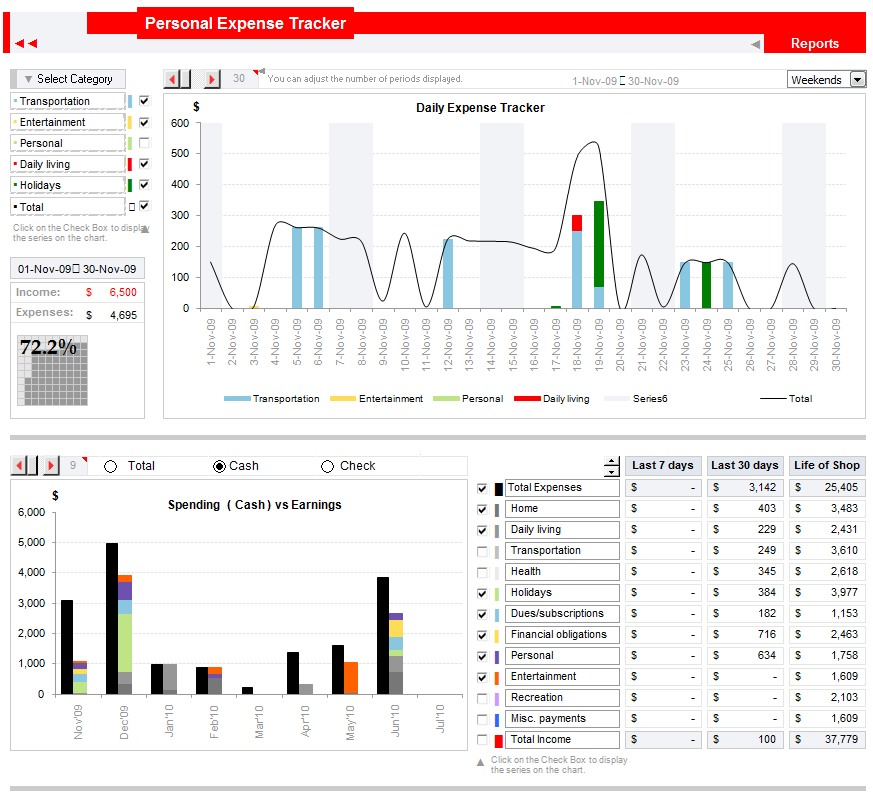
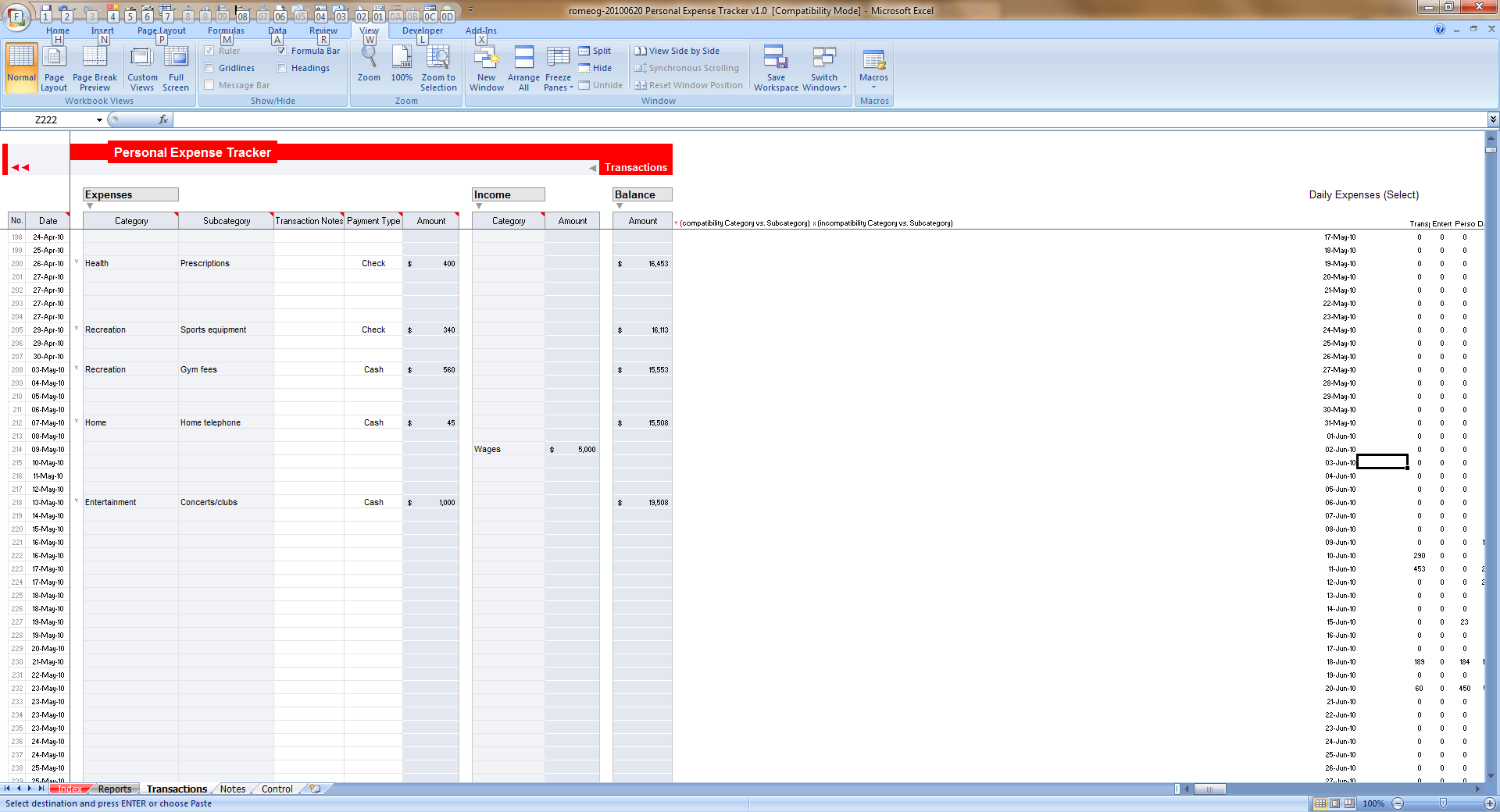
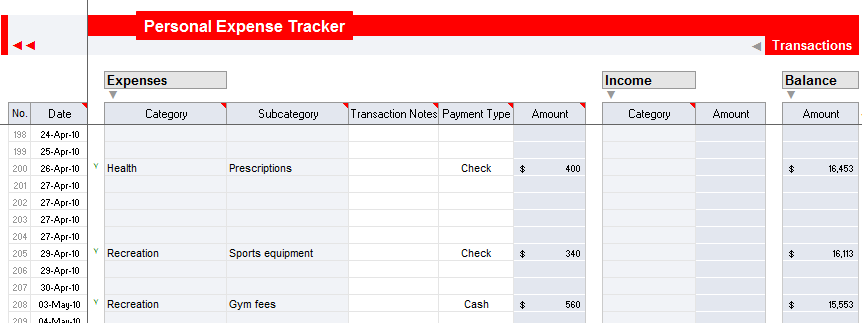
My comments:
- Looks awesome, the expense dashboard is quite versatile with ability to view expense data for any month, any number of days etc.
- Easy to compare categories and choose which categories to include in output
- Simple data entry sheet


15 Responses
I am not sure I understand the objective of the contest since I missed the bus. From the winning entry, it possibly seems to be an exercise to reward the abilities to do a whole range of things with excel.
However, I feel that it could have been more useful if the end user was kept in mind. I think – and this could be my personal subjective opinion – an average earning individual will not necessarily maintain records of daily transactions for most expense heads. On the contrary, the tracking is done on a monthly basis (or weekly in some cases). Within this tracking, a number of expense heads are fixed month-on-month and other expenses possibly revolve around a few broad categories.
While the reporting functionality is smooth in the submitted entry, the data input sheet does not necessarily take into account actual user behavior, which if captured could have made the tool much more practical and widely usable.
As I said, this is my personal view and maybe there is a large set of people who would want a tracker like this one. Regardless, I think the winning entry deserves all the credit for the effort.
Cheers…
Wow! That’s an incredible piece of work. It almost makes me want to go back to being freelance just so I can use it (my own attempt at an expense tracker when I was freelancing was so bad I never bothered to fill it in properly!).
Well done- and thanks for sharing.
BTW – I get an error message about an invalid formula when I open the XLS and try to interact with it
@Andy… Yes, I think there is a chart referring to some data and that error occurs only one version of excel I guess. I will ask Romeo to fix it.
@Gaurav: The winner was selected by our readers by voting.
interested a tutorial/post by Chandoo on the main chart:
1) Definable period with scroller
2) Scrollable chart (?) with auto-axis scaling (?)
auto-axis scaling = when scrolling to left or right, the axis changes (max+10% and/or min+10% gap)
3) Selectable weekends/workdays or any selected day (Mon-Sun)??
just a suggestion.
My sugestions:
1.- A Select All/None button for both charts
2.- To reverse Income and Expenses colors: black for income and red for expenses.
3.- To hide last columns and rows.
5.- Less categories.
4.- No color tabs.
Regards.
Awesome Stuff!!!
I had totally missed this event, and even if I did know, I couldn’t even have come few notches close to these entries.
Many a times, I have been put off by expense-trackers, and it has indeed been expensive :p
But these trackers are so cool, I think I will just start getting organized again!
Thanks guys!!
looks good, looking forward to the revised version without the error. Its about time i started monitoring my spending :/
Hi,
Thank you for everybody who voted and for the suggestions received. I am aware that it is not the best version and i will come back with an updated one, taking in account all the informations received from you all.
revised version without the error: http://cid-1f3240ec5ade1405.office.live.com/browse.aspx/.Public?uc=2
Is it possible to provide a valid link for the updated version?
Thank you!
Unable to open the link. Please provide another link.
Hi romeog,
Your file seems look like so cool but please help me fix the error.
thank you so much.
Dear Romeog,
The version’s error, it cannot work, how can I fix it or get the new one.
Hi, may I ask how I can customize the reports page? I added some categories and sub-categories in the transactions sheet and now I would like these to be reflected in the reports sheet. Hope you can help.
Thanks!
Is it possible to provide a valid link for the updated version?
Unable to open the link. Please provide a valid link for the updated version..