

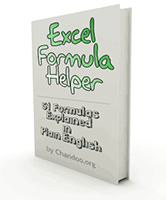
 Remember the PHD Excel Formula Helper Tool? Good, now it is available as an e-book, so that you can take a print out of all the formulas or save it on your disk and learn formulas at leisure.
Click here to buy your copy today. It is just 5 dollars.
What is in this book?
The book has 51 pages, each explaining one Excel Formula in plain English. The page contains a simple layman definition of what the formula is about, easy to understand syntax and 1 or 2 examples. The pages are in high resolution so that you can either print or view the e-book and read comfortably.
See a sample page here:

You can access a Free low-resolution version of this e-book contents here: Excel Formula Help
What is not in this book?
This book doesn’t provide extensive help for excel formulas. Duh! it doesn’t even provide medium level of help on formulas. It is for those of you who are not sure what excel formulas are or how to use some of them without getting stuck. It lets you know what is out there without confusing you up. It lets you learn excel formulas so that you can use them with confidence. But excel formulas are a huge area and there is so much more to learn. This book opens the doors for you.
So what are you waiting for, go ahead and buy the e-book and use it to learn formulas fast. It is just 5$.

Dude, the book is 5$, what the heck ? You have a free version online
Yeah, that is the point. The free version is there so that anyone can learn. But no body can take a printout of this and stick at their desk or give it to the new colleague at work. That is why the e-book is launched. For 5 dollars you can buy this and have the file with you so that when you are stuck with a formula, you can quickly open and learn it.
So go ahead and buy it.
or, don’t buy it and browse the free version : Excel Formula Help
OK, now the fine print
Is there a return policy?
yes, yes. Feel free to return the file in the first 3 days saying it sucks or it didn’t help you learn excel formulas or whatever. I will return the 5$ to you. Since the file is merely a large resolution PDF of the free version available online, I wont be able to provide returns after you use this book for 89 days. That would be very bad for my bank balance.
Can I like buy one copy and take 100 printouts and distribute to my whole class or office floor?
Now, there is really no way I can stop you from doing that. Lets be frank, I ain’t no batman or big brother. I am just a small guy running a not so lame site trying to not screw up things. So, go ahead and take 100, or wait, take 1000 copies and send it your friends or colleagues. Just tell them how nice chandoo.org is and how useful it has been for you. Just don’t resell it.
Why I am doing that, because I am cool like that. Now go and buy the book before I add some weird copy right policy with 95 page agreement.
This is the first time I am selling anything
So, there is a slight chance that I might have made some mistake despite doing mock buys using my wife’s credit card etc. Just drop a comment and let me know if you see some glitch. The purchases are handled by good folks at paypal and e-junkie. Soon after the purchase you will be sent a link for downloading the file. You will also be shown that link on the payment confirmation (thank you) page.
Thats all. Now, go ahead and buy it or checkout the free Excel Formula Help version before making the leap.


5 Responses to “PHD Excel Formula Helper – Now an E-Book”
Whoa baby!
Chandoo gets published!
Way to go buddy!! (BTW, I'm a cheapskate, so I'm not buying the book :D)
Does your wife know you've made fraudulent purchases with her credit card?
@Hypnos: It is ok dude, just use the free version 🙂
@Jon: the first thing she asked me in the morning was what her hand bag doing at computer desk.
[...] have used the above approach to launch many products (Formula E-Book in Feb 2009, Project Management Templates in Oct 2009, Excel School in Feb 2010, Excel School 2 in June 2010). [...]
It's very nice to see chandoo's work on excel tricks. I'm buying this amazing book..