

Hello awesome folks. It has been a while since I posted on Chandoo.org. And there is a reason for that. As you may know, recently (on October 12th) a category 3 cyclone (hurricane) passed thru our city devastating trees, power lines, cellular towers, old houses & roads on its way. This means our family was left without power, water, telephone and internet for almost 10 days. Early last week we got power & water. Then slowly the internet started working too. (more on this here)
I am swimming thru heaps of email & backlog work. Thanks to everyone who emailed me with kind thoughts, prayers and love. I can’t tell you how thankful I am for having you in my life.
I am really glad to be back online, sharing my stories, knowledge & tips with you all.
As it has been a while, I want to share a few quick announcements first.
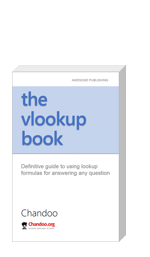
#1 – The VLOOKUP Book Anniversary
Around this time last year, I published my first book – The VLOOKUP Book. As the name suggests, it’s a comprehensive guide to Excel lookup formulas. We sold more than 1300 copies of this book in first year. And the feedback has been overwhelmingly positive, with many 5* ratings on Amazon.
To celebrate the first anniversary of this book, I am running a VLOOKUP Sale on 30th & 31st of this month (Thursday & Friday). In this 2 day sale:
- You get 50% discount on The VLOOKUP Book
- You get 25% discount on The VLOOKUP Book + Video combo pack.
- Remember, the sale starts on 30th October morning (Japan time) and ends on 31st October midnight (Pacific time)
To avail this sale, just go to The VLOOKUP Book page.
#2 – Introducing ready to use Dashboard Templates from Chandoo.org
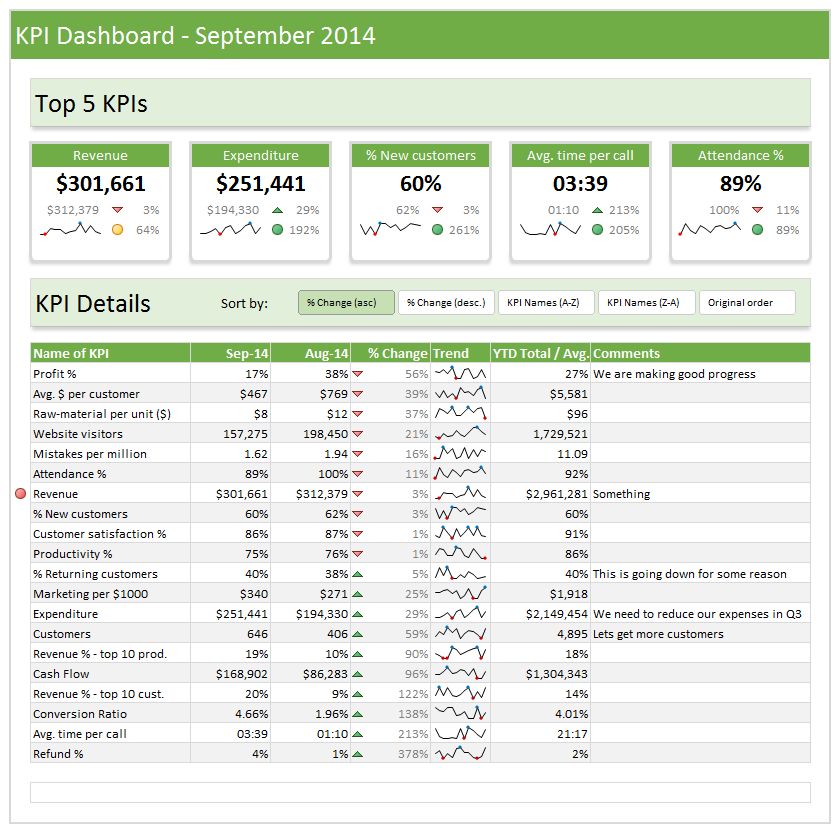
This is the top most request from our customers & readers. A ready to use dashboard template that is easy, intuitive & awesome. So during the cyclone inflicted downtime, I created a set of ready to use dashboard templates. I am still polishing the product. This will launched on 13th of November (Thursday).
This is how our templates can help you:
- Type your data and generate beautiful dashboards. That simple.
- Generate 9 different dashboards from one set of data. Click & choose what you want.
- Customize with ease. Change currency codes, financial year starts etc.
- Build your own calculations and the template displays them just as beautifully.
- Ready to show, ready to print, ready to publish – All in one awesome bundle.
- Save time & worry about things that matter.
Here is a sneak-peek (click on it to enlarge):
#3 – 50 Ways to Analyze Data – Coming in Jan 2015
Last month I asked you to tell me the challenges you face when analyzing data. Based on all your feedback, I am designing an analytics course to help you most. It is 15% done. I will be completing rest of the course development during November & December.

So the 50 ways to analyze your data course will be launched on 21st of January 2015 (Wednesday).
Click here to sign up for the waiting list of this course.
I will email you details about the course as they get ready.
So that is all for now. Tomorrow, I will come back with an awesome Excel tip. Until then…


5 Responses
Glad to see that you are back and up 🙂
Cheers!
Chandoo, Glad to hear that you & your family are safe. Looking forward to all 3 awesome gifts.
With Regards,
Munir
Jeff was a nice interlude, even got me to buy a book that doesn’t even exist yet, but to have you back so soon, and bearing gifts, is fantastic. You’re a true inspiration and I look forward to January. If I ever find myself complaining about any aspect of my life, I just think about what you have recently been through, having built your life up as you have – you’ve achieved and endured far more than I could imagine. It’s one thing to hope you can overcome adversity and another to have to.
So glad things are getting back to normal for you and your community, Chandoo. I have missed you and so glad you are back.
Best regards to you and your family.
Nikki
Hii chandoo, really hear to happy that u and ur family r safe… cchandoo I really need ur help to good in excel… I m in purchasing dept. In motherson sumi sytems ltd noida. India.