

Yesterday was Halloween. To our readers who are not familiar with it, ‘Halloween is a colorful festival with lots of costumes, scary stories, theme parties and trick-or-treating, celebrated on 31st October, every year.” I have never celebrated Halloween as it is an unknown tradition in India where I live. But that is no excuse. Especially when the celebration calls for colorful clothes, scary themed houses and shrieking kids.
Of course, we are not going to have a traditional Halloween. Because,
- At our house, we use pumpkins to make sambar, not lights
- The only ones with costumes in our house are my kids.
- If I send my kids for trick or treat, they will get neither.
So that brings us to the only part of Halloween that I can celebrate. Telling scary stories.
So lets talk about the stuff that scares us. But bear in mind that I am not interested in that time when you & your cousin went camping and stumbled in to an abandoned log cabin to discover the …Save it for real Halloween.
We want to talk stuff that scares you in Excel of course.
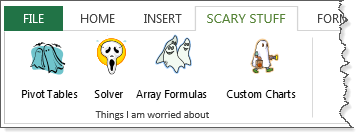
I will go first, Things in Excel that scare me most
- Solver. Although I have used it several times, every time I set up a solver model, I feel uncomfortable. I am not sure if it will give the results I am looking for or something else altogether.
- Broken connections. More than scare, I just feel annoyed when I see these. This is also why I am very skeptical to copy entire worksheets or big ranges between files.
- Array formula usage of FREQUENCY(), N(), MMULT() and TRANSPOSE(): In most of our formula challenge & formula forensic posts, I see a lot of people using these formulas. Most of the times when I try to decode what is happening I feel lost. They are really scary!
- Statistical analysis: This is something I have been fearing since college days. I know good deal about basic probability and statistics. But when it comes to advanced stuff, I always fumble. Good thing I don’t have to use these techniques very often.
Hopefully, I will grow my skills in next year to fear less.
What about you? What areas of Excel scare you most?
Go ahead and tell us your Excel scary stories. What are you afraid of? What makes you snicker? Which Excel features make you feel vulnerable? Go ahead and tell us. Post your stories in comments.
PS: You can also tell us the scary thing that happened to your Excel workbooks or analysis.
PPS: Or about the time you were alone at home and you heard a rustling noise in the closet, only to realize it was a nasty, long and confusing SUMPRODUCT.


76 Responses
I think you are brave and honest by posting this survey. There are many of us who make a living out of Excel and I would guess that all of us will try to convince everyone, including ourselves, that we can tackle any and every Excel job. You are right to say, we can’t.
Even the highest flying Excel MVP has his weaknesses. For example, maybe MVP A is a biologist with a penchant for Excel … knowing nothing about accounting and finance. sure, he can bone up on NPV and IRR and the rest but what does he understand about them? What about answering supplementary NPV questions?
I know a lot about Excel and I have been a professional accounting and budgeting modeller for years; but I tell people during my training sessions that whilst I know a lot about Excel, I know more about accounting and finance and so I class myself as an intermediate Excel user. My big weakness? VBA. I have never needed to use it professionally so I never learned it. I used to build macros a long time ago but my clients could never manage them once I’d handed over my budgets and models so I stopped doing them.
I am no longer corporate so I really enjoy it when I do training for people in business who ask me to help with some fascinating things: last week one of my own children building and getting ready to present his (OUR) dashboard model to a huge client … we did well!!
Mind you, the things that people do in business! Every trainer has horror stories I am sure. I train people, typically, from large to massive companies and it’s obvious that they have never been formally trained and/or their controls and management are disgraceful.
So I am afraid of VBA and what badly trained people are doing to our businesses and our economies!!
Duncan
I had a go at PowerPivot recently, and must admit a total defeat. It’s so big that trying to do a smallest thing without past experience takes ages, so I did what I wanted to do the old-fashioned way.
One of the worst nightmares often comes from getting a workbook with multiple circular references and trying to untangle them before anything useful can be done.
Regarding the array form of FREQUENCY(), N(), MMULT() and TRANSPOSE() formulas – i just plainly couldn’t understand the solutions that Sanjay usually proposes. They are awesome but even with his explanations it takes hours and not always 100% clear what is happening. I wish I could do something like that, but I’ll have to be happy with my inferiority.
And of course some of the biggest scares come from clients: sometimes they just want too much or plainly don’t know exactly what they want, but they want you to do it anyway, while ensuring backward compatibility with Excel 2003.
Vit
I still suck with conditional formatting.
1. I still haven’t quite figured out Array Formulas.
I use them sometimes, but at times, their logic has me stumped.
2. I will never be able to use heavy-duty math work in excel.
3. In VBA, I have never used Class Modules.
4. I used to do a lot of financial modelling many years ago.
Have lost touch with it.
Having said all this, I would like to say that with today’s search technology and sites like Chandoo.org, Contextures.com, Datapig, J-Walk.com, JKP, and other Excel gurus, very few things in Excel would be completely out of reach for many of us.
@Khushwood
Chandoo.org deliberately tries to appeal to new’ish users
Problem is that over the past 5-6 years as Chandoo.org’s readers have developed Chandoo.org has also grown to accommodate the expanding set of skills that its readers have accumulated.
But rest assured the primary goals at Chandoo.org haven’t changed, but they may have expanded
Hi, =1-.78-.22 will give 0. But =(1-.78-.22)is giving -2,,,e,17. Why ? This behaviour. Even though PEMDAS is the order of priority, mere enclosing with brackets give altogether a error result. This i have tried with 5, also. The same error
The floating point unit in the CPU of your computer works with binary fractions, not decimals, so it can only give exact representations of fractions whose denominators are powers of two — values like 0.22 cannot be represented exactly in binary. Thus you get roundoff errors when you subtract. The parentheses alter the order in which the operations get performed which can sometimes change roundoff error.
Look up floating point in wikipedia.
Hi, Matt Healy This problem was not noticed in ms excel 2003, the earlier version of excel. Why this cpu has anything to do with excel functions. I think it is a bug in office 2007. Moreover, would not it affect the results, if entered in a cluster formula, in between. I hope you understand. I will go through the floating points
The difference here between Excel 2010 and earlier versions is complex and subtle: older versions of Excel did what numerical analysis experts criticized as “cosmetic rounding,” basically fudging small errors in ways that attempted to conceal the realities of binary math from users. Unfortunately, this behavior caused more complex calculations to become less accurate and made the standard approaches to error analysis impossible. With the 2010 version, Microsoft fixed a number of errors about which mathematicians had been complaining for many years.
Google William Kahan Excel Cosmetic Rounding for more details on this point.
Solver, Arrays, Stat formulas give me the chills…
Me likey those icons, specially Solver!! must have them!!
1. Array formulas
2. Writing loops in VBA
3. SUMPRODUCT
4 General fear that there’s a simpler solution than the one I’ve developed.
I agree completely with Khuhnood’s closing statement – while many at my office think I can do anything with Excel (including make it dance) – I know that I have a long way to go before I could be classified as an MVP.
But – it is because of sites like this one that I am able to shine in my office.
My biggest asset is my logical brain – I know that I CAN tell Excel to do almost anything (in theory), I just have to know how to instruct it. But I find that’s also my biggest weakness – I find myself telling the boss that I’ll figure out how to do something, then I start searching the blogs I follow to find out how. 🙂
So far, I’ve not been let down very often – so I’m keeping my fingers crossed!
Solver in my book. Never ever feel the need use it. All has to do with trust i think.
Peter
Pivot tables give me the heebie-jeebies. I can make a half-functional pivot table or chart most of the time, but it’s something I don’t have to use often so I’m not very good at it.
Am I the only person on the internet that uses SUMPRODUCT to multiply the elements of two arrays together, and then sum the results? You know, the actual mathematical sum-product function? Every time I see it here (on Chandoo) it’s being used for some crazy data analysis.
I have just overcimmed the dufuculties of using the Pivot Tables , and i have a feeling that most of the readers havenot found the simple truth – this is the easiest way to solve any counting problem in exel . It is still my nightmare , cose that’s the highest pick of my exel usage , but you wil not need most of the formulae including arrey and subproduct if you will overcome the difficulties in using the pivots . Recomend it to everyone !
What scares me most about Excel – other people’s spreadsheets (i.e. spotting the errors), and other people’s ability to own spreadsheets I have tried my very best to idiot proof, but still manage to break.
For some reason, I always have issues using data tables for monte carlo analysis. I’ve read Hui’s tutorial many times, but the the row/column input specification seems so counterintuitive to me. I guess what I’m trying to say is: data tables scare me!
waterfall charts are very popular in corporate finance these days, but they almost never are reliable when iterating; they always seem to breakdown and have to be rebuilt from scratch
Two things that scare me about Excel:
1) Charts… seems like I often run into problems with picking the right chart type to display data correctly (Particularly with dates along the x-axis… I want only dates with data to show up and the rest to not be included on the map. I haven’t been able to solve this so each time I add data I have to update the graph references.)
2) Conditional formatting… I often can’t figure out how to write special rules correctly to give me the flexibility I want with formatting
My scariest excel experience: I was in the middle of building a huge modeling tool for water quality mitigation. I selected a number of tabs to do a small formatting change on all of them at once. I then forgot to deselect all the tabs and started making major formatting and content changes on one tab (or so I thought). It took me a while to undo all the problems I created!
The next Excel question. Although I consider that I know little about the app, people look to me as the one that can answer their questions.
A lot of the time it is just noticing something that they haven’t, such as the spreadsheet with 25 budgets on 25 sheets within a workbook and the user wondering why when she typed into one sheet it came out on all of them. All of the sheet tabs were selected, but I still she managed it.
Being stuck in Excel 2007 is a pain when I hear of all the good things in the later versions, but that’s company policy, sadly.
You and Mr Excel make me look better than I really am. Thank you!
Pivot tables – I’ve used them, but not often enough to be very competent with them. The other things mentioned are areas I’ve never, or rarely, used, so I definitely need instruction!
Thank you for your site and emails – instruction received has expanded my abilities, and I tell co-workers about the instruction available. Vast wealth of knowledge! Thank you.
Array Formulas
Macros – Code
I started taking the macros/code class through Chandoo, but I go confused and lost and far behind and never really finished it. Not for lack of good information – Chandoo rocks! But, it was my own insecurities. I just felt like wasn’t getting it.
Macros are my big weakness.
Macros are my big fear.
http://www.access-programmers.co.uk/forums There is an Excel (programming) forum there with a lot of code.
I recommend Chandoo all the time because it has great articles (like this one).
But, this is where dozens of people volunteer to answer VBA (Macro) questions. I personally have over 1,000 posts.
Many of us use Access to program Excel reports.
No Halloween Costume Required.
Macros!
Arrays. once you understand the formula it is not too bad. but to create a new, different array is very tough for me.
Chandoo!,
First off, I love this site and the work you do for all of us. Congrats on the new book.
I am terrified of AND() in a data table where I am using an array formula to count records that meet multiple criteria from different columns. Example – running count of [SALES] where “Business Partner” and “Product” align a in certain way. I literally feel the panic as I combine the formulas together in one cell. I hit enter and “ARRRRRRGH”… living nightmare.
Regards,
Chris
Christopher J. O’Neill
Business Unit Executive – Kenexa North America Portfolio Sales
IBM Smarter Workforce & Social Business
I have the same issues with exactly what you listed Chandoo.
My biggest fear and horror story:
Writing VBA code, getting lost and then asking for help.
One time I wrote some code to import data from the internet, select certain data, keep it and delete the rest.
I went on a forum and asked for help with a minor problem, hoping that someone could fix my code. Someone wrote me some really good code but he wrote it from scratch, in his own style, and I had absolutely no idea what was going on any more.
Being under a deadline, that was real terror for a VBA newbie.
I’m very comfortable with the statistics features in Excel (although they’re not robust enough for most statistical analyses =)), but the thing I’m most uncomfortable with is VBA.
Let me help you with statistics Chandoo, because if you get the basic principles, statistics become very easy.
Basically, most statistical analyses boil down to two things:
1. You want to see if one or more factors influence changes in other factors. I call this relationship testing. If you go back to your algebra days, it’s basically the whole idea behind Y is a function of all X’s. Common tests here are Correlation and Regression.
2. You want to see if there are differences between averages; what I call means testing. This can be useful if you’re trying to compare two or more groups average scores. For example, you want to see if men drive faster than women. You can also use means testing to compare two or more periods of time. This is really useful when you want to see if an average has changed because of something you changed in a system. Common tests here are T-Tests (2 variables) and ANOVA (2 or more variables).
If you can understand these two basic principles, you can do one heck of a lot with statistics.
Let me know if you want more lessons, and I’ll teach you how to set up some tests and interpret results.
Best,
Eric~
Hi, There is analysis tool pak, which is an add in excel which also contains most statistical analysis on one click, like anova t analysis and what not. You just have to go to excel options and click, and then click adds in tab on the left of the emerging menu and then select excel add in menu , in the Manage box. Then when you click GO , you get all available tool for adds in and you could select. analysis tool pak and conditional sum wizard is most useful.. when you allow the add on from microsoft installation folder, you get Data analyis tab in the Data menu at the right corner. You just select it and click and give the inputs and you can do wonderful statistical analysis in less than few clicks.
Within certain limits, yes. 🙂 There are some problems with certain tests. For example, correlation testing does not also report significance levels; a vital key to being able to perform a proper analysis.
But I think Chandoo and others’ fear comes from interpreting results, not clicking buttons.
I think that Descriptive analysis would be enough for mean, median mode, the averages and standard deviation etc. The excel add in is not that much used . Firstly because, it is not automatically installed when you install ms office. You have to go the add in to add it. But, i do not think that it has limitations. It is an excellent tool. By going through the help, once installed, it is the best. Even questions on prescribing macro, would get solved by using these. Histogram is one for frequency distribution of required level ,which is a boon to a person who has lakhs no of records . You can also have a chart of frequency distribution by using histogram. Likewise, the beginning menu leads to correct answers to most of the statistical problems and it is my personal opinion that ms excel team has really given easy functions , with out errors, to most of the statistical nature. This is the best tool. There is also analysis pak tool for vba.
Correlation doesn’t show the p-values, so it’s impossible to tell whether a coefficient is significant or not.
Regression is limited to linear modeling only. Quadratic, logarithmic, or other options are impossible to test.
There is no way to perform factor analysis (Exploratory or Confirmatory) or reliability testing (Chronbach’s Alpha, etc.).
There’s no way to test for the normality of the data, Anderson-Darling, Kolmogorov-Smirnov, etc.
There are no non-parametric tests like Mann-Whitney U, Kruskal-Wallis, Chi-Square, etc.
I could go on and on about the deficiencies.
I’ll grant you this, Excel is a nicely priced piece of software, and the closest cost equivalent that actually does robust statistics is about $1300. (See Minitab, SPSS, SAS, etc.). If you can’t spend the money, and you need to run some quick and very basic stat tests, it’s probably ok, but don’t expect scientific validity. =)
VBA!!! I’ve used it but very little and very poorly.
I’m also scared of what I don’t know about Excel, which is most all of Excel. There are so many functions, formulas and other key pieces to learn. But, it’s also very rewarding when solve a spreadsheet need.
1.Solver.
2.Statistical analysis.
3.I never used class modules.
Now Power pivot & DAX Formulas 😉
Scary Things in Excel (in order of scariness):
1. VBA & Macros (haven’t been able to get my head around to using them— I stay miles away whenever I see them around)
2. Powerpivot (leaves me stumped every single time I try to take a shot at it)
3. Statistical Analysis (Don’t use them much, but when somebody requests me to “help them out”, I am looking for cover)
recently i find my Excel is set to Manual Calculation mode. No matter how i change it back to Automatic mode, it will go back to Manual mode again when I close and re open Excel.
I’ve checked that it’s not Macro turning it back… what could it be???
For me it’s models that try to mimic systems – I had to maintain one once and thinkin about it still gives me nightmares and cold sweats!
That and circular references…
The ‘COUNTIF’ function was behaving weirdly while counting the number of times a 20-25 character long string occurs in an array of cells.
Even though the two texts in the criteria and range were different, it counted the same. The results were unexpected and for a moment I was shit scared
I like Arrays, I like them better than Pivots, what scares me is spreadsheets built by others, that rely on sheet cell layout being consistent over more than one sheet, for calculations to make some sense.
I like Arrays as I can make them as involved as much as I like, so fill in whatever table I create to present the results.
I like using macros, links etc to help Users.
I have found your Project Management products really useful and have adapted some to help me.
For me, it’s Class Modules and a general fear that I’m not keeping up with stuff like PowerPivot (primarily because we don’t have it at work, and I don’t have enough time to tackle it at home just at the moment).
Great post, Chandoo.
Yes, I second Jeff: truly great idea for a post and if we’re honest, we all really do have our blind spots. In my case, for example, I mastered SUMPRODUCT() with logic and have pretty much no use for SUMIFS() as a result. OK so far… – but why do I feel [scared] of SUMIFS?
When I look at the list of abilities required to gain a MS Excel certification, I don’t have many of them – yet I consider myself a reasonably advanced user, that the skills listed are superficial, really.
Hmmmm.
– Juanito
Macro, Arryformula, and i am learning powerpivot recently, hope not be another scary one…
all features are my favorite 😉
AND: incell-Charts
Dynamic functions, for example using offset and count, still leave me with a bit of a headache. I can usually get them to work but sometimes without 100% understanding exactly what I’ve done.
I know everyone seems strong outwardly but internally we know our weaknesses. I do not use the statistical bit.
waterfall charts….
Besides array formulas and a bunch of other stuff, my greatest fear is to design a model where the internal logical dependencies have flaws.
There is nothing so embarrasing as using all sorts of advanced excel, just to find out that you must have had a brain haemorrhage during the process.
VBA, arrays and pivot tables still confuse and intimidate me. I can eventually work out what someone else has done in VBA even enough to troubleshoot and fix but tackling a new job is something I just shy away from. The other two I just avoid. Backwards compatibility for those not using my version of Excel is a BIG concern. The other one is that I’ve found an overly complicated solution, and that the shorter simpler one is right there starring in my face.
What scares me most in Excel? Unnoticed mistakes! Can’t tell you how many times I’ve gone back to triple or quadruple check and all of a sudden notice that I made a simple silly mistake – but that silly simple mistake could completely undo everything!
It’s all about credibility – and those silly simple little mistakes can do so much damage!
Secondarily – my biggest fear/hate might be having to re-do something I already spent hours designing just to see it fall apart. 🙂
OK – big confession here. Sigh! I’m just terrible at nesting formulas — and I don’t mean really difficult ones. The simple “double if’s” is enough to slay me.
And, while I eventually figure it out — with a lot of help from people like all of you — VBA looping often throws me for a loop — so to speak.
Oh — and I guess nested loops — or whatever they’re called.
Rather than really learning how to do what I need to do, I often find it quicker to use a series of formulas across several/many (hidden) cells.
-30-
Great post!
1. Array formulas even though occasionally I can figure out how to create one.
2. Creating good instructions for the end user.
3. Finding creative ways to keep the end user from hosing up the workbook.
For me are pivot tables and hard coding. Pivot tables are for people who cannot use data manipulation tools like SQL or Access. Pivot tables blow up Excel and make the files unnecessarily big. Also when you change something in the source data structure, the pivot table breaks. Doing all data manupilations in a database and only bring summarized data into Excel makes much more sense.
I am an actuary and we work with big models. Lots of people are hard coding their work which makes maintenance a nightmare. Assumption sheets and different Excel funtions that can work around data source changes are the best to create an “alive” Excel workbook.
Anita – there are a group of us that do what you do with big data, Access interfaces, Excel Object Code. Would look forward to sharing a cup of Haloween code with you at:
http://www.access-programmers.co.uk/forums
Excel is the best tool for Data Mining and other reporting activities.
And like you say, Excel – It’s Alive! It’s Alive!
Recording macros,
and not getting absolute and relative right!
SUM of Rounded Values, shows correct in SUM, but total of rounded values is more or less than actual SUM…
this frustrated me many times… and wasted time to change manually.
Chandoo,
Thank you for creating a wonderful site. There are plenty of things that scare me about Excel.
First and foremost is Microsoft’s apathy. They have a virtual monopoly on this product and that makes them lazy when it comes to fixing bugs or making sure version X works with version Y. Links to powerpoint are wonky and have been for years and years. It is a great product, but when I or my company is shelling out good money to get the latest and greatest version I want previous problems fixed.
Now here is my list of scary issues within Excel
1. Powerpivot. I’m one of those unlucky folks who installed 2013 on top of 2010 only to find out that when you revert back to 2010 it will not work because of something broken deep within the registry. The only way to fix it is to wipe my machine and I don’t have that luxury. I’ve read about different fixed online and they have not helped. It is a great program when it works, but MS should have done much more due diligence before unleashing this on the masses.
2. Solver – I find it mainly useless for any kind of real modeling. I wish there was something better.
3. The ribbon – yes I know its been here for many versions. Why I can’t have a menu system option bugs me to death. I still search for commands that I remember solidly from the menu system. Again monopoly power dictates how you work. That scares me.
4. Creating Macros that span multiple programs
5. Engine/Memory limitations – why have a million row spreadsheet when you can’t really function with a million rows.
I have more… but they are only slightly spooky.
3. The ribbon – If you create a custom ribbon, you can move all the functions you use on a regular basis all to the same ribbon. Then you never have to look for them again. And if you create groups with five or less items, you will maintain the large icons. And it’s a great place to store the functions from the File ribbon so you never have to go there again.
My biggest fears in Excel?
1.) Calculated Fields and Calculated Items in PivotTables – I have never been able to get one to work, and that’s after reading instructions on how to build one from what feels like every single Excel expert under the sun.
2.) Charting – One or two charts, no problem. Having to produce 50+ charts with custom formatting and different data sources plus text and shapes (infrequent but not uncommon occurrence at work) is a PITA, and I don’t have the VBA chops to write a macro for that, which leads me to…
3.) VBA Charting – one of the few areas of VBA where I am weak. Just haven’t had the time to develop this (yet), but some of the way the object model is set up is a bit confusing at this point.
Excel things that scare me:
1. Offset functions– not using them, but following them afterwards.
2. OPVBA. (Other people’s VBA)
3. Array functions (outside the easy ones like TRANSPOSE) never do what I think they are going to do.
Cheers to everyone for admitting their skeletons and fears.
…when someone sends me data to work with, and I open it and see leading zeroes. I have never found a consistent method to work with these (I need to KEEP them, and do lookups on them, and report them – but no MATH!). Depending on the source of the data – word? copy/pasted from an email? – you never know! 🙂
I write really large VBA code to automate Excel. It connects to SQL Server, pulls custom reports that the user creates on the front-end, then creates very custom reports from the data. It often includes custom Array Formula’s and other features in the report itself.
These are published on a Citrix Server so the company employees can use them from Windows, Apple, smartphone, …
What scares me? Microsoft adding a new Office DLL upgrade with out telling anyone!
Oh NO! They just did that on October 31!!!
The company is switching to Outlook on our Office 2010 based systems. The Outlook install added the Office Object for Office 2013. I came to work October 31 to a living dead situation where the users were monsters and my server application was dead!
Please tell me this is a bad dream.
Love VBA, have solved many repetitive, tedious, time consuming tasks within our department with a useful macro here and there.
Hard coding/overwriting of formulas is a nightmare. We create some very large and complex costing models that are shared across groups of people, there is nothing worse than finding that someone has overwritten a formula with an “adjustment”. Throws everything into question.
Array formulas are bothersome, for whatever reason I struggle.
Hello,
For me as an intermittent user the scary thing is trying to remember all my skills. I used to use Excel a lot more than I do now, and if you don’t use it, you do lose it. My head gets filled with other stuff I need for my current role, and I simply can’t retain my Excel prowess any more. So I am thankful for Chandoo’s clear and simple instructions when I need a prompt for anything.
But what annoys me? Is when you get asked to add things to an enormous spreadsheet with a vastly complicated pivot table in; or links to other documents or graphs etc., that someone has set up – it makes total sense to them, and only them, but no-one else in the company. There are no instructions, they won’t share how they’ve laid it out, it’s not logical and if you ask them a question, they look at you like you’re an idiot.
Luckily where I now work, this doesn’t happen – phew!
Such a nice survey this is awesome. I think for me solver ( even though I use simple models ) and arrays are without a doubt my worse nightmare. I used to be scared of functions like OFFSET and complex SUMPRODUCTS but not anymore.
I am also diving into PowerPivot and DAX formulas and what scares me the most is CUBE formulas. I think these features are going to be extremely useful and surely will take us to the next level.
I will not want to leave out big financial models those can also be pretty scary 🙂
Array Formulas, OFFSET, SUMPRODUCT Formulas and PowerPivot is totally a great challenge to me !
Trying to connect excel to a MySQL database and getting stuck in a mess of windows level drivers, 32-64 bit compatibility issues, and MS Query, which appears to have been written about when Windows 3.1/95 was around. There’s so much potential with power pivot, background queries, cube formulas, data models, etc, but actually getting the connections properly set up can be very difficult.
Long formulas. Anytime I see a long formula, especially an incomprehensible one with more than one IF statement, I get scared.
Using a formula to dedupe a list is always painful.
Changing keystroke combinations — I hated the 2007 “upgrade” because it broke many of my keystroke combinations. And it forced the ribbon on us, with its own unintuive keystroke combinations.
This is my first approach for solution. I have to convert data file printed through software in text format to EXCEL by opening in fixed/variable length records. Printed report prints individual fields exceeding standard width in many rows(lines) and report has many fields which are also printed in next row(line). Always I am worried for converting 2nd 3rd 4th…… nth line of a field as it does not have any primary key for identification. At present I convert individual fields and merged in one sheet but it is tedious and time consuming. If any solution is available please give.
Dear Jagdish: this sounds like it might be a problem better handled with a different tool than Excel. I would probably do it in Perl, others might use Python or a specialized “ETL” (“extract transform load”) tool. Depending on the just how variable your input is, you may not be able to escape some degree of human-assisted cleanup. However, I do find parsers I write in Perl often succeed where Excel cannot.
Arrays scare me. I write a lot of macros (based on Excel recordings) and know I could improve them using arrays. But I’ve never taken the time to understand them well.
1. VBA – It’s a sign of competency in my job position and I don’t know it. I don’t even have a copy of Excel on my home computer… but working on that.
Printing other people’s worksheets.
Macro 🙁
Macros VBA
Paying for it….LOL