
Make an Impressive Interactive Map Chart in Excel

Today, let’s learn how to make an impressive map chart with Excel. Something like this.
Mapping Spread of Obesity [Chart Critique and Alternatives]
Over at Flowing Data, Nathan has published an interesting visualization about spread of obesity.
While the above chart is quite interesting, it doesn’t offer much insight in to the data. There are a few drawbacks,
- Understanding obesity trends for a given state over the years is hard due to the layout and format of the chart.
- Finding which states are experiencing most obesity growth rates is not possible
- Ironically, the chart itself is obese. It takes too much space to explain the data.
Nevertheless, the chart looks cool and can be reused with smaller data-sets (quarterly trends or just for a few years). So let’s recreate the same in Excel. While we are at it, let’s also build an alternative visualization to explore the obesity data.
How to get Maps in to Excel charts & dashboards [Master Class]
This is third episode of our Monthly Master Class.
In this one, you will learn how to get maps in to your Excel workbooks. Understand 5 key techniques for making maps based visualizations in Excel – from regular charts to cell grids to VBA to Power Maps, everything is covered in this intense Master Class.
Analyzing half a million customer complaints – Regional Trends [Part 2 of 3]
This is part two of our three part series on how to analyze half a million customer complaints. Read part 1 here.
Analyzing Regional Trends
As introduced in part 1, our complaints dataset has geographical information too. We know the state & zip code for each complaint. Please note that zip codes are partial or missing for a 10% of the data.
In this article, let’s explore three ways to analyze regional trends.
- Regional trends by state, product & issue
- Complaints per million by state
- Complaints by zip code
Excel Dashboards – 49 dashboards to visualize US State to State migration trends
Hello everyone. Stop reading further and go fetch your helmet. Because what lies ahead is mind-blowingly awesome.
About a month and half ago, we held our annual dashboard contest. This time the theme is to visualize state to state migration in USA. You can find the contest data-set & details here.
We received 49 outstanding entries for this. Most of the entries are truly inspiring. They are loaded with powerful analysis, stunning visualizations, amazing display of Excel skill and design finesse. It took me almost 2 weeks to process the results and present them here.

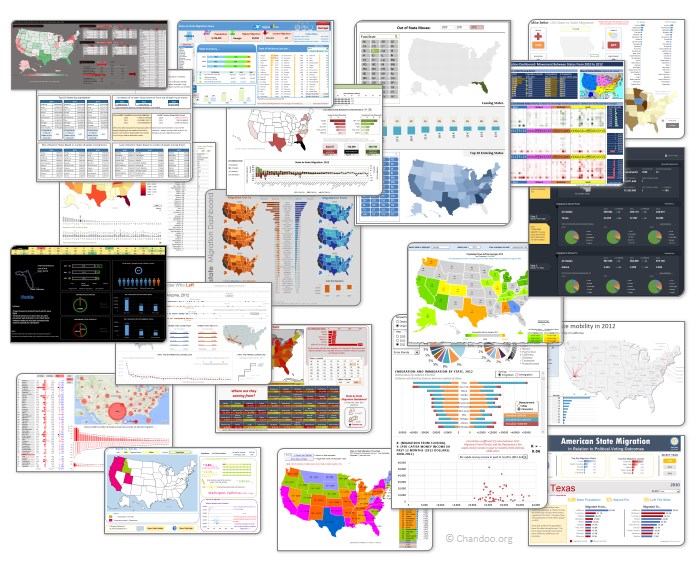
Click on the image to see the entries.
Last day for enrollments – Join our Power Pivot class & become awesome analyst
 Hi folks,
I have a quick announcement & a creative dashboard to share with you. First the announcement.
Only few hours left to join our Power Pivot course…
As you may know, I have opened enrollments for our 2nd batch of Power Pivot course few days ago. The aim of this course is to make you awesome in Excel, Advanced Excel, Dashboards, Power Pivot & Advanced Power Pivot.
We will be closing the doors of this program at midnight, today (11:59 PM, Pacific time, Friday, 16th of August).
If you want to join us, click here and enroll now.
Are you ready for 2,000 miles, 15 days & 10 Excel tips road trip?
Finally my Excel classes in USA are over. It was a lot of fun traveling to new cities, teaching Excel & dashboards to enthusiastic crowds and making new friends. As if that is not fun enough, we (Jo, kids & I) are going on a 2,000 mile, 2 week road trip starting today.
Although I am enjoying all this, I also feel bad for not taking enough time to share new tricks, ideas & techniques with you here. So, I have a wacky, wild & awesome plan for you. Join us on our road trip.
That is right. You can join me on our road trip and see what I see, learn some pretty cool Excel tricks, all while sipping coffee and stretching legs in the comfort of your office cubicle.