

< drum roll >
Welcome Nakshatra and Nishanth to their first public appearance.Nakshatra is the girl and Nishanth is the boy (for the curious, Nakshatra means star and Nishanth means moon)
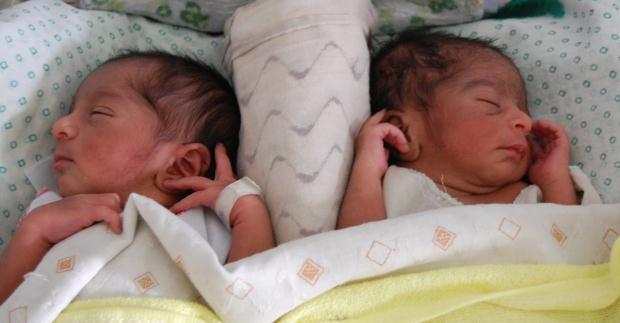
Here is a fun question: Can you guess which one is Nishanth and which one is Nakshatra?
On more family affairs, today I am celebrating my 28th Birthday. The last year has been very good for PHDs. We have become parents, moved to India from US, purchased a small plot of land where we will eventually build our dream house. I have become MVP and gone to Europe for work reasons and visited several beautiful places. The blog has grown too, it crossed 6000 RSS subs, had 2 million visitors in the last one year, thanks to sweet readers like you.
Let us hope the next year will turn out even better.
PS: Posting will be lighter this week. I am traveling to Copenhagen tonight. Once I settle down there, the blogging will resume on PHD. Meanwhile have fun guessing who is who…
PPS: interesting trivia: my name means moon too. Jo’s name means moonlight. All in all, we are a family in the sky.
PPPS: unfortunately, the kids are living up to their names and not sleeping in the nights 🙁





One Response to “How to create SVG DAX Measures in Power BI (Easy, step-by-step Tutorial with Sample File)”
My intention in this leave tracker, is to see other months instead of last 3 months of the year