

Do you have a nosy colleague who would like to see what you are up to?
Do you not want anyone to find out what you are working on?
Then use the hide workbook feature in the ribbon. See the below screencast to understand how it works.
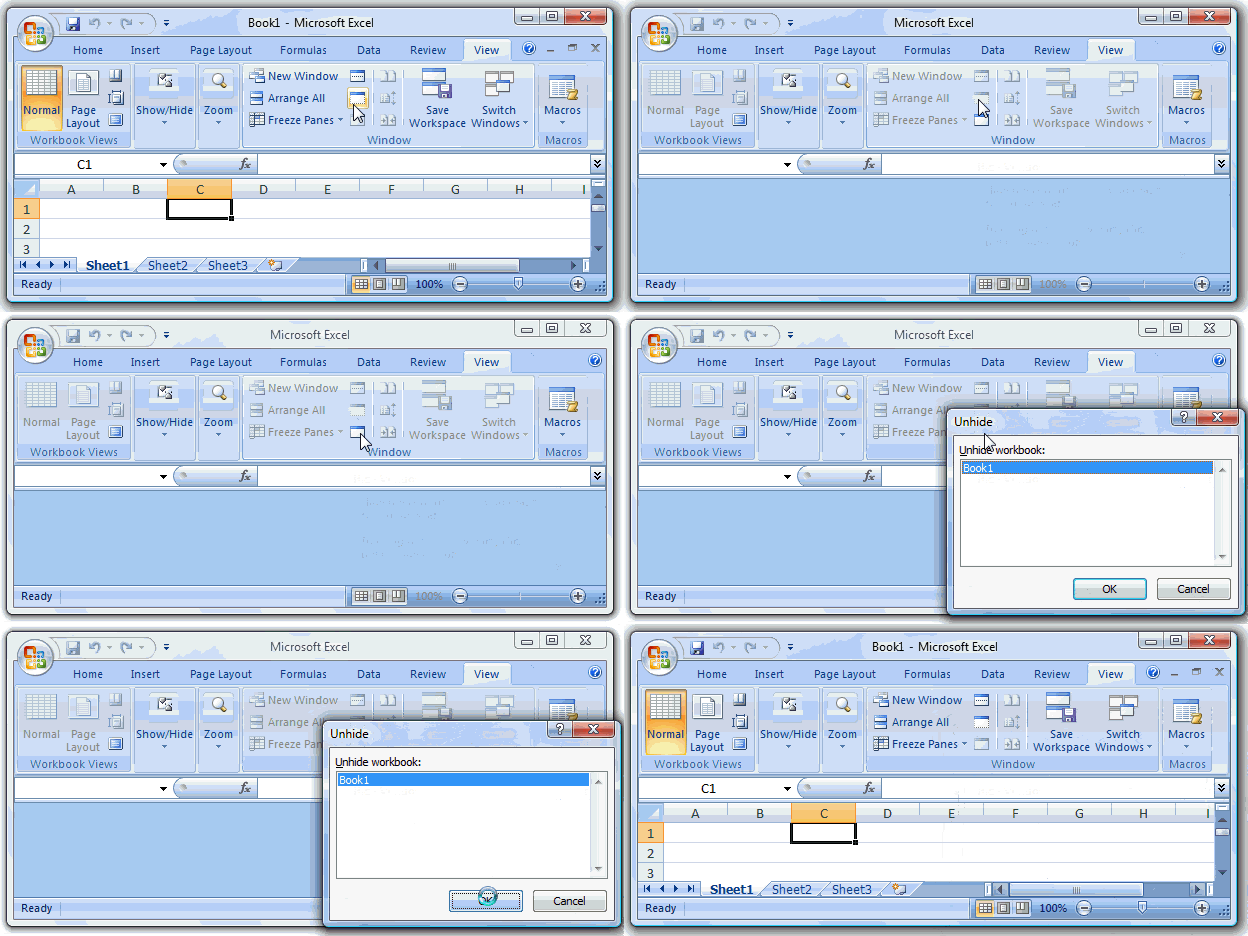
Technically speaking it just hides the window. But you get the desired effect.


7 Responses
Hi PHD,
Kind of an off-topic question:
What tool do you use to make such a nice screencast?
Thanks,
govi
How does it works in excel 2003..is there any option for the same feature
Excel 2003: Window >> Hide / Unhide
@Govi: I use Camtasia Studio. You can get a trial version here: http://www.techsmith.com/download/camtasiatrial.asp
I got it in a giveaway at Digital Inspiration (http://www.labnol.org/software/camtasia-studio-6-review-free-license/5242/). It is a wonderful software and I have started using it often to provide explanations…
Thanks, I will try it!
Hey Chandoo, where is the travelogue, buddy? I hear you went fishing this easter.
@Pankaj: If you call going from one place in Europe to another and not sure where you will stay that night as fishing, then yes, I had a fishing trip. I went to some of the nicest and most talked about cities in Europe and had a really long and enjoyable holiday. Unfortunately I will not be posting any travelogue here. May be someday… 🙂