

Friends & Readers of Chandoo.org,
I am so happy to tell you that our VBA Classes are now open for your consideration. Please read this short post to understand the benefits of this program & how to join us. Click here to join our classes, if you are ready.
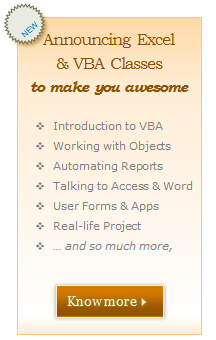
What is this VBA Class?
VBA Class is a structured and comprehensive online training program for learning Microsoft Excel VBA (Macros). It is full of real world examples & useful theory.
The aim of VBA Classes is to make a beginner an expert in VBA.
What are the benefits of this program?
Oh so many. Your boss might fall in love with you. You might suddenly find a lot of free time to finish that book or watch that movie, thanks to all the time you save by automating your Excel work. Apart from this,
- Clearly defined content: Learn VBA & Excel in simple, everyday language. Understand things by seeing several real-world examples we made for you.
- A-Z of everyday VBA: We did our best to create many everyday VBA examples, instructions & homework so that you will learn A-Z of everyday VBA.
- Pause, Stop & Repeat: All our lessons are pre-recorded, so you can watch them anywhere, pause them, stop or repeat at any time.
- Ask & Learn: Use our classroom website to ask doubts, get clarifications, download material & more.
- Less theory & rote, More practice & fun: We made this course with tons of practical examples, download workbooks & fun exercises so that you can learn better.
What are the topics of this course?
| VBA Topics | |||
| Introduction to VBA | Understanding Loops, Conditions & Writing VBA Code | Variables & Deep dive in to VBA | Working with Cells & Ranges |
| Worksheets, Workbooks & Databases | Working with Charts & Drawing Shapes | Dealing with Pivot Tables from VBA | User Forms & Databases – Basics |
| User Forms – Advanced | Integration with other Office Apps | Additional VBA Techniques – Arrays, Practical Examples | Class Project & More |
| Bonus Module #1: Introduction to Programming | |||
| Bonus Module #2: Debugging your Code | |||
| Bonus Module #3: Working with Databases | |||
| VBA Classes – Course Details & Brochure. | |||
Join our VBA Classes today
Click here to join our VBA classes.
More links & Information about VBA Classes
For more details, please go thru these links:
- VBA Classes – Course & Sign-up Details
- VBA Classes – Payment Options for Indians
- How does the VBA Class Work? [Video]
- VBA Classes – Course Brochure [PDF]
- VBA Classes – Demo Lessons
- VBA Classes – FAQs
Doubts & Questions?
If you have any doubts or questions about this program, please leave a comment & I will get back to you with answers. You can also reach me at chandoo.d @ gmail.com or call me at +91 814 262 1090 or +1 206 792 9480. I will be very glad to answer your questions.
Thank you so much
Thank you so much for your continued support to Chandoo.org. You are awesome, because you want to learn new things & improve.
PS: If you are totally new to VBA, checkout our Introduction to VBA series.
PPS: Join our VBA classes and see what magical things you can do. Click here.


9 Responses
When do classes start?
As soon as you join. All the material is already uploaded.
Hi, Purna is there any different lesson as different from the previous batch.
No, the lessons are same as previous VBA batches…
Hi Chandoo,
Are you able to offer a bundle price for the VBA and Project management course together?
Many Thanks
Christian
Sure. I will send an email with details to you.
Chandoo..can i upgrade the membership after joining the classes…say I join in for the VBA online course…later if i want to upgrade to VBA download option..can I do that?
Yes… you can. You can find the details about upgrading once you join us.
Hi Chandoo, Greetings!!
In your Excel School classes and VBA classes will you also cover how to integrate Excel with Microsoft Access, as Access I believe is more better application to store your data if the size of the database is too big?? Further, you can even write the sql queries to retrieve records matching certain conditions. Pls elaborate…