
Top 10 things we struggle to do in Excel & awesome remedies for them
Recently we asked you, what do you struggle doing in Excel? 170 people responded to this survey and shared their struggles. In this post, lets examine the top 10 struggles according to you and awesome remedies for them.
Excel Dashboards – 49 dashboards to visualize US State to State migration trends
Hello everyone. Stop reading further and go fetch your helmet. Because what lies ahead is mind-blowingly awesome.
About a month and half ago, we held our annual dashboard contest. This time the theme is to visualize state to state migration in USA. You can find the contest data-set & details here.
We received 49 outstanding entries for this. Most of the entries are truly inspiring. They are loaded with powerful analysis, stunning visualizations, amazing display of Excel skill and design finesse. It took me almost 2 weeks to process the results and present them here.

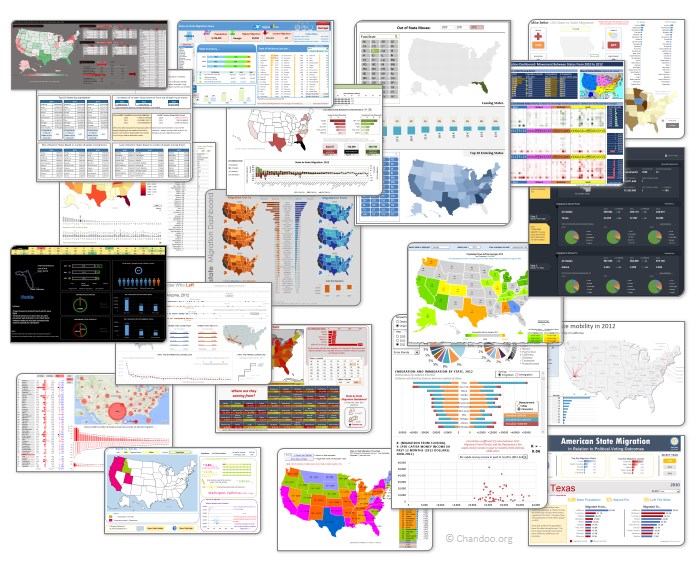
Click on the image to see the entries.
Implementing Modular Spreadsheet Development – a walkthrough
This article is written by Michael Hutchens from Best Practice Modelling.
In the first article on Modular Spreadsheet Development, we got a high level overview of Modular Spreadsheet Development principles. This article discusses the practical implementation of these principles in Excel.
From my experience using Modular Spreadsheet Development over the past decade, there are three increasingly-efficient methods of implementation in Microsoft Excel:
1. Manual implementation;
2. VBA automated implementation; and
3. Commercial add-in implementation.
This article provides a comprehensive overview of each of these methods and a summary of their advantages and disadvantages.
CP008: 6 Tips to handle workbooks made by someone else, #4 is something I struggle with too!
Podcast: Play in new window | Download
Subscribe: Apple Podcasts | Spotify | RSS
Here is a problem we all face once in a while. We inherit this bulky, bloated, leaking at the edges workbook from a colleague. Now the onus of maintaining it is on us. The person who made this workbook is nowhere to be found. May be she is vacationing in Hawaii sipping pineapple juice. May be he became a vice president and roaming the country in your company’s private jet.
So what do we do? How do we handle this inheritance?
That is the topic of our podcast, episode 8.
In this podcast, you will learn,
- An overview of the inheritance problem
- 6 Tips to understand workbooks made by someone else
- Tip 0: Talk to the creator
- Tip 1: Model the workbook on paper
- Tip 2: Locate the engine, ie the formulas
- Tip 3: See what else is under the hood – hidden sheets, names, VBA code
- Tip 4: Annotate (add comments) as you learn
- Tip 5: Locate the controls – inputs, assumptions, scenarios
- Tip 6: Re-construct from scratch
- Deep dive in to understanding the formulas
- Deep dive in to understanding VBA code
- Conclusions
Building a simple timer using Excel VBA to track my Rubik’s cube solving speed [case study]
Today, lets learn how to make a simple timer app using Excel. First some background…,
Recently, I learned how to solve Rubik’s cube from my nephew. As a budding cuber, I wanted to track my progress. Initially I used the stopwatch in my iPhone. But it wont let me track previous times. So I thought, “Well, I can use Excel for this”.
So I made a small timer app using Excel. Its quite minimalistic. It has a single button. I press it and it tracks the start time (date & time stamp). If I press the button again, it records the duration.
This way, I can see my progress over next few weeks and may be plot the trend.
Dynamic (Cascading) Dropdowns that reset on change
Dynamic dropdowns are a handy way to get your users to make choices based on what they’ve previously chosen, while steering them away from making invalid choices. Today we’re going to look at one that easily handles multiple levels, and we’ll take a look at what could go wrong. Let’s see one in action, shall […]
What is your favorite Excel book? [open thread]
Today lets talk about Excel books. The question is simple.
What is your favorite Excel book? Please share your answers using comments.
My favorite books are..,