
Dongdaemun
Seoul - 0 comments
In a hurry to make most of the weekend, 4 of us rushed to the Chungmuro metro station, bought tickets for Yongsan[view Yongsan photos] and rushed to line number 4. The train came in a moment and we boarded it immediately. After a couple of stations Rhushi shouted, “Abe, we took the wrong direction. We should go to Seoul Metro station and change over; instead, we are going back.” After some confusion Rajesh figured out that he did misguided all of us to take the metro going in other direction. We got down at the next stop; the walls read “Dongdaemun”
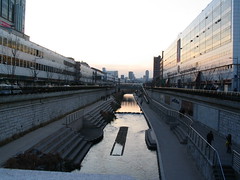 Then Rhushi recalled that Dongdaemun indeed is a shopping town itself, so we changed the plans and decided to browse this area.Dongdaemun literally means “great eastern gate” in Korean.
As soon as we got out, we saw this beautiful river bisecting the road. Alongside the river are lots of Christmas lights and lights. Everywhere festival mood is at a high.
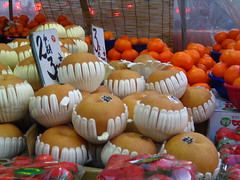 After realizing that the Dongdaemun shopping plaza is closed on Sundays we decided to walk further and see what is there. We walked through a very busy sideway selling everything from fruits, eatables, bags, leather items, t-shits, tools, cigarettes all in congested little shops flocked by loads of people. We bargained for a handbag while lots of busy shoppers kept jostling us, only to give up finding the multi-dimensional negotiation with shop-keeper and people tough.
When we reached the end of the street we were in front of a place called “Doota” (later I came to know that Doota indeed is one of the finest shopping places for clothes in Seoul). The place is really nice. First couple floors are dedicated for women’s wear. Lots of out of the world fashion items were available there. We thought we would leave the place since it seemed like they are selling only ladies wear, but somehow we convinced ourselves to explore the 3rd floor. It ended up being the men’s section. We were instantly in a world of finest men’s fashion wear. Lots of nice clothes are available there. Office, party, winter, casual, play . . . anything you want, you could get it there. We went mad looking at the amount of variety and attractive options there. I wasn’t out of the place before I bought a winter jacket and a t-shirt for myself.
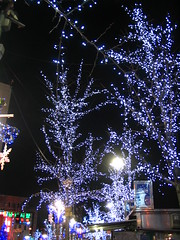 When we came out it was already dark and cold.
 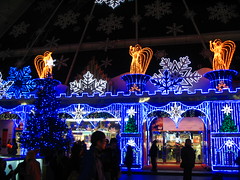 The entrance of the shopping mall is decorated with beautiful snow-flake like Christmas lights. There is an artificial snow machine too. Just when we wanted to leave the place, there was an announcement in Korean. Doota is organizing some audition for dancers that day, so there were lots of people there dancing on an elevated platform in front of the mall. We stayed for some time there and enjoyed the dance and music. It felt like good old days of campus late night parties.
We explored Dongdaemun further albeit our wallets weighing much lesser than what they did when we entered Doota. 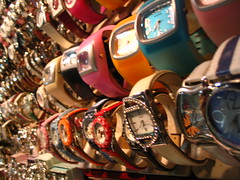 Ahead of the mall there is a small watch shop on the platform selling beautiful wrist gear. Apparently there is no bargaining culture in Korea, the shop keeper tells the price, and if you like it you pay and buy the item. But we nagged with the watch shop lady and got a couple of watches for 10000 won each. The lady almost got mad when we kept on purchasing watches and bargained for every piece.
Since it was getting cold, we decided to take the subway back home. But on the way we stopped by at a beautiful tie shop and we bought a few ties each.
The set back was 100000 won, but the upside is lots of fun and pleasant evening. Don’t miss Dongdaemun shopping experience if you ever come to Seoul.
[Reaching Dongdaemun station from Seoul: Take subway line 4 and getdown at Dongdaemun, 5th stop. Seoul subway map here]

Hello Awesome...
My name is Chandoo. Thanks for dropping by. My mission is to make you awesome in Excel & your work. I live in Wellington, New Zealand. When I am not F9ing my formulas, I cycle, cook or play lego with my kids. Know more about me.
I hope you enjoyed this article. Visit Excel for Beginner or Advanced Excel pages to learn more or join my online video class to master Excel.
Thank you and see you around.
Related articles:
|
Leave a Reply
| « I love missing the last bus to office | PHD’s Regular Blah #4 » |
 At Chandoo.org, I have one goal, "to make you awesome in Excel & Power BI". I started this website in 2007 and today it has 1,000+ articles and tutorials on data analysis, visualization, reporting and automation using Excel and Power BI.

