• Hi All

    Please note that at the Chandoo.org Forums there is Zero Tolerance to Spam

    Post Spam and you Will Be Deleted as a User

    Hui...

  • When starting a new post, to receive a quicker and more targeted answer, Please include a sample file in the initial post.

How to set condition on 3 columns

Jagdev Singh

Active Member
Hi Experts
Please let me know, how to deal with this situation.
I have reference numbers in column A, Each number’s last 5 digit vary and rest of the above number is similar
Ex
18236A14000003BCD2
18236A14000004BCD2
The numbers before “03BCD2” and “04BCD2” are of same entry. What I want I have 3 columns next to these numbers where I have to use the Letter “Y” to indicate they belong to same entry.
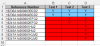
Is it possible if we consider the above example in the attached sample file, they are the first 2 entries. If I add “Y” for “18236A14000003BCD2” in all three columns and missed adding “Y” in the second entry “18236A14000004BCD2” in any one column, it should throw me a pop stating that I missed adding “Y” in the cell.
Regards,
JD
 

Attachments

Why not just use Conditional Formatting
Select B2:D9
Home
Conditional Formatting
New Rule
Use a Formula
=COUNTIF($B2:$D2,"Y")<>3
Set a Bold color
Apply

upload_2015-2-19_14-42-48.png
 
Hi Hui

Thanks for the formula, but there is a catch here. Sorry for not mentioning it in the above thread.

If you check the cells A4 and A5 they are same and have "Y" in Test 2 and Test 3. If you check the cells A6 and A7 they have "Y" in Test 3 only. The condition gonna vary with each matching entry.

My point here is in case of A4 where we have "Y" in 2 columns i.e. Test 2 and Test3 and in case of A5, since it is similar with A4, I have to add "Y" in both the columns that is Test 2 and Test 3, but I missed adding "Y" in Test 3, it should either change the color of the cell or intimate me about the miss.

Regards,
JD
 
Got it

Clear all the CF from the worksheet

Select B3:D9
Home
Conditional Formatting
New Rule
Use a Formula
=IF(LEFT($A3,12)=LEFT($A2,12),IF(COUNTIFS($B3:$D3,"Y")<>COUNTIFS($B2:$D2,"Y"),TRUE,FALSE),FALSE)
Set a Bold color
Apply

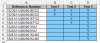
upload_2015-2-19_15-58-34.png

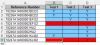
upload_2015-2-19_15-58-59.png

see attached file:
 

Attachments

Hi Hui & Narayan

Thanks for the code and sample file. I tried following the norms, but the cells changes its color on worng entries. Please find the my original data's sample copy attached.

Regards,
JD
 

Attachments

The formula for this NEW file should be
Cear all existing CF's
Select L3:N10
Apply a CF
=IF(LEFT($O3,12)=LEFT($O2,12),IF(COUNTIFS($L3:$N3,"Y")<>COUNTIFS($L2:$N2,"Y"),TRUE,FALSE),FALSE)

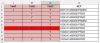
upload_2015-2-19_17-2-58.png

It only highlights the second row where the Y pattern doesn't match the previous row and it has the same first 13 characters

If this isn't correct, please tell us what specifically is wrong
 

Attachments

Hi Jaggi ,

Two points :

1. You need to understand the formula before trying to implement it in a different file.

2. The data needs to be sorted , since your earlier sample file had it sorted ; if a sample file is uploaded which does not represent your actual data , you should be more specific in your problem description , since otherwise I will draw my own conclusions from the uploaded file.

See this file.

Narayan
 

Attachments

Hi Narayan and Hui
I’m really sorry, for not sorting the data in the file and for the confusion occurred. This is what I was looking for and big thanks to both of you.
I have one more query related to condition formatting. I will be adding Vlook-up formulae in the column “O” and based on the two values “Match” and “Review” in this column it should check the values in the respective row under columns “J”,”K” and “L” and if it finds an empty cell in any column it should get highlighted.
 

Attachments

Do you want to highlight the cells in K, L & M or in Column O
How does Column O's value impact that or doesn't it matter as long as it has a value?
 
I want to highlight the empty cells in column K, L & M only if any Value is there in Column O. It would not going to impact any other value.
 
Select J2:L16
Goto CF
Use a Formula
=and(J2="",$O2="")
Select a Format
Apply
 
Hi Hui

The condition is if the column "O" contains value then any cell in columns J, K and L which are empty should be highlighted. I think thew above code is for the case where the O column is empy then it fill the empty cell.

Regards,
JD
 
Back
Top