• Hi All

    Please note that at the Chandoo.org Forums there is Zero Tolerance to Spam

    Post Spam and you Will Be Deleted as a User

    Hui...

  • When starting a new post, to receive a quicker and more targeted answer, Please include a sample file in the initial post.

SUMIFS: 3 Criteria Spill? + Unique 1st Col AZ but 2nd Col not SORTBY AZ of 1st

Stephan

Member
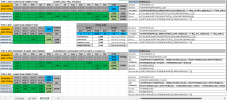
Hello. File attached, see 3rd TAB on right: SUM LEDGER 2 COLUMN

Made LEDGER, of 2 TABLES. 1st Table with SUMIFS of 3 Criteria, however Spill returns Zero so only manual copy & paste edits work.
2nd Table with SUMIFS of 3 Criteria, SPILL returns correctly so sum is 1 cell, so how to do it with ref of 1 SPILL in 2 columns? N2&O2 are N2#

QUESITON 1. How to make Table 1: 3 Criteria SPILL WORK?

Table 2: 3 Criteria SPILL (WORKS)
=SUMIFS(PRICES,BUSINESS, $N15#, SOLD,">="&QTR_S, SOLD,"<="&QTR_E)

Table 1: 3 Criteria SPILL (DOESN'T not WORK) Possibly as 1ST 2 COLUMNS (N&O) are 1 SPILL ie N2# is really the spill, but 2nd Column is O2, but O2# gets wrong results.
=SUMIFS(PRICES, BUSINESS, $N2#, VILLAGE,$O2#, MAKES,$P$1#)
I perceive fault lies with 1st & 2nd COLUMN (N&O) referenced to in SUMSIFS 3 CRITERIA as seperates, N2# & O2# are actually same SPILL in N2#. How to make 2 column spill with 2 seperate Spill refs to work? Perhaps compare lists with ref as 2 different spills that correspond with adjacent COLUMN? If so quite a trick? Hopefully easier solution will present it self! Did investigate INDEX & OFFSET, but numbers are wrong:
INDEX: NO wrong
= SUMIFS(PRICES, BUSINESS, $N2#, VILLAGE,INDEX(N2#, , 2), MAKES,$P$1#)
OFFSET: NO wrong
= SUMIFS(PRICES, BUSINESS, $N2#, VILLAGE,OFFSET(N2#, 0,1), MAKES,$P$1#)

Table 2: 3 Criteria Sum Individal 1st Cell example (WORKS) Without HASH # obviously this SUM works, but not that dynamic as rows will vary depending on data.
= SUMIFS(PRICES, BUSINESS, $N2, VILLAGE,$O2, MAKES,$P$1)

QUESTION 2: TABLE FIRST 2 COLUMNS are: BUSINESS & VILLAGE, however I notice 2nd COLUMN is not in AZ order.

How to SORT SPILL: 1st COLUMN AZ, then sort 2nd COLUMN AZ? SORTBY variation? I notice Data was AZ it wouldn't matter, but it is what it is. Hence how to.

Currently the SPILL for the Table 1 COLUMN 1+2 is below. Perhaps another variation of this Formula. I realise can select Col order, but this is either 1st or 2nd?
=SORT(UNIQUE(FILTER(BUSINESS:VILLAGE,BUSINESS<>"")),,,)

Google suggested this, but it display RESULTS twice, so that wrong.
=SORT(UNIQUE(CHOOSE({1,2}, FILTER(DataRange, IncludeCriteria), FILTER(DataRange2, IncludeCriteria))), 1)

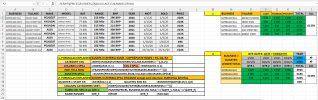
Screenshot (436).png
 

Attachments

Last edited:
There's quite a lot to be getting on with and I haven't looked in depth at all your queries; I'll do it bit by bit.
First, perversely, is Question 2 sorting the 2-column, cell N2 spill (Business then Village). Try in cell N2 of the SUM LEDGER 2 COLUMN sheet:
Code:
=SORT(UNIQUE(FILTER(BUSINESS:VILLAGE,BUSINESS<>"")),{1,2})

I'll look at putting some sort of spill formula for table 1 together later.

In the meantime, I wonder whether you'd not be fairly well served by using pivot tables for both table 1 and table 2?
In the attached, so that you can compare, I've hidden columns V:AL of the SUM LEDGER 2 COLUMN sheet and put:
1. A pivot table at cell AN1. The results match yours.
2. Another pivot table at cell AN12. Again the values match yours. There's an extra row in the pivot table (Years) which is there only to cater for if/when the source data contains data spanning more than one calendar year (the SOLD dates have been grouped by year & Qtr in the pivot).
 

Attachments

HELLO THANKS

After reading your replies about PIVOT TABLES, to such effect in the other chandoo post, this 1 of only few threads of relevance https://chandoo.org/forum/threads/multi-column-spill-range-dynamic-arrays-and-sumifs.45877/
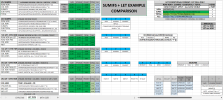
Added 4th TAB with PIVOT TABLE for comparison.

I thought it just needs individual column spill.... & I solved it with INDEX!
It is explained in 1. FORMULAS EXPLAINED SCREENSHOT.

& your BUSSINEES:VILLAGE sort is AZ, is absolutely correct! THANK YOU

2ND TAB is LET QUESTION. this only question now thank you.

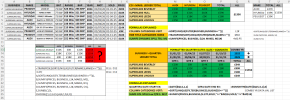
3D SUMIFS SPILL of SAME SPILL.png

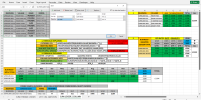
LET QUESTION > RED ? AREA: How to make SPILL work with 1 CELL, currently repeating SUMIFS formula for each MAKE COLUMN.
Screenshot (432).png
 

Attachments

Last edited:
Same again, try in AF2:
Code:
=SORT(UNIQUE(FILTER(BUSINESS:VILLAGE,BUSINESS<>"")),{1,2})
THANKS THAT is GREAT! Glad came up with Formula version for Pivot Tables, so simply too!

only questions now are TAB2:

a. How edit LET FORMULA, for 1 FORMULA, instead of repeating FORMULA.
b. Sub Totals correct Formula?
c. Overall Total to be in next column, non repeating, possibly in merged style centred?
 

Attachments

Hi. Made 4 Criteria Sumifs of Same Spill with further Column index formula.

Looking to continue with Spill theme:

Question:
Edit SubTotal Let so isn't CONSECTUTIVE RUNNING TOTAL?
Hence just DYNAMIC SPILL per EACH NON BLANK ROW?

=LET(v,Q2#,SUBTOTAL(109,OFFSET(v,,,SEQUENCE(ROWS(v)))))

See cell T2 COLUMN is what I want to achieve. Above Formula is in V2, works as SPILL but consectutive running.

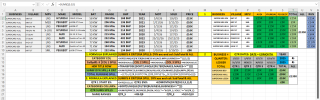
Screenshot (445).png
 
UPDATE: SUB TOTALS + TOTAL are now all DYNAMIC SPILLS: 4th TAB: CELLS > T2, S15, N26

Also upgraded Sheet to 4D SUMIFS SPILL, see 4TH TAB of attachment:

4 CRITERIA SUMIFS of SAME SPILL of MULTIPLE COLUMNS via INDEX Column workarounds (Pivot Table equivalent in Formula)

Thanks to P45CAL this post + Barry Houdini @ https://www.mrexcel.com/board/thread...2#post-6292908

Original Question was this:
SUMIFS Spill will only Spill if criterias are also Spills or their name ranges, so since generally 1 main Spill, how to reference each Spill Column seperately, here is the answer of how to use Formulas of Multiple Column Spills for SUMIFS!:

SUMIFS CALC SPILL: Q2#
=SUMIFS(PRICES,BUSINESS,N2#,VILLAGE,O2#,MAKES,Q1#,MPV,P2#)
MAIN CATEGORY SPILL: AI2#
=SORT(UNIQUE(FILTER(BUSINESS:VILLAGE:MPV,BUSINESS<>"")),{1,2})
1ST COLUMN WORKAROUND SPILL: N2#
=INDEX(AI2#,0,1)
2ND COLUMN WORKAROUD SPILL: O2#
=INDEX(AI2#,0,1)
3RD COLUMN WORKAROUD SPILL: P2#
=INDEX(AI2#,0,3)
SUBTOTAL SPILL: T2#
=LET(v,Q2#,SUBTOTAL(9,OFFSET(v,SEQUENCE(ROWS(v))-1,,1)))
RUN TOTAL SPILL: U2#
=LET(v,Q2#,SUBTOTAL(109,OFFSET(v,,,SEQUENCE(ROWS(v)))))
ALL TOTAL:
=SUM(PRICES)

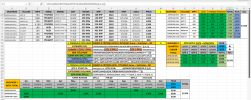
4D SUMIFS SPILL of SAME SPILL MULTI-COLUMNS - INDEX + LET.png
 

Attachments

Hello! No Groupby & No PivotBy in XL2021. Get Pivot Data, but doesn’t look simple or as effective as PIVOTBY, which looks v easy.

However Sort By in XL21, added NEW 4th TAB: DYN SORTBY BTM £. Formula Spills workings are in AE:AJ mix of Sequence/Index/SortBy.
Demonstrates Dynamic Bottom Row Total to Tbl1 SumIfs Spill via Data Validation: U8 & W8, alternative different to SIDE TOTAL, which I prefer to look at, and SortBy Bottom Row Total to arrange is a few spill tables of each other. To see working delete Y in W8 to see ROW BTM TOTAL Dynamically move!

SORTBY BTM ROW TOTAL alt.png

WORKBOOK: Thanks for New additions, added as NEW 7th TAB: 365 only. Concise Formulas are always of interest, in XL21, these appear as unknown function. In Future when upgrade Office this will be gd, positive uses later, understand a XL Power User like yourself, 365 is a must.

For the 4CRITERIA SUMIFS in 1ST TAB, re-arranged order in this version:

LET FUNCTION: Put all SPILLs into 1 Cell, all work apart from (i). ROW HDR & (ii).mains SUMIFS SPILLS TABLE, as seperate columns not created for them:
#not included yet: ROW HDR (i)
#A. Column Header 1
#B. Column Header 2
#C. Column Header 3
#D. SUMIFS SPILLS TABLE (ii)
#E. Sub Total Column
#F. Running Total Column

=LET(
A,INDEX(AI2#,0,1),
B,INDEX(AI2#,0,2),
C,INDEX(AI2#,0,3),
D,SUMIFS(PRICES,BUSINESS,N2#,VILLAGE,O2#,MAKES,Q1#,MPV,P2#),
E,LET(v,Q2#,SUBTOTAL(9,OFFSET(v,SEQUENCE(ROWS(v))-1,,1))),
F,LET(v,Q2#,SUBTOTAL(109,OFFSET(v,,,SEQUENCE(ROWS(v))))),
CHOOSE({1,2,3,4,5,6},A,B,C,D,E,F,G))

i). So far the LET combinations I've commonly seen mention features not available in XL21, V Stack, H Stack, Lamba, MakeArray.
However XL21 does have ARRAY & possibly MMULT? So how to combine the BTM let within the TOP let, ie to include the ROW HDR then COLUMNS?

Such as:
=LET(
array_1, TRANSPOSE(SORT(UNIQUE(FILTER(MAKES,MAKES<>"")))),
array_2,{""},
array_merged, array_1,
array_merged )

ii). How for LET to process D. the Array as Multi Column Spills Sum Range? Sure it will be easier in 365, but how to in XL21?

I've seen a complex looking Let Pivot Table, it does go a bit, may there is a method within, file also attached.

Cheers when you have time to think as LET to include: + ROW HDR + SUMIFS 1 LINE


The following CODE is LET that works as DYNAMIC PIVOT TABLE in XL2021:

Guess ROW + COLUMN arrange clues are here, & possibly multiple column, MMULT, SEQUENCE, INDEX, FILTER mentioned here, but not SUMIFS!
=IFERROR(
LET(
select, FILTER(B16#, $B$17:$D$17 <> ""),
c, COLUMNS(select),
fSel, MMULT(--(select = dB[Forecast]), SEQUENCE(c, , 1, 0)) * dB[Incl],
uMonths, SORT(UNIQUE(FILTER(dB[Month], fSel))),
uRegions, TRANSPOSE(SORT(UNIQUE(FILTER(dB[Region], fSel)))),
nRegions, COLUMNS(uRegions),
nMonths, ROWS(uMonths),

data, MMULT(
--(uMonths = TRANSPOSE(dB[Month])),
(uRegions = dB[Region]) * dB[Value]),
total, MMULT(data, SEQUENCE(nRegions, , 1, 0)),

k, SEQUENCE(nMonths + 1, nRegions + 2),
kR, INT((k - 1) / (nRegions + 1 + 1)) + 1,
kC, MOD(k - 1, nRegions + 1 + 1) + 1,
IF(
kR = 1,
IF(
kC = 1,
"R/M",
IF(kC = nRegions + 2, "Total", INDEX(uRegions, kC - 1))),
IF(
kC = 1,
INDEX(uMonths, kR - 1),
IF(
kC = nRegions + 2,
INDEX(total, kR - 1),
INDEX(data, kR - 1, kC - 1)
)))),"no data")
 

Attachments

Last edited:
Back
Top