• Hi All

    Please note that at the Chandoo.org Forums there is Zero Tolerance to Spam

    Post Spam and you Will Be Deleted as a User

    Hui...

  • When starting a new post, to receive a quicker and more targeted answer, Please include a sample file in the initial post.

Name Manager

Dear Derek.

Use this in name manager and check, it's dynamic to picup till the last row of your data.

Code:
=OFFSET($A$1,0,0,COUNTA($A:$A),1)
 
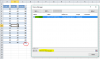
If the name refers to an Excel Table, yes you can see it in the Name Manager but you cannot edit it

upload_2017-2-18_11-12-42.png

Two things to note about this

1. Table 1 is an Excel Table , you see it in the Name Manager but can't edit it
2. The small Blue Holder in the lower left corner of cell C17 shows the extent of the table

If you have a lot of Blank rows in an Excel table, simply select them and delete them. The Name Manager will update the range automatically
 
You remove table range.
Go to table > right click > select "Table" > convert to range > yes
 
Back
Top