DashboardNovice
Member
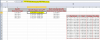
In the attached workbook, I am working in cell I3. I am using the MATCH function with cell H3 as the lookup value. I want to lookup in column P, and find the corresponding pay period in column N which would be the value in N8 in this example.
The MATCH would return 3, then I would add 1 and put the MATCH inside of an OFFSET function using N4 as a reference for the OFFSET to start at.
But I can't get the MATCH function to work first. I have a custom date format on all the dates using a period as a separator. I tried 1,0 and -1 as the third argument in the MATCH function and nothing is working.
I can't think of any other possibilities. Any ideas?
The MATCH would return 3, then I would add 1 and put the MATCH inside of an OFFSET function using N4 as a reference for the OFFSET to start at.
But I can't get the MATCH function to work first. I have a custom date format on all the dates using a period as a separator. I tried 1,0 and -1 as the third argument in the MATCH function and nothing is working.
I can't think of any other possibilities. Any ideas?