• Hi All

    Please note that at the Chandoo.org Forums there is Zero Tolerance to Spam

    Post Spam and you Will Be Deleted as a User

    Hui...

  • When starting a new post, to receive a quicker and more targeted answer, Please include a sample file in the initial post.

Testing for an equality between 3 values

If I test between two columns:

Code:
Smith = Smith

I get a TRUE.

However, if I test names between 3 columns such as:

Code:
Smith = Smith = Smith

I get a FALSE.

I am guessing this is evaluating to FALSE, because Excel is expecting a test between two values. Is this true?

If so, is there a way to test that the values in 3 cells are all equal to each other?
 
You can use: =--(A1=A2)=A3
To evaluate if all 3 cells are equivalent
It will only be True if they are all equal


[edit by Hui] Ignore this
 
Last edited:
Hi Hui ,

Please check your formula ; going by your earlier explanation , starting from the left , A1=A2 will result in a TRUE / FALSE value , which when operated on by the double minus will result in a 1 / 0 value.

Surely this cannot be equal to A3 , unless A3 is 1 or 0.

So if all three cells contain the text Smith , I doubt that the formula will return TRUE.

Narayan
 
One more..
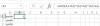
=AND(A1=A2)*(A2=A3)*(A3=A1)
Returns 1 when all three cells have identical values, else 0.
upload_2015-5-19_17-29-43.png
 
Thanx Narayan

I had a wonderfully simple formula
I don't know what I've done, But that wasn't it ?

I'd suggest: =AND(EXACT(A1:A3,A1)) Ctrl+Shift+Enter


Hi Hui ,

Please check your formula ; going by your earlier explanation , starting from the left , A1=A2 will result in a TRUE / FALSE value , which when operated on by the double minus will result in a 1 / 0 value.

Surely this cannot be equal to A3 , unless A3 is 1 or 0.

So if all three cells contain the text Smith , I doubt that the formula will return TRUE.

Narayan
 
Last edited:
Back
Top