• Hi All

    Please note that at the Chandoo.org Forums there is Zero Tolerance to Spam

    Post Spam and you Will Be Deleted as a User

    Hui...

  • When starting a new post, to receive a quicker and more targeted answer, Please include a sample file in the initial post.

Table headers on every page that the table overflows onto

lg215

New Member
Hi there,

I'm hoping someone can help. I am putting together a report and it has multiple tables within it, as well as graphs and some text. I understand how to add a repeated header range to every page but I actually just want each table to show a repeat of its headers if the table goes over the page (this report will be printed). Is there a way to do this without manually adding the header each time?

Any help is greatly appreicated. I havent quite got the hang of VBA yet so a simpler solution would be great.

Thanks

Laura
 
Laura

Lets say your data is in A1:G150
With the headers in Rows 1 and 2

Goto the Page Layout tab,
Print titles
Rows to repeat at Top: $1:$2
Ok
Then select A3:G150
Set as the print area
Print
 
Laura

Lets say your data is in A1:G150
With the headers in Rows 1 and 2

Goto the Page Layout tab,
Print titles
Rows to repeat at Top: $1:$2
Ok
Then select A3:G150
Set as the print area
Print

Dear Hui,

Thank you for replying to my post. I don't think I explained myself very well, apologies. I need the whole report to print off as one document but I would like the tables to always have their headers follow on the next page if the data does. The report does not have tables on every page. Perhaps it can't be done except manually.
 
If your work book has enough rows to fill one sheet then you will only get the header row once, if your columns over run a print sheet width then you will get the header row but each print page will show different sections of the header row.

if your work book has only columns to fit one sheet and hundreds of rows the first print sheet will have the row header and the rest will just have printed data cells.

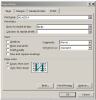
You need to go to print set up and do this


upload_2015-1-12_16-31-20.png

While there you can do your print sheets Header/Footer.


.
 
If your work book has enough rows to fill one sheet then you will only get the header row once, if your columns over run a print sheet width then you will get the header row but each print page will show different sections of the header row.

if your work book has only columns to fit one sheet and hundreds of rows the first print sheet will have the row header and the rest will just have printed data cells.

You need to go to print set up and do this


View attachment 14665

While there you can do your print sheets Header/Footer.


.


Hi bobhc,

Thank you for replying. I'm really sorry, perhaps I dont understand correctly but I think what you are advising will provide the same header on every page. What I would like to do is only have the top of the table repeated on the pages where the table has run over (just so a person reading the table has the column headings on each page). I already have headers and footers in place.

Thank you

Laura
 
@Laura,

If I understand correctly, you have a structured table with unrelated data/information above and below. When printing, the table would break across two or more printed pages and you are asking how to repeat the headings at the top of each page automatically without them appearing with the unrelated data above and below.

Unfortunately, I don't believe such a feature exists for Excel Table objects. This is discussed at:
http://answers.microsoft.com/en-us/...printing/0bd52ea1-8467-4abc-b24a-d70eb6d4f205

Sorry I don't have better news!

Regards,
Ken
 
Thanks Ken, this is exactly what I am asking. Thank you. I thought it might not work. It works in word and so I held a little hope. At least I know! Thank you again to Hui and bobhc for replying.
 
Back
Top