• Hi All

    Please note that at the Chandoo.org Forums there is Zero Tolerance to Spam

    Post Spam and you Will Be Deleted as a User

    Hui...

  • When starting a new post, to receive a quicker and more targeted answer, Please include a sample file in the initial post.

Shape Size as per Cell Value.

Is it possible in excel to create oval shape as per cell value.

I have attached a table and i need a chart in oval shape for all the circles.

I have created a manual chart for one circle. Is it possible to create like same for all the circle.

Also i need shape size should be auto change as per cell value. Please help...!
 

Attachments

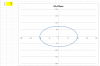
I haven't looked at your file but I would use a Scatter Chart and some named Formula to make an Ellipse
By doing this it requires no VBA Code and is totally scalable

See the attached example
 

Attachments

Thank you both Ninja's for response.

As i have followed bobhc shared following link

http://www.ozgrid.com/forum/showthread.php?t=70710

and could able to get result as attached. But it seems it is not looking like bubble chart.

But my boss is happy with it. but the chart is dependent on VBA codes and i am not good in it.

is it possible to make a chart look like same as attached without vba help.
 

Attachments

I haven't looked at your file but I would use a Scatter Chart and some named Formula to make an Ellipse
By doing this it requires no VBA Code and is totally scalable

See the attached example

This must be some kind of sorcery :)
 
Back
Top