Hello,
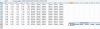
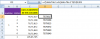
I am trying to create a macro that will read in the last row of data from 4 different .xls files and then insert that data into my spreadsheet. These 4 files update every 10 minutes so the "last row" changes every 10 minutes.
I've gotten something to work (see "Current Code" below), but the problem is, it takes forever to run this program the way I've coded it. I think the reason is that the macro is actually opening each file, then closing each file.
I want to be able to read in the last row of data from each of the 4 .xls files without opening them. I've seen ways to get data from an excel file without opening it, but I do not know how to figure out which row is the last row without opening the file.
I did find a snippet of code from user SirJB7 from a previous thread that does this for .csv files (see "SirJB7 code" below), but it doesn't seem to work for .xls files - it always just returns "1" for some reason. Can this code be modified to work for a .xls file, or does anyone know another way of doing this?
FYI: I'm new to VBA so I'm sure my code is pretty ugly...sorry!
Thank you!!
Jason
Current Code:
SirJB7 Code (thank you!):
I am trying to create a macro that will read in the last row of data from 4 different .xls files and then insert that data into my spreadsheet. These 4 files update every 10 minutes so the "last row" changes every 10 minutes.
I've gotten something to work (see "Current Code" below), but the problem is, it takes forever to run this program the way I've coded it. I think the reason is that the macro is actually opening each file, then closing each file.
I want to be able to read in the last row of data from each of the 4 .xls files without opening them. I've seen ways to get data from an excel file without opening it, but I do not know how to figure out which row is the last row without opening the file.
I did find a snippet of code from user SirJB7 from a previous thread that does this for .csv files (see "SirJB7 code" below), but it doesn't seem to work for .xls files - it always just returns "1" for some reason. Can this code be modified to work for a .xls file, or does anyone know another way of doing this?
FYI: I'm new to VBA so I'm sure my code is pretty ugly...sorry!
Thank you!!
Jason
Current Code:
Code:
For I = 0 To 3

   worksheetName(I) = Left(fileArray(I), 31)

   Dim xlApp As Excel.Application
   Dim wb As Workbook
   Dim ws As Worksheet

   Set xlApp = New Excel.Application

   Set wb = xlApp.Workbooks.Open(pathArray(I) & fileArray(I) & ".xls")

   Set ws = wb.Worksheets(worksheetName(I)) 'Specify your worksheet name

   LastRow = ws.Cells.End(xlDown).Row

   cycleCount1 = ws.Cells(LastRow, 81).Value
   cycleCount2 = ws.Cells(LastRow, 82).Value
   cycleCount3 = ws.Cells(LastRow, 83).Value
   cycleCount4 = ws.Cells(LastRow, 84).Value
   cycleCount5 = ws.Cells(LastRow, 85).Value
   cycleCount6 = ws.Cells(LastRow, 86).Value

   cycleCount = Array(cycleCount1, cycleCount2, cycleCount3, cycleCount4, cycleCount5, cycleCount6)

   wb.Close

   xlApp.Quit

   Set ws = Nothing
   Set wb = Nothing
   Set xlApp = Nothing

Next I
SirJB7 Code (thank you!):
Code:
Option Explicit

Sub IDidNotLikeAnyOfTheOtherTwoSolutionsButNeitherLikedTooMuch()
    ' constants
    Const ksFileName = "how-to-count-the-number-of-rows-without-opening-an-excel-file (for K Raghavender rao at chandoo.org).csv"
    ' declarations
    Dim I As Long, J As Integer, A As String
    ' start
    J = FreeFile()
    Open ThisWorkbook.Path & Application.PathSeparator & ksFileName For Input As #J
    ' process
    I = 0
    Do Until EOF(J)
        Line Input #J, A
        I = I + 1
    Loop
    ' end
    Close #J
    Debug.Print I
End Sub