
You are using an out of date browser. It may not display this or other websites correctly.
You should upgrade or use an alternative browser.
You should upgrade or use an alternative browser.
I need to search multiple values whether they exists on another sheet
- Thread starter Binu
- Start date

Hello, and welcome to the forum! 
Assuming the formula goes on Input sheet:
=IFERROR(INDEX(Final!A:A,(1/SUMPRODUCT((Final!$C$2:$C$25=C2)*(Final!$D$2:$D$25=D2)*ROW(Final!$D$2:$D$25)))^-1),"Unique")
Copy down as needed. I set this to look at 25 rows on Final sheet, but may need to adjust.
Assuming the formula goes on Input sheet:
=IFERROR(INDEX(Final!A:A,(1/SUMPRODUCT((Final!$C$2:$C$25=C2)*(Final!$D$2:$D$25=D2)*ROW(Final!$D$2:$D$25)))^-1),"Unique")
Copy down as needed. I set this to look at 25 rows on Final sheet, but may need to adjust.
Abhinav Shori
Member
Assuming the formula goes on Input sheet:
=IFERROR(INDEX(Final!A:A,(1/SUMPRODUCT((Final!$C$2:$C$25=C2)*(Final!$D$2:$D$25=D2)*ROW(Final!$D$2:$D$25)))^-1),"Unique")
Thank you very much for help. But a small problem. If any of the values of columns c and d of 'input' sheet match columns c and d of 'final' sheet, then it should return the part number. Unique means all the values should not match. Its my mistake to describe it earlier. sorry about that.
=IFERROR(INDEX(Final!A:A,(1/SUMPRODUCT((Final!$C$2:$C$25=C2)*(Final!$D$2:$D$25=D2)*ROW(Final!$D$2:$D$25)))^-1),"Unique")
Thank you very much for help. But a small problem. If any of the values of columns c and d of 'input' sheet match columns c and d of 'final' sheet, then it should return the part number. Unique means all the values should not match. Its my mistake to describe it earlier. sorry about that.
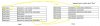
Yes, that is what we want actually. if that entry not anywhere in 'final' sheet it should say 'unique' otherwise return the 'part number'. All the values of each row (eg: c2 and d2 represents one part)
unique = None of the values of each row (eg: c2 and d2) do not match
return part number = Any of the values of each row (eg: c2 and d2) match.
unique = None of the values of each row (eg: c2 and d2) do not match
return part number = Any of the values of each row (eg: c2 and d2) match.