• Hi All

    Please note that at the Chandoo.org Forums there is Zero Tolerance to Spam

    Post Spam and you Will Be Deleted as a User

    Hui...

  • When starting a new post, to receive a quicker and more targeted answer, Please include a sample file in the initial post.

How to insert multiple sheets from Single workbook data

Dear Friends and Experts,

This is regarding an excel query kindly help me out.

Please find attached herewith an excel sheet containing tax computation sheet. In this regard observe the drop down button located at column A1 and can find the list of employee’s starting from VT-001. Here, I would like to make a separate sheet individually who ever there in the list in a single workbook likewise inserting a sheet. Hence, guide me how can we do the same in easier way rather than selecting a respective employee.

Actually, the sheet consists of plus 300 associates; to make it smaller deleted the number of the same in dropdown list. As you are aware that to save individually for 300 associates will take considerable time in the same workbook and also leads to errors. Therefore, keeping view of the same, please guide me if is there any easier way to figure out our issue as mentioned above.

Your kind support for the same is really helps a lot to save in good amount of time and can prepared error free data for certain statutory returns and also a permanent answer for these kinds of situations.

Awaiting your kind response.

Thanks in advance,
Kumar
 

Attachments

Hope! this will help in regard what you are looking for!

Code:
Option Explicit

Sub test()
Dim r, emp As Range
Set emp = Sheet1.Range("XEE6:XEE300")
For Each r In emp
    If Len(r) > 0 Then
        Sheet1.[A1].Value = r.Value
        Sheets("Calculator (2)").Copy After:=Sheets(1)
        ActiveSheet.Name = r.Value
    End If
Next
End Sub
 
Dear Deepak,

Thank your for your mail.

sincerely, I am not able to understand the above code. Kindly let me know how to follow the same and how it works.

Please help me.

Thanks,
Kumar
 
Dear Mr. Deepak,

Please find attached the sample excel sheet , the result which i am looking in separate sheet in the same work book as ready reference. sincerely request you to help me in this regard.

Further, looking for the guidance from Mr.Chandoo, Mr. Narayan and other friends for my request. As i need finish up the task kindly help me.

Thanks,
Sravan
 

Attachments

Dear Mr. Deepak,

Please find attached the sample excel sheet , the result which i am looking in separate sheet in the same work book as ready reference. sincerely request you to help me in this regard.

Further, looking for the guidance from Mr.Chandoo, Mr. Narayan and other friends for my request. As i need finish up the task kindly help me.

Thanks,
Sravan

Hope!! You didn't use the macro what i have shared.

It will produce the same output what u want.
 
Dear Mr. Deepak,

Could you please help me out , how the above code works out.

As i am in desperate need of the same kindly help me .

Thanks,
 
Dear Deepak,

Thank you for your time really appreciated. I did the same what you have said , nevertheless the sheet is not working and getting error messages.

Error Message as follows :

upload_2014-5-7_15-46-8.png


Seems it is a difficult task for the same.

Thanks in advance,
Kumar
 
Dear Deepak,

Thank you for your time really appreciated. I did the same what you have said , nevertheless the sheet is not working and getting error messages.

Error Message as follows :

View attachment 6368


Seems it is a difficult task for the same.

Thanks in advance,
Kumar

Everything is difficult until you get it.

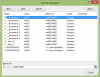
This error is being occurred as there are multiple invalid named ref in your attached file.

Screenshot 2014-05-07 16.39.20.png

However i have taken the liberty to remove them.
Check with attached file.
 

Attachments

Dear Deepak thanks a lot .....

As mentioned in my post .. original sheet consists of more than three hundred employees and data of the same is highly confidential. Hence, I have posted the sample one here, therefore I need to do the same exercise as did for the sample as directed by you . Finally I catched how to copy the macro etc.. But the original file getting the same messages due to invalid multiple names. Hence kindly let me know how to remove the multiple names in original sheet.

If you can guide the same my problem will be resolved.

Thanks a lot for your patience and guidance.

Best Regards,
Kumar
 
Dear Kumar@raja,
  1. Press Ctrl+F3 or Click the "Formulas" tab and click "Name Manager" in the Defined Names group.
  2. A window opens that contains a list of all the named ranges in the document.
  3. Select & delete the same.
 
Dear Deepak,

Thank you very much Your good gesture is truly appreciated.

You made it my work easy. Thanks in tons.

Best Regards,
Kumar
 
Back
Top