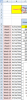
Please see picture below. I have a table that needs to go 52 weeks. Currently it only goes to 12 weeks. How do I expand the drop-down arrow/button to include all 52 weeks?
You need only select the cell B2 and go to Data Validation (Data > Data Validation) to update the source range to include the full list of all 52 weeks (i.e., Source: =$A$7:$A$58).
You need only select the cell B2 and go to Data Validation (Data > Data Validation) to update the source range to include the full list of all 52 weeks (i.e., Source: =$A$7:$A$58).