• Hi All

    Please note that at the Chandoo.org Forums there is Zero Tolerance to Spam

    Post Spam and you Will Be Deleted as a User

    Hui...

  • When starting a new post, to receive a quicker and more targeted answer, Please include a sample file in the initial post.

How can you change the sheet number without doing 1 at a time

I have 8 sheets to write code. All going to the same cell (row and column) Is there a way for me to write the code on sheet 1 and have it copy to the other 7 sheets BUT I need it to have that specific sheet NAME on it. I am pasting data on 1 sheet and I want it to copy a part of that section to a different sheet so I have to go to the sheet I want to copy to and put all the =?

This is an example of the code

='50+ E-O LONG'!B145

='OB HITS EO LONG'!B145

If I have all of the sheet done for the ='50+ E-O LONG'!B145 is there a way to copy and paste that on the sheet that is called ='OB HITS EO LONG'!B145 so it only changes the ='OB HITS EO without having to do 1 cell at a time

Thanks!!!
 
Morning Jack,
I think you're causing some extra confusion by use of the word "code", when I think you are using formulas. If the formula you are using should be self referencing (refers to a spot within itself), why not just remove the sheet name?
=B145
then, when you copy it to other sheets, you no longer have to worry about changing the sheet names.
 
Morning Jack,
I think you're causing some extra confusion by use of the word "code", when I think you are using formulas. If the formula you are using should be self referencing (refers to a spot within itself), why not just remove the sheet name?
=B145
then, when you copy it to other sheets, you no longer have to worry about changing the sheet names.

Ah, I understand and your correct about the confusion, I really am still learning all the lingo.

I am using the sheet name because I thought I needed to. Let me try to explain and maybe we can go from there and I can also upload an example if need be. I have 2 sets of sheets that are labled 50+ E-O. 50+ EO, 50+ EEOO, OB HITS E-O, OB HITS EO, OB HITS EEOO, PB 50+ and PB OB HITS.

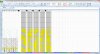
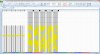
The difference in the 2 sets are 1 is a long version with 3000 rows and there other is a short version with 50 rows. I am trying to copy only 11 rows from the long sheet and paste them on the short sheet so all the cell numbers will be the same. The only difference is what I am calling the sheets. So, If I need to copy the 50+ E-O long sheet to the 50+ E-O short sheet I will need to be able to reference the sheet name?? Correct??

I actually copy and paste the data from the long sheet from another sheet and book all together and my goal is to be able to paste it into the long sheet and it automatically will paste into the short sheet. Trying to save a step or two since I have many other books to do after this one

Does this make better sense?
 

Attachments

  • 50+ E-O short sheet.jpg
    50+ E-O short sheet.jpg
    668 KB · Views: 6
  • 50+ E-O Long Sheet.jpg
    50+ E-O Long Sheet.jpg
    682.1 KB · Views: 5
I think I understand what you're trying to do. My follow-up question then would be, do any of the cells with formulas point to/reference a different sheet from where the formula is, or do all the formulas work on the same sheet that they reside on?

E.g., if they were simply Sheet1, Sheet2, and Sheet3, do all the formulas on Sheet1 refer to cells on Sheet1, or do some refer to Sheet2, and when we copy the cells to Sheet2, you want them to refer to Sheet3?
 
Then I would go with my original suggestion. On each sheet, remove the sheet names reference, thus changing this:
='50+ E-O LONG'!B145
to this:
=B145

If you don't have too much fancy stuff going on, you could do this quickly with a Find and Replace, looking for:
'*!
and replacing with

(blank)

Once all the formulas are completely independent of the sheet, you can copy the sheets around as much as you like, and it won't matter what the name is anymore.
 
Then I would go with my original suggestion. On each sheet, remove the sheet names reference, thus changing this:
='50+ E-O LONG'!B145
to this:
=B145

If you don't have too much fancy stuff going on, you could do this quickly with a Find and Replace, looking for:
'*!
and replacing with

(blank)

Once all the formulas are completely independent of the sheet, you can copy the sheets around as much as you like, and it won't matter what the name is anymore.


Thanks Luke, but that win twirl because the data on sap het 50+E-O is different than the others. The only thing that's the same is where the data is placed in the cell. I'm doing it one at a time
 
Eh? o_O

We're not changing where on the sheet it is, we're just shortening the address.
The analogy would be that if you and I both live in Denver, Colorado, I could tell you that I live at
123 Main Street
versus telling you that I live at
123 Main Street, Denver, Colorado, USA

Both refer to the same thing, but the latter has more information than is needed.
 
Back
Top