• Hi All

    Please note that at the Chandoo.org Forums there is Zero Tolerance to Spam

    Post Spam and you Will Be Deleted as a User

    Hui...

  • When starting a new post, to receive a quicker and more targeted answer, Please include a sample file in the initial post.

Goalseek Formula

Hi everyone i need Goalseek formula, i can use that function in data tab but it will be very time consuming for large data ie i have to put set cell, to value and by changing cell manually.

Please find attached sample file for your kind reference and help.

i need a formula so that i can drag it down and it will calculate automatically.
 

Attachments

Seeing you know what the Goal is you can
1. Calculate the Variable amount using a formula:
F3: =A3-H3-I3-SUM(C3:E3)

2. Use Goal Seek
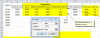
For cell F3:
upload_2015-4-15_18-20-47.png

ps: I find it odd that the Taxes are fixed in all 3 examples
 
Seeing you know what the Goal is you can
1. Calculate the Variable amount using a formula:
F3: =A3-H3-I3-SUM(C3:E3)

2. Use Goal Seek
For cell F3:
View attachment 17910

ps: I find it odd that the Taxes are fixed in all 3 examples


Hui Sir,


Apologies for the tax error i just put random amount in all the three examples.

Let me describe you once again. I have a sample file & in sheet 2 i have mentioned my desired goals amount from 9000 to 150000 and it can vary according to my requirement.

In Column B it is total amount sum of (total component+govt tax+others taxes) in column C it is Base amount it should be in '00 or '000 digits (like 5000, 5500 or 6000, 6500), Column D is 50% of Base, Fixed amount is 1500 always, Now i need a goal seek formula in Variable amount so when i put my desired goals in Column B it will automatically put base amount in column C and set variable amount in column F.

i have calculated tax amount with certain %.

Please again find my sample file, i tried it to do it my self but got stuck in circular reference

Thanks in advance

Manish
 

Attachments

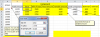
So you apply the same technique to C3
upload_2015-4-15_21-16-9.png

This will give you a slightly off value=6499.458, which you will need to manually change to 6500
 
Manish

I think you can solve this without using Goal Seek, but by using some simple Algebra

Ignoring the Row Numbers

You want:

B = G + H + I

B = 15720
G = C + D + E + F
H = C * 12.36%
I = H * 8.4%

B = G + H + I
15720 = (C + D + E + F) + C * 0.1236 + (C * 0.1236) * 0.084
15720 = (C + D + E + F) + C * (0.1236 + 0.1236*0.084)
15720 = (D + E + F) + C * (1 + 0.1236 + 0.1236*0.084)
15720 = (D + E + F) + C * 1.1339824

D = C * 0.5
E = 1500
F = 3600

15720 = (D + E + F) + C * 1.1339824
15720 = C * 0.5 + 1500 + 3600 + C * 1.1339824
15720 = 1500 +3600 + C(1.1339824 + 0.5)
15720 = 5100 + C(1.6339824)
10620 = C(1.6339824)
10620/1.6339824 = C
C = 6499.458011
C = 6500

But to incorporate all the variables I would leave it at

C = (A - E - F)/(1 + 12.36% + 12.36% * 8.4% + 50%)

So for row 3
= (A3 - E3 - F3)/(1 + 12.36% +12.36% * 8.4% + 50%)

Now to get it rounded to 100's
=ROUND( (A3 - E3 - F3)/(1 + 12.36% + 12.36% * 8.4% + 50%), -2)

or to 1000's
=ROUND( (A3 - E3 - F3)/(1 + 12.36% + 12.36% * 8.4% + 50%), -3)

Enjoy
 
Back
Top