• Hi All

    Please note that at the Chandoo.org Forums there is Zero Tolerance to Spam

    Post Spam and you Will Be Deleted as a User

    Hui...

  • When starting a new post, to receive a quicker and more targeted answer, Please include a sample file in the initial post.

Font change

RonF

New Member
I have a worksheet with a large amount of data that I want to use Times New Roman 10 font in, the xl settings show this as the default font, the font settings at the top of the sheet show this also, however the sheet is appearing mainly in Arial 10 font with some cells showing Times New Roman 11 font, I have tried selecting all cells, separate columns and rows but cannot get all the fonts to be the same and cannot get any to go to Times New Roman10 what do I need todo to achieve this.
Ron
 
Hi Ron, good day and welcome to the forum :awesome:

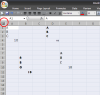
Have you tried changing font after selecting all cells by clicking small button as highlighted in Red Circle here:

Select all.PNG

Regards,
 
Ron

The default Font only applies to New entries in Blank cells

Cells where data or formulas have already been entered may have a font applied, which will overrides the default font

Use the technique shown by Khalid above, to change the whole worksheet
 
Hi Ron, good day and welcome to the forum :awesome:

Have you tried changing font after selecting all cells by clicking small button as highlighted in Red Circle here:

View attachment 28494

Regards,
Thank you, but unfortunately it changed nothing. I tried one column - same result but the few entries that have reverted to TNR remain there. My new entries have been going in Ariel now for weeks, even the column where a few have changed, but the change did not continue.
Ron
 
I am trying this as a sample. It comes out without the problem. I have tried copy and paste the same sample into a new book and it gives me what I want. However by my standard it is a large document extending 27 columns by 65lines. How much of it can I copy?
Ron

314$30.82$9,677.48
314$31.18$9,790.52
314$30.73$9,649.22
314$30.30$9,514.20
314$28.70$9,011.80
314$28.97$9,096.58
314$29.65$9,310.10
314$29.47$9,253.58
314$31.81$9,988.34
314$32.88$10,324.32
314$32.30$10,142.20
314$32.49
$10,201.86
 
I have done some experimenting and find I can copy and paste into a new worksheet and get the font I want. Now my question is , "How much can I copy at a time?" The original is 27 columns wide and 6o lines deep.
 
You can copy the whole sheet by doing what @Khalid NGO said in his first post and then just right click and select copy and then paste into your new sheet.
 
Back
Top