Anbuselvam K
Member
Subject: Assistance Needed with VBA Code in Excel
Dear VBA Experts,
I am reaching out for help regarding an issue in my Excel workbook. I have attached a file where I am using VBA code to calculate the cost of raw materials ranging from 1 to 100 in the sheet named "Production." The output is intended to print from column HQ10 to the last row in that sheet.
The costs are being calculated based on the data from the sheet named "RM Cost" and the table "Purchase_Line." The code works perfectly when the "RM Cost" sheet contains data up to the 17th row. However, when I add a new purchase on the 18th row, I encounter an "Error 9."
I would appreciate any guidance or solutions you could provide.
Data till 17th row and no raw materials shortage then the code runs well and the output is below.
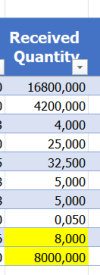
Data till 17th row but any of the one or more RM Shortage then the output is below.


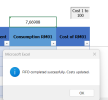
Lastly, when I added a new purchase of RM01 or RM11, which is in shortage for production, in row 18, the code produces the error mentioned earlier.

Inside the sheet module, cost 1 to 100. I have the code; I got it from ChatGPT.
Dear VBA Experts,
I am reaching out for help regarding an issue in my Excel workbook. I have attached a file where I am using VBA code to calculate the cost of raw materials ranging from 1 to 100 in the sheet named "Production." The output is intended to print from column HQ10 to the last row in that sheet.
The costs are being calculated based on the data from the sheet named "RM Cost" and the table "Purchase_Line." The code works perfectly when the "RM Cost" sheet contains data up to the 17th row. However, when I add a new purchase on the 18th row, I encounter an "Error 9."
I would appreciate any guidance or solutions you could provide.
Data till 17th row and no raw materials shortage then the code runs well and the output is below.
Data till 17th row but any of the one or more RM Shortage then the output is below.
Lastly, when I added a new purchase of RM01 or RM11, which is in shortage for production, in row 18, the code produces the error mentioned earlier.
Inside the sheet module, cost 1 to 100. I have the code; I got it from ChatGPT.