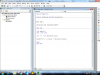
A ANKUSHRS1 Member Oct 8, 2018 #1 Hi, Please help me to get rid of this problem. I want to assign a key for a macro...I have assigned such keys function my previous macro but Now I am facing the problem.. maybe this is location or scope of macro or variables....i cant figure it out..pls help
Hi, Please help me to get rid of this problem. I want to assign a key for a macro...I have assigned such keys function my previous macro but Now I am facing the problem.. maybe this is location or scope of macro or variables....i cant figure it out..pls help
Hui Excel Ninja Staff member Oct 8, 2018 #2 Click on the The Workbook module Then add a sub Code: Private Sub Workbook_Open() Application.onkey "+(F10)", "Add" End Sub Save the file and re-open it
Click on the The Workbook module Then add a sub Code: Private Sub Workbook_Open() Application.onkey "+(F10)", "Add" End Sub Save the file and re-open it
A ANKUSHRS1 Member Oct 8, 2018 #3 Hui said: Click on the The Workbook module Then add a sub Code: Private Sub Workbook_Open() Application.onkey "+(F10)", "Add" End Sub Save the file and re-open it Click to expand... Thanks....
Hui said: Click on the The Workbook module Then add a sub Code: Private Sub Workbook_Open() Application.onkey "+(F10)", "Add" End Sub Save the file and re-open it Click to expand... Thanks....