Hello and happy St. Patrick's Day,
I apologize in advanced for the long post but I want to provide as much information as possible to help you help me. You may want to grab some caffeine for this one.
The Situation:
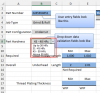
The attached workbook is a calculator tool that I want to use to populate details about a part my company will manufacture with dimensions to help our customers prepare the parts properly for our process. The first tab is the input and utilizes the cascading dynamic drop downs technique that I found here on Chandoo.
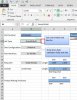
Based on the data entered/selected on the Input tab, the Print Out tab pulls the values and displays a specific picture depending on part configuration.
The Problem:
In Excel 2010, which is what I am using to build the workbook, the file works great. The issue is when other people in the company, using Excel 2013, try to use the file.
The user clicks on a cell with a data validation list, the drop down arrow flashes for an instant but they disappears. If you move the mouse cursor over to where the drop down arrow should be the cursor changes and if you click the drop down list appears.
This makes the calculator not very user friendly and honestly a bit annoying to use.
What I have Tried:
I first thought the file was broken so made the file from scratch again, same problem.
Next I tried building a file up to the data validation lists only, everything worked in 2010 and 2013. I added the picture links and boom, drop down arrow problem again.
Googled the issue and could only find relevant information from contextures about data validation bugs in 2013. The workaround provided was to click somewhere off the excel program and then click back and the arrow was visible, but when a different cell with data validation list was selected the problem happened again.
Tried making the file over again but with linked pictures displaying on a separate tab from the data validation lists. Still didn't work.
Next tried repairing the file, hoping that it was corrupted. No luck.
Tried updating the user's Office 2013, didn't fix the problem.
Does anyone have a solution to the invisible drop down arrows or a different method to achieve the same functionality?
Any help is greatly appreciated!
Thank you in advanced.
I apologize in advanced for the long post but I want to provide as much information as possible to help you help me. You may want to grab some caffeine for this one.
The Situation:
The attached workbook is a calculator tool that I want to use to populate details about a part my company will manufacture with dimensions to help our customers prepare the parts properly for our process. The first tab is the input and utilizes the cascading dynamic drop downs technique that I found here on Chandoo.
Based on the data entered/selected on the Input tab, the Print Out tab pulls the values and displays a specific picture depending on part configuration.
The Problem:
In Excel 2010, which is what I am using to build the workbook, the file works great. The issue is when other people in the company, using Excel 2013, try to use the file.
The user clicks on a cell with a data validation list, the drop down arrow flashes for an instant but they disappears. If you move the mouse cursor over to where the drop down arrow should be the cursor changes and if you click the drop down list appears.
This makes the calculator not very user friendly and honestly a bit annoying to use.
What I have Tried:
I first thought the file was broken so made the file from scratch again, same problem.
Next I tried building a file up to the data validation lists only, everything worked in 2010 and 2013. I added the picture links and boom, drop down arrow problem again.
Googled the issue and could only find relevant information from contextures about data validation bugs in 2013. The workaround provided was to click somewhere off the excel program and then click back and the arrow was visible, but when a different cell with data validation list was selected the problem happened again.
Tried making the file over again but with linked pictures displaying on a separate tab from the data validation lists. Still didn't work.
Next tried repairing the file, hoping that it was corrupted. No luck.
Tried updating the user's Office 2013, didn't fix the problem.
Does anyone have a solution to the invisible drop down arrows or a different method to achieve the same functionality?
Any help is greatly appreciated!
Thank you in advanced.