FreakyGirl
Member
hello. love the forum - have found many answers here before but im truely stumped now.
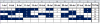
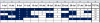
what im trying to do is use conditional formatting to highlight ONLY the top 6 games for each player. until they have played 6 games nothing will be hightlighted. then once 6 games have been reached all 6 will highlight & as i enter more game scores the hightlighting needs to move accordingly. in respect to breaking ties, the earlier date value should be the one thats highlighted. i have used several diff codes that are supposed to do this but they all do something diff than what i need. there are 100 players in total & i need to do this on each row for each player.
consider the following:
column a1 - rank
column b1 - total of only the top 6 games highlighted
column c1 - player name
column d1 - player average
column e1 - total games played
column f1 to q1 - scores made on one of the dates of 12 games played (every sun, wed & fri in july(except for july 4th) - earlier dates listed 1st)
if a space is blank they did not play on that date. the point values can only vary from 0-8 on any date
formula 1: =F2>=LARGE($F2:$Q2,6) top 6 is: 8 6 5 5 4 4 but all the 4s are highlighted because of ties. i only want 6
formula 2: =RANK(F2,F2:Q2)+COUNTIF(F2:F2,F2)-1<=6 all of them are highlighted
formula 3: =RANK(F2,F$2:Q$2,1)+COUNTIF(F$2:F$2,F2)-1>=6 only highlights the 5 6 & 8
formula 4: =COUNTIF($F2:$Q2,"<"&F2)+COUNTIF($F2:$F2,F2)>=6 only highlights the 5 5 6 8
formula 5: =RANK(F2,F$2:Q$2)+COUNTIF(F$2:F$2,F2)-1<=6 highlights them all but the 1st 3
i really dont know what else to try & my excel knowledge is limited & self taught by using examples. i would appreciate any help on this. im using excel 2000
thanks in advance
FreakyGirl
what im trying to do is use conditional formatting to highlight ONLY the top 6 games for each player. until they have played 6 games nothing will be hightlighted. then once 6 games have been reached all 6 will highlight & as i enter more game scores the hightlighting needs to move accordingly. in respect to breaking ties, the earlier date value should be the one thats highlighted. i have used several diff codes that are supposed to do this but they all do something diff than what i need. there are 100 players in total & i need to do this on each row for each player.
consider the following:
column a1 - rank
column b1 - total of only the top 6 games highlighted
column c1 - player name
column d1 - player average
column e1 - total games played
column f1 to q1 - scores made on one of the dates of 12 games played (every sun, wed & fri in july(except for july 4th) - earlier dates listed 1st)
if a space is blank they did not play on that date. the point values can only vary from 0-8 on any date
formula 1: =F2>=LARGE($F2:$Q2,6) top 6 is: 8 6 5 5 4 4 but all the 4s are highlighted because of ties. i only want 6
formula 2: =RANK(F2,F2:Q2)+COUNTIF(F2:F2,F2)-1<=6 all of them are highlighted
formula 3: =RANK(F2,F$2:Q$2,1)+COUNTIF(F$2:F$2,F2)-1>=6 only highlights the 5 6 & 8
formula 4: =COUNTIF($F2:$Q2,"<"&F2)+COUNTIF($F2:$F2,F2)>=6 only highlights the 5 5 6 8
formula 5: =RANK(F2,F$2:Q$2)+COUNTIF(F$2:F$2,F2)-1<=6 highlights them all but the 1st 3
i really dont know what else to try & my excel knowledge is limited & self taught by using examples. i would appreciate any help on this. im using excel 2000
Code:
RANK    TOP 6 POINTS    PLAYER    AVERAGE    GAMES PLAYED    1-Jul    6-Jul    9-Jul    11-Jul    13-Jul    16-Jul    18-Jul    20-Jul    23-Jul    25-Jul    27-Jul    30-Jul
4 32 june 1.454545455 22 5 3 4 6 8 4 0 5 3 4 2FreakyGirl