
• Hi All

    Please note that at the Chandoo.org Forums there is Zero Tolerance to Spam

    Post Spam and you Will Be Deleted as a User

    Hui...

  • When starting a new post, to receive a quicker and more targeted answer, Please include a sample file in the initial post.

Addition or deletion in alphanumeric data

VDS

Member
@ Dear All, Good morning

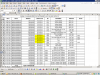
As per the attached screen shot, I have to do the addition / deletion in Column C.
Column C contains the Bank Guarantee Nos.

For example, Column I i.e, S S Group Gurgaon contains 7 different Bank Guarantees, data is same with slight difference, '0992613BG0000091, 0992613BG0000092, like that. The number can not be changed in any manner as it is given by the Bank and updating the last number after Control+D , is slightly difficult.

The total number of records, will be around 100+.

While entering the data, the following are two issues.

a) By default 0 will not be taken without single asterik. ' ".
b) Secondly calculation like +1 is not possible since it a alphanumeric.
c) After expiry date, and Bank guarantee is returned, the particular record will be deleted and in such a case, Sr No should be automatically updated.

Please suggest how to achieve this.


VDS
 

Attachments

  • upload_2013-12-5_11-15-55.png
    upload_2013-12-5_11-15-55.png
    74.3 KB · Views: 8
Hi VDS...

Regarding your issue..

1. You can enter 0992613BG0000091 directly into any cell. 0 will not be ommited as this will be treated as string and not a number.(so no use of `),

2. Enter the two number and than select them and drag them to generate the series.

3. I think this will require VBA.

Regards!
 
I dont think I completely understand your question,

For the missing zeros you can convert the formats to text and then paste the date with "0" this will not get omitted.
I think for the Sr.No. you are using a sequence formula by adding 1 to the above Sr.No. so if you delete the row(Ctrl -) then the formula will get recalculated and provide you the correct Sr.No, I dont think there will be any issue in updating the Sr.No.
 
@Dear All,

Sorry for late reply and also for the inconveniences.

I tried to upload the file even in my previous postings also but server settings in the current organization does not permit me to do so. I am tying my best for the same in a different way. Till then please bear with me.

After trying myself, I found the following option

"SCS/"&TEXT(ROW(),"0000")&"/12-13. Result will be like this. SCS/0001/12-13.

Here,the data can be split into two parts alpha and numeric and put in formula like this

="0992612BG" &TEXT(ROW(),"00000") and result will be something like this.
0992612BG00001 and pressing Control+D will come next number in another row. However, it takes the =row() or The Numeric should be started with a specific number say 100, 250, etc.

Is this can be done ?. A simple reply with solution will solve the purpose.

Once again request that I am not in a state to do any type of bad impressions or manners.


VDS
 
Last edited by a moderator:
Hi ,

Instead of telling us what you have done , first can you clearly explain what you wish to do ?

Regarding your point about the serial number automatically rearranging itself when ever a record ( row ) is deleted , you can try this :

In the first row of data , say A2 , enter 1. If this row can also be deleted , then have a dummy row with 0 in it ; you can hide this row , or make the font white or put in a cell format of ;;; to make it invisible.

For the second row , use the following formula for the serial number :

=MAX($A$2:A2)+1

Copy this down.

Now , if you delete any row of data , the remaining serial numbers will automatically get renumbered.

Narayan
 
@Somendra / Narayan

Thanks for the reply. In both the functions, the starting number will be 1. Suppose I want to start with 7 figures say, 0000150, how can do this ?


VDS
 
@ Dear all.

The queries as requested in this "Addition / Deletion" of alphanumeric data is now solved.

Thanks for your support.

VDs
 
Back
Top