• Hi All

    Please note that at the Chandoo.org Forums there is Zero Tolerance to Spam

    Post Spam and you Will Be Deleted as a User

    Hui...

  • When starting a new post, to receive a quicker and more targeted answer, Please include a sample file in the initial post.

Add only first and last data label in a dynamic line chart

hi,

I want to display only first and last data label in a line chart which dynamically changes with the user input.

Is there any way to do it without VBA?

If we cannot do it without VBA please provide me VBA code to do this

Thanks in Advance

Regards
Dileep
 
Depends on what you mean by dynamic. You can do it w/o VBA, it's jsut a matter of how you setup the data that's generating the chart. Is this a growing/shrinking range, a sliding range, both? You need someway to setup a formula that always refers to first point, a formula that always refers to last point. Then you can apply the data labels to those points on the chart. If you can provide more information about how you are creating the dynamic data (and why kind of changes it can under-go), we may be able to provide more info.
 
If you use Excel 2013 You can link Data Labels to their own Range

Can you post a sample file ?
 
Hi

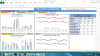
below is the dashboard that i have created

upload_2014-4-1_11-53-24.png


U can see line charts in the dashboard, User can select date range for which he wants to see the performance

Based on user inputs charts dynamically change.

In the above line charts it will be total mess if i display all the data labels instead i want to display only first and last data labels.

I use Excel 2013 but this dashboard will be sent to other people also. so they may not be using excel 2013.

Is there any solution to do this without VBA ?
 
Back
Top