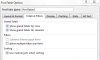
K KiKi Member Aug 14, 2015 #1 I want to sum data of a filed based on what dates are chosen. e.g. if Dec, Jan is selected from filters then data corresponding to those months should be summed. Is there any way to do that? Thank You
I want to sum data of a filed based on what dates are chosen. e.g. if Dec, Jan is selected from filters then data corresponding to those months should be summed. Is there any way to do that? Thank You
Luke M Excel Ninja Staff member Aug 14, 2015 #2 If you use the SUBTOTAL function, you can have it ignore hidden rows. So, if you wanted to sum a column, would be something like: =SUBTOTAL(9,B:B)
If you use the SUBTOTAL function, you can have it ignore hidden rows. So, if you wanted to sum a column, would be something like: =SUBTOTAL(9,B:B)
K KiKi Member Aug 14, 2015 #4 Chihiro said: Alternately, format your data as table and add Total Row. Click to expand... this is a pivot table... data comes from database. How subtotal will work? when i wanted to have summed value in one field of same pivot table? Thank You! Luke M said: If you use the SUBTOTAL function, you can have it ignore hidden rows. So, if you wanted to sum a column, would be something like: =SUBTOTAL(9,B:B) Click to expand... this is a pivot table... data comes from database. How subtotal will work? when i wanted to have summed value in one field of same pivot table? Thank You!!
Chihiro said: Alternately, format your data as table and add Total Row. Click to expand... this is a pivot table... data comes from database. How subtotal will work? when i wanted to have summed value in one field of same pivot table? Thank You! Luke M said: If you use the SUBTOTAL function, you can have it ignore hidden rows. So, if you wanted to sum a column, would be something like: =SUBTOTAL(9,B:B) Click to expand... this is a pivot table... data comes from database. How subtotal will work? when i wanted to have summed value in one field of same pivot table? Thank You!!
Chihiro Excel Ninja Aug 14, 2015 #5 How is your Pivot organized? If Grand Total, it will automatically adjust with filter. It'll help if you can upload sample of what you are looking for.
How is your Pivot organized? If Grand Total, it will automatically adjust with filter. It'll help if you can upload sample of what you are looking for.