• Hi All

    Please note that at the Chandoo.org Forums there is Zero Tolerance to Spam

    Post Spam and you Will Be Deleted as a User

    Hui...

  • When starting a new post, to receive a quicker and more targeted answer, Please include a sample file in the initial post.

#VALUE! ERROR

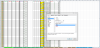
I am getting a #VALUE! error om part of my sheets and can not seem to figure out why. The ones in columns AE and AF do not appear in my other sheets while all of them have the same errors in for other columns.

What are possible things to look for?

The formulas in the cells are like these below

=SUMPRODUCT(--MID(BT2,ROW(INDIRECT("1:"&LEN(BT2))),1))
=SUMPRODUCT(--MID(BA2,ROW(INDIRECT("1:"&LEN(BA2))),1))

Thank you!!!

 

Attachments

  • #VALUE! ERROR.png
    #VALUE! ERROR.png
    105 KB · Views: 6
I have the format set to Number. In the cells next to these in columns AH AI they have the word #value! in them too they are just whited out so you do not see it. I do not "think" I have an actual error so how would I white them out too?

This is in BT2

=SUMPRODUCT(--MID(BO3,ROW(INDIRECT("1:"&LEN(BO3))),1))
 

Attachments

  • Format set to Number.png
    Format set to Number.png
    129.6 KB · Views: 3
@Jack-P-Winner


In your last comment your posted this formula, =SUMPRODUCT(--MID(O4,ROW(INDIRECT("1:"&LEN(O4))),1))+1

But if you look at your file, your O4 is blank, I m saying that can be reason of this, try putting a number in O4 and than see.

Regards,
 
Ah, when I have data in the other cells the error goes away So is this normal?
If so, how can I hide the word #VAULE! Like in the other cells? If it's not normal what do I need to do to fix it? Thanks for your help
 
See the formula will add the digit of numbers in the cell say in cell has 1234 the formula will add 1+2+3+4, so if there is nothing it will give error.

If you want to hide the error you can use below options:

For Excel 2003: =if(ISERROR(formula),"",formula)
For Excel 2007+: =IFERROR(formula,"")

Here formula is your SUMPRODUCT formula.

Regards,
 
See the formula will add the digit of numbers in the cell say in cell has 1234 the formula will add 1+2+3+4, so if there is nothing it will give error.

If you want to hide the error you can use below options:

For Excel 2003: =if(ISERROR(formula),"",formula)
For Excel 2007+: =IFERROR(formula,"")

Here formula is your SUMPRODUCT formula.

Regards,
I am using 2010, does that matter on the formula? Where would I put the ISERROR formula?
 
Hello Jack,

Just a suggestion:

If you are using INDIRECT in many of times, will cause a performance issue ie: slowness of calculation.

If you are trying to add numbers in a cell, you could use a simple version.

=SUM((LEN(A1)-LEN(SUBSTITUTE(A1,{1,2,3,4,5,6,7,8,9},"")))*{1,2,3,4,5,6,7,8,9})

This will even work if you have mixed with texts. For the blank will give zero. You can use an IF(A1="","",) if you don't want to display zeros for blanks.
 
Hello Jack,

Just a suggestion:

If you are using INDIRECT in many of times, will cause a performance issue ie: slowness of calculation.

If you are trying to add numbers in a cell, you could use a simple version.

=SUM((LEN(A1)-LEN(SUBSTITUTE(A1,{1,2,3,4,5,6,7,8,9},"")))*{1,2,3,4,5,6,7,8,9})

This will even work if you have mixed with texts. For the blank will give zero. You can use an IF(A1="","",) if you don't want to display zeros for blanks.

Thanks Haseeb, it will take a few minutes to understand your formula. I appreciate your help. I am still learning
 
Back
Top