• Hi All

    Please note that at the Chandoo.org Forums there is Zero Tolerance to Spam

    Post Spam and you Will Be Deleted as a User

    Hui...

  • When starting a new post, to receive a quicker and more targeted answer, Please include a sample file in the initial post.

SUM unique values based on a criteria

shaikhrulez

Active Member
Hello everyone,

Please refer to attached file.

I tried to sum unique values of column G, which I was able to do with the help of below formula.

=(SUMPRODUCT(1/COUNTIF(G2:G18,G2:G18&""),G2:G18)).

Now, I am trying to sum the same range based on BR_CODE. As soon as the branch codes changes the above range should automatically adjust.

Thanks
 

Attachments

Hello Waqar,

I hope someone will offer a formula based solution.

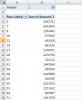
But, I'll go with Pivot Table, if you are okay :)

View attachment 28030

I have used a helper column (H) with simple countifs:
=COUNTIFS(B$2:B2,B2,G$2:G2,G2)

See the attached.

Regards,

Great Khalid, :)

Although your solution serves the purpose, but formula solution would be much more dynamic and easy to use when data changes.

Is there anyone who can come up with the formula based solution?
 
Hi David,
Nice use of frequency.

Please cross check, I have found different results for few entries, for example H33, H362, H509, H557 ...... H957

Regards,
 
Or try this FREQUENCY function version,

=IF(B2=B1,"",SUM((FREQUENCY(IF(B$2:B$1034=B2,MATCH(G$2:G$1033,G$2:G$1033,0)),MATCH(G$2:G$1033,G$2:G$1033,0))>0)*$G$2:$G$1034))

This is an array formula, confirm enter with SHIFT+CTRL+ENTER

Regards
Bosco
 
Hello friends,
The revised formula and accurate,
=IF(B2=B1,"",SUM(SIGN(FREQUENCY(IF($B$2:$B$1033=B2,$G$2:$G$1033,0),IF($B$2:$B$1033=B2,$G$2:$G$1033,0)))*($B$2:$B$1034=B2)*$G$2:$G$1034))

Just make sure you need to add another row, highlighted in red.
This is an array formula, confirm enter with SHIFT+CTRL+ENTER

There is of course the easiest way,
=SUM(UNIQUEVALUES(IF($B$2:$B$1033=B2,$G$2:$G$1033)))
with SHIFT+CTRL+ENTER
UNIQUEVALUES----Morefunc add in.

This is just an example, one function of many others missing in Excel.

David
 
Last edited:
Or try this FREQUENCY function version,

=IF(B2=B1,"",SUM((FREQUENCY(IF(B$2:B$1034=B2,MATCH(G$2:G$1033,G$2:G$1033,0)),MATCH(G$2:G$1033,G$2:G$1033,0))>0)*$G$2:$G$1034))

This is an array formula, confirm enter with SHIFT+CTRL+ENTER

Regards
Bosco

Another version of FREQUENCY, all in the same range without add another row,

=IF(B2=B1,"",SUM(IF(FREQUENCY(IF(B$2:B$1033=B2,MATCH(G$2:G$1033,G$2:G$1033,0)),ROW(B$2:B$1033)-ROW(B$2)+1),G$2:G$1033)))

This is an array formula, confirm enter with SHIFT+CTRL+ENTER

Regards
Bosco
 
Back
Top