
• Hi All

    Please note that at the Chandoo.org Forums there is Zero Tolerance to Spam

    Post Spam and you Will Be Deleted as a User

    Hui...

  • When starting a new post, to receive a quicker and more targeted answer, Please include a sample file in the initial post.

Simple formula to return multiple values in same cell values separated by comma

I have a database containing Loan account no(A1), mobile number(B1), Mobile number of first person reference(C1) and mobile number of second person reference(D1).

I want to capture LAN no where mobile number of first person reference(C1) in the mobile number list (B1). I know this can be done using vlookup. but vlookup captures only the first occurrence but not second, third occurrence and so on. Also I searched from net and got index small formula but it is difficult to apply as have data of more than 50000 records.

Please find the sample data. Also desired result
 

Attachments

Hi:

Find the attached.

I have created 3 macros for 3 columns for simplicity, all the macros all called at a button click event. Check and confirm is this ok.

Thanks
 

Attachments

Hi thank you very much but I am not able to apply this to my main file. it would be helpful if you assist me steps in applying macro to the main file.
 
Hi:

The easiest way is to copy the data in your file to the file I had send you.

Alternatively you can follow the following steps:

  1. Right click on the tab where your data is , select view code option (this will open the VBA editor).
  2. Copy and paste the code I have provided to the editor.
  3. Insert a shape of your choice anywhere in the sheet and label it as per your need, right click on this shape and select the option assign macro.(this will open a window which will display all the available macros) Select the macro named "Final" and click ok. You are all set to go.
Let me know with questions if any.

Note: I assume that the macro will take approximately 4-5 minutes to run(not tested).

Thanks
 
Hi thank you very much for the prompt reply.

I have downloaded the sample file. From sample file I have replaced the first four columns of the data with my raw data. It has more than 50000 obs. I went to cell no F2. Then I went to View- Macro- View Macro- Sheet1.final and run.

I waited for more than an hour but the macro did not work.

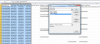
Please find the screenshot and guide me.

upload_2015-8-12_9-52-42.png
 
Hi:

I guess the macro has worked else it will not give any values in columns F,G &H because the macro clears these cells before filling these columns with the results. Could you cross check whatever results you have there in the columns F,G &H and see whether it is meeting the your expected results. Or else could you post your file. The macro is working perfectly fine at my end.

Thanks
 
Back
Top