• Hi All

    Please note that at the Chandoo.org Forums there is Zero Tolerance to Spam

    Post Spam and you Will Be Deleted as a User

    Hui...

  • When starting a new post, to receive a quicker and more targeted answer, Please include a sample file in the initial post.

Remove Duplicates keeping first and last values

Vlkcn

New Member
Hi,

I need an immediate assistance
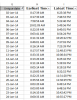
I have a set of data likes this
02-Oca-1417:15:10
02-Oca-1417:25:54
02-Oca-1418:25:38
03-Oca-1408:17:30
03-Oca-1408:31:57
03-Oca-1408:41:53
03-Oca-1408:58:02
i need to remove
duplicates but keep first and last rows for each 2-ocak-14 and 3-0cak-14 and goes on, ocak is month january,
 
Hi,

I need an immediate assistance
I have a set of data likes this
02-Oca-1417:15:10
02-Oca-1417:25:54
02-Oca-1418:25:38
03-Oca-1408:17:30
03-Oca-1408:31:57
03-Oca-1408:41:53
03-Oca-1408:58:02
i need to remove
duplicates but keep first and last rows for each 2-ocak-14 and 3-0cak-14 and goes on, ocak is month january,
hey dear but none of the data in these are duplicates...every row is unique..
 
Hi ,

See the attached file ; the problem was that the time values in your file are all text ; the earlier formula needed to be changed to take this into account.

Narayan

A formula to filter only unique dates and display it works awesome!

Great formula NARAYANK991 , Could you pls tell me when and why "--" is used. I also have seen it in SUMPRODUCT formulas, but dont know abt it..

upload_2015-5-21_18-13-56.png
 
Hi ,

The double minus is a standard operation to :

1. Retain the magnitude of the data value

2. Convert its type from text to numeric

The same result can be obtained by any mathematical operation which does not change the magnitude of the data value ; examples of this are :

a. Multiplication by 1

b. Division by 1

c. Addition of 0

Narayan
 
Hi ,

The double minus is a standard operation to :

1. Retain the magnitude of the data value

2. Convert its type from text to numeric

The same result can be obtained by any mathematical operation which does not change the magnitude of the data value ; examples of this are :

a. Multiplication by 1

b. Division by 1

c. Addition of 0

Narayan
thanks sir
 
Dear Narayan,

I have one more question if u dont mind,

when i tried to change the range of formula,for higher number of cells, and copy it to another table it does not work, the brackets disappear. When i tried to recall brackets than it appears as a text...
 
Hi ,

The brackets are not to be manually entered ; they will be entered automatically by Excel.

The formula is what is known as an array formula ; this is to be entered using a 3 keystroke combination , consisting of the keys CTRL SHIFT ENTER

To use this , what you do is after copying the formula where ever you want to , press F2 to enter EDIT mode ; now keep the keys CTRL and SHIFT pressed , and then press the ENTER key , so that all 3 keys are pressed together ; this enters the formula as an array formula , and Excel automatically inserts the brackets around the formula.

Narayan
 
Back
Top