• Hi All

    Please note that at the Chandoo.org Forums there is Zero Tolerance to Spam

    Post Spam and you Will Be Deleted as a User

    Hui...

  • When starting a new post, to receive a quicker and more targeted answer, Please include a sample file in the initial post.

Power Query Error

kme

Member
We need to combine data from three Excel sheets using Power Query.
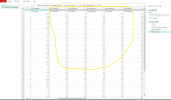
However, the data is not appearing "null" in the Power Query Editor, But Data Sheet Have Data.
We have also verified that the column headers are consistent across all sheets.
Please check and advise on how to resolve this issue.

Can Check and Guide how to Solve These issue Step by step

1774720379577.png
 

Attachments

1. You have not included your queries for analysation, how can we review your issue if you don't share the problem?
2. Your column names are not consistent across the three tables.
 
Dear Sir

1.There are ageing data from 3 branches, which need to be consolidated/combined using Power Query.
2.We tried to combine them in Power Query, but some column values are showing as "null" even though the source sheets contain data.
3.The column headings in all 3 branches Data Sheets are consistent In Row 6, with no differences .

"null" values are appearing in the Ageing columns (from column 10 onward). Kindly check and advise how to resolve this issue!. Can Briefly mention Step by step to resolve the Issue .

Errors Screen Shorts are Enclosed
 
The data sheet in the workbook you posted is empty in all those columns so I don't really see what you are expecting to happen.
 
Cannot replicate your issue when appended each table to each other. Cells populate as either blank or data. See Debaser comment for further analysis
 
Back
Top