Hi All!
I can't sort pivot table. Help me please!
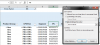
I use the attached file every day. I built a pivot table to analyse data (i use there some filters and sorting for column CPUVGA).
Now I need to sort data by column "Total sum of Stock" but keep data within subtotals (this is grand total for values in column Stock).
So I need: values in columns "Total Sum of Stock", "ACC Sum of Stock" and "Five Sum of Stock" be sorted Z to A within subtotals in column CPUVGA.
Currently when i try to do such sorting i get sorted Z to A only column "ACC Sum of Stock", but i need that sorting would be complited first by grand total ("Total Sum of Stock") and then by partners.
Is it possible?
Maybe i am doing something wrong? Need to clear some filters or something else?
If excel pivot table can't do this, please advise me formulas or other tools to reach the goal.
Thank you in advance!
I can't sort pivot table. Help me please!
I use the attached file every day. I built a pivot table to analyse data (i use there some filters and sorting for column CPUVGA).
Now I need to sort data by column "Total sum of Stock" but keep data within subtotals (this is grand total for values in column Stock).
So I need: values in columns "Total Sum of Stock", "ACC Sum of Stock" and "Five Sum of Stock" be sorted Z to A within subtotals in column CPUVGA.
Currently when i try to do such sorting i get sorted Z to A only column "ACC Sum of Stock", but i need that sorting would be complited first by grand total ("Total Sum of Stock") and then by partners.
Is it possible?
Maybe i am doing something wrong? Need to clear some filters or something else?
If excel pivot table can't do this, please advise me formulas or other tools to reach the goal.
Thank you in advance!