• Hi All

    Please note that at the Chandoo.org Forums there is Zero Tolerance to Spam

    Post Spam and you Will Be Deleted as a User

    Hui...

  • When starting a new post, to receive a quicker and more targeted answer, Please include a sample file in the initial post.

Pivot Table Grand Total Showing 0

Brandy_M

New Member
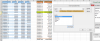
I am beating my head against a wall. I am trying to run profitability margin % each month from Oct-13 to Apr-14 and show the margin % for each month and then a ytd (overall) margin. I have several hundred customers and have all data in a table showing revenue, total cost, and margin. I created a pivot and inserted a calculated field to show gm % by showing margin/revenue. The problem I am having is that several customers may be newer customers and have no data for several months. In those instances, the pivot was showing DIV/0 for the months where there was no data. I selected options and had it change any error to 0. The problem is now that the grand total or overall margin for the group is 0%. How do I get the grand total to show the right number?
 
Also, I have each of these customers grouped into a product sold. When I show the detail, the grand total is 0, but when I collapse the field to not show the customers, it gives me grand total %. What am I doing wrong?
 
Hi Brandy_M

Please upload a sample file for the same..

Its really annoying to create a copy of file.. and working..

BTW.. try to change the Calculated field as ..

=IF( (Revenue>0)*(Margin >0),Margin/Revenue,0)

upload_2014-5-7_6-56-21.png
 
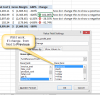
see attached. Is there anyway to show the change in margin with an absolute value month over month to handle negative margins?
 

Attachments

Back
Top