
You are using an out of date browser. It may not display this or other websites correctly.
You should upgrade or use an alternative browser.
You should upgrade or use an alternative browser.
One amount to multiple rows as per criteria
- Thread starter Pinang
- Start date

Marc L
Excel Ninja
Hi, according to your attachment a VBA demonstration as a beginner starter :
Code:
Sub Demo1()
    Dim N&, L&, R&, F
        N = [F1].CurrentRegion.Rows.Count - 2:  If N < 1 Then Beep: Exit Sub
    With [I1].CurrentRegion.Rows
        If .Count > 2 Then .Item("3:" & .Count).Clear
    End With
        L = 2
    With [A1].CurrentRegion.Rows
        For R = 3 To .Count
            F = Evaluate(Replace("IF({1},""=""&ADDRESS(ROW(#),COLUMN(#)))", "#", .Item(R).Resize(, 6).Address))
            F(2) = F(2) & "*$N" & L + 1:  F(5) = "=$F3":  F(6) = "=$G3"
            Rows(L + 1).Resize(N).Columns("I:N").Formula = F
            L = L + N
        Next
    End With
    If L > 2 Then
        With Range("I3:N" & L)
            .Borders.Weight = 2
            .Columns(2).NumberFormat = " #,##0.00_)"
        End With
    End If
End Sub
Do you like it ? So thanks to click on bottom right Like !

p45cal
Well-Known Member
This can be done without VBA; Power Query was designed for just this sort of thing.
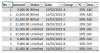
See table at cell J2 in the attached. Alter the data in the 2 tables on the left, right-click any cell in the result table and choose Refresh.
Dates are converted to proper Excel dates too.
See table at cell J2 in the attached. Alter the data in the 2 tables on the left, right-click any cell in the result table and choose Refresh.
Dates are converted to proper Excel dates too.