
• Hi All

    Please note that at the Chandoo.org Forums there is Zero Tolerance to Spam

    Post Spam and you Will Be Deleted as a User

    Hui...

  • When starting a new post, to receive a quicker and more targeted answer, Please include a sample file in the initial post.

need some help

CLIFTON

New Member
Here is what I am trying to do.
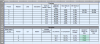
Screen Shot 2016-03-21 at 7.52.52 AM.png
I want column "J"(under "Densities") to return a pass or fail like i have set up for "I". To get this on I15 I used (=IF(AND(G15<1.05,G15>0.95),"PASS","FAIL"). There are 3 user inputs in the section "Proctors", and 2 user inputs in section "Densities".

"Proctors" section the user inputs information...
1. Column F, G, H, Is populated by the user.

(I have Columns "I", and "J" set to calculate the min and max moisture based on column "G", and "H").

In the "Densities" table the user has 2 inputs....

1. The user enters a variable from "A-G" in column "B15-17" based on which information is needed.
2. The user also enters a given reading in column "H15-17".

I want Column J15-17 to check Column B15-17 for "a", "b", "c".....and so on to "g". Based on this Column J15-17 would then check to see if the moisture range is within the range "I3 and J3.

If it is in range return Pass else Fail

If I need to reconfigure the tables I am willing to do so in order to get this to happen. I have attached the file if it is needed. any help on this would be greatly appreciated.
 

Attachments

Hi Clifton, and welcome to the forum! :awesome:

Thanks for an excellent write-up and description of the problem. In cell J15, put this array formula:
=IF(MEDIAN(H15,VLOOKUP(B15,$A$3:$J$9,{9,10},0))=H15,"Pass","Fail")

Confirm it as an array using Ctrl+Shift+Enter, not just Enter.

Alternatively, if you don't want an array, can use longer version:
=IF(MEDIAN(H15,VLOOKUP(B15,$A$3:$J$9,9,0),VLOOKUP(B15,$A$3:$J$9,9,0))=H15,"Pass","Fail")
Confirmed normally.
 

Attachments

Hi Clifton, and welcome to the forum! :awesome:

Thanks for an excellent write-up and description of the problem. In cell J15, put this array formula:
=IF(MEDIAN(H15,VLOOKUP(B15,$A$3:$J$9,{9,10},0))=H15,"Pass","Fail")

Confirm it as an array using Ctrl+Shift+Enter, not just Enter.

Alternatively, if you don't want an array, can use longer version:
=IF(MEDIAN(H15,VLOOKUP(B15,$A$3:$J$9,9,0),VLOOKUP(B15,$A$3:$J$9,9,0))=H15,"Pass","Fail")
Confirmed normally.

Thank you so much. That did it. Would you mind explaining how exactly this works. Excel fascinates me and I really like to understand it better. If I am asking too much no problem. Thanks again you just made my life a lot easier.
 
You're very welcome.

The MEDIAN function is a handy way of checking if N is between X and Y. It is normally thought of as thinking of returning the number that is in the middle of an array of numbers. With exactly 3 numbers, it gives the middle. So, when comparing N, X, and Y, if N is the median, then it must by definition be in the range of X and Y. That's what the
MEDIAN(H15,...)=H15 is checking.

The other new part is the VLOOKUP. VLOOKUP is used to search for a value in the left-hand column of an array, and then we can specify to return the corresponding value from the N-th column. In our formula, we wanted the values from both the 9th and 10th column, hence the array. So, altogether, the VLOOKUP retrieves the 2 boundary numbers, we compare that with H15. If H15 is the median of the 3, it's in our range, and we return Pass. Otherwise, Fail.

Does that make sense?
 
You're very welcome.

The MEDIAN function is a handy way of checking if N is between X and Y. It is normally thought of as thinking of returning the number that is in the middle of an array of numbers. With exactly 3 numbers, it gives the middle. So, when comparing N, X, and Y, if N is the median, then it must by definition be in the range of X and Y. That's what the
MEDIAN(H15,...)=H15 is checking.

The other new part is the VLOOKUP. VLOOKUP is used to search for a value in the left-hand column of an array, and then we can specify to return the corresponding value from the N-th column. In our formula, we wanted the values from both the 9th and 10th column, hence the array. So, altogether, the VLOOKUP retrieves the 2 boundary numbers, we compare that with H15. If H15 is the median of the 3, it's in our range, and we return Pass. Otherwise, Fail.

Does that make sense?


Like that use of Median LM - slick!
 
Luke, I am stumped on one other thing. In I15:I17 I have a pass or fail based on a range between 95%-105%. This works fine. My problem is that There is a different calculation I need to have done. I have added a dropdown for the user to use to populate B3:B9. Based on this choice I would like to have the calculation change. all but the flexbase material has to fall between 95%-105% to pass and the flexbase is between 98%-105%.

If it would be easier to make an array on sheet two to do the calculations that is fine with me

Any help will be greatly appreciated.
 

Attachments

My recommendation would to be build a lookup table on the 2nd sheet. That lets you have an audit trail, and it's easier to make changes if any of the other material properties ever need to change. I went ahead and made it a XL Table, so you can use structural references, and the formulas will automatically grow/shrink as you need them.
 

Attachments

Back
Top