• Hi All

    Please note that at the Chandoo.org Forums there is Zero Tolerance to Spam

    Post Spam and you Will Be Deleted as a User

    Hui...

  • When starting a new post, to receive a quicker and more targeted answer, Please include a sample file in the initial post.

MIN to MAX value within UNIQUE FILTER SEARCH DV COMBO?

Stephan

Member
Hello

see FILE ATTACHED it is XL2021 with MACRO (MENU). It is a 5X DV COMBO in any order, also with part word entry (error un-ltd), using UNIQUE, FILTER, SEARCH.

QUESTION: How to ADD a MIN to MAX value within existing UNIQUE FILTER SEARCH DV COMBO?

SHEET TAB: EV MODELS
CELL COMBO: G12
SPILL RESULTS: D38

WORKINGS from TABLE > SPILL RESULTS is in:
SHEET TAB: LIST

in other words, how to add in MIN - MAX NUMERIC VALUES Search for BHP (NAME RANGE: _BHP) say with:
150bhp to 300bhp, to appear with spill.

FINAL SPILL CODE > EV MODELS > D38:
=SORT(FILTER(Table,ISNUMBER(SEARCH(_MAKE,Table[MAKE])
+SEARCH(_MODEL,Table[MODEL])
+SEARCH(_RANGE,Table[RANGE])
+SEARCH(_BHP,Table[BHP]
+SEARCH(_BATTERY,Table[BATTERY])))),{1,2,3,4,5})
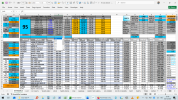
RESULTS BTM BAR on SOURCE DATA SHEET with COMBO 5 DV: EV MODELS
Screenshot (399).png

SPILLS FORMULA SHEET TAB: LIST
Screenshot (398).png
 

Attachments

UPDATE: ADDED BHP MIN - MAX combos:
EV MODELS: Option for either BHP DV COMBO (standard G12), or BHP MIN-MAX COMBOs:
BHP MIN COMBO (J12) & BHP MAX COMBO (K12)
DATA & RESULTS > SPILL ROW 38# in ORANGE

It works with
EV MODELS: NESTED IF AND LOGIC or MIN & MAX DV BOXES: hence either MULTI COMBO or MIN - MAX:
=IF(AND(bhp_min<>"",bhp_max<>""),LIST!O33#,LIST!O2#)

BHP DV COMBO: IF main SEARCH SPILL or BHP MIN MAX SPILL
=IF(LIST!$C$33#="",LIST!$L$2#,LIST!$C$33#)

BHP SPILL:
=SORT(UNIQUE(FILTER(Table,(Table[BHP]>=bhp_min)*(Table[BHP]<=bhp_max),"")))

BHP COLUMN for MIN MAX DV COMBO:
=SORT(UNIQUE(FILTER(Table[BHP],(Table[BHP]>=bhp_min)*(Table[BHP]<=bhp_max),"")))
Perhaps this is only way. But this does exactly what I was looking, & not seen a WORKBOOK example with this STYLE.

LIST: COLUMN SPILL WORKINGS
Screenshot (402).png

EV MODELS:
BHP MIN COMBO (J12) & BHP MAX COMBO (K12)
DATA & RESULTS > ROW 38# in ORANGE
Screenshot (401).png

So the QUESTION now is... how & if to merge BHP MIN & MAX COMBO to sort with SEARCH sequence, or other COMBOS.

Guess to edit these, to choose between 2 BHP possibities, if that is possible OR x2 for same COLUMN, maybe the only way I've already done it, guess from LOGIC point of view, but perhaps criteria of FILTER & SEARCH is more flexible to make considersations to include relevant matches:
=SORT(FILTER(Table,ISNUMBER(SEARCH(_MAKE,Table[MAKE])
+SEARCH(_MODEL,Table[MODEL])
+SEARCH(_RANGE,Table[RANGE])
+SEARCH(_BHP,Table[BHP])
+SEARCH(_BATTERY,Table[BATTERY])),{1,2,3,4,5}))
 

Attachments

Last edited:
I tried to figure with this rough sample - what would You need to have?
Check 'search'-sheet.
Note: some right side uniques looks like duplicates.
Usage .. as written above headers (black ~enable & gray ~disable)
Left side 'original list' would show those - which are possible based Your selection.
Screenshot 2025-12-26 at 18.21.32.png
Note: this sample uses five 'fixed' values from ... other sheet.
 

Attachments

I tried to figure with this rough sample - what would You need to have?
Check 'search'-sheet.
Note: some right side uniques looks like duplicates.
Usage .. as written above headers (black ~enable & gray ~disable)
Left side 'original list' would show those - which are possible based Your selection.
View attachment 91172
Note: this sample uses five 'fixed' values from ... other sheet.
Hello I appreciate your reply, & that it is easy to apply, but selections results are opposite, & once known, lacks clarity which actual specs of model, just the l/h short list.. Appreciate it is another model approach, just not what I was looking for on this occassion, think struck gold on mine though.

Search version with Source & Results on same page, master list majority of page to list all specs, then search ascertain what meets criteria, and list those row by row in orange. Hence after some reflection, unless sum1 has a better way to combine MIN & MAX with UNIQUE FILTER SEARCH, probably the way I've presented is the way to go.
 
As I can only guess - what?
You saw only 'search' case ...
... but You just expected to see also all data as with this sample.
Why do You would like to see two times same information? Isn't one time enough?
There is also sorting option with Results.
This is different version than my previous on in Your other thread.
 

Attachments

As I can only guess - what?
You saw only 'search' case ...
... but You just expected to see also all data as with this sample.
Why do You would like to see two times same information? Isn't one time enough?
There is also sorting option with Results.
This is different version than my previous on in Your other thread.
Hello. This is Solved.

Min Max method I devised as work around Search, is what I wanted. I was thinking of both, but doubt there is a logic I'll find to do that, with my knowledge.

Consider I appreciate your reply & I'm happy to leave it all to..
with 2 key possibilities:
Formula
Binary

I understand your approach to separate Results from Data, to prevent incidents of editing instead of sorting. From your mindset I know you'll want to aggregate it all individually, but I like to have it all in 1, instead of hunting through several tabs, hence lots of compressed data within each tab..

Yes you are likely to perceive why so many variations on the same theme just to have equivalents presenting almost the same things.

Well to compare to XL examples it is more interesting then
Fruit, County currency... Revenue ha ha

Well to understand, generally:
# don't work from blank sheets, since Formulas have evolved, with so many, different layout expressions, which I'm not going to remember
# Templates are my goto
# I'm more of this works, or it doesn't
# Formulas are perceived as if any use to me or not
# Macros VB Binary if doesn't follow a coherent legible

Cheers for now
 
About Your: From your mindset I know you'll want to aggregate it all individually, but I like to have it all in 1, instead of hunting through several tabs, hence lots of compressed data within each tab..
... hmm? You're using there links to other sheets - check Your formulas
I used links ... because that version was a sample - not overwrite Your own versio.

You skipped my question - written in Your other thread?

I tested to use EV MODELS-sheet... I modified those calculations to get less unique values (less decimals & none seconds).
You seems to use to look values ... I would like to see - what are those values eg below snapshot.
... then it's possible to see something about those values
Screenshot 2025-12-27 at 20.07.57.png
 
Hi appreciate your Macro version, as I say I couldn't write Formula or VB from Fresh, hence use Templates, of this works, & combine it all till I get what I want!

& we are there. Don't feel obliged to add more effort on these. I thank for your detailed replies, & innovative here is what you should, I understand what you'll make to working everything into far corners. . I know, but on this occasion when using Mobile Phone in dark car park, looking an EV charging station up & down, discreet combo comparison... Is best.

On that Prospect I'm unlikely to replicate Macro if needed to edit, unless it makes obvious refs to say Name Ranges, Cell Refs. You get the idea.

Ah yes what was I referring to, the Macro model shows MAKE & MODEL(S) that matches SELECTIONS, but generally variances will be Car Traction Battery KW, On Board Charger Max, Torque, BHP, Acceleration, etc. So it best to see those values.

These XL workbooks are for personal curiosity when purchasing EV CARS, & important considerations of when using PUBLIC EV CHARGERS, what are actual COSTS & TIME.

Oddly in the UK, few charging stations even have contact less payment or well depicted... Kw power, Rate & Charge Time... But the later, depends on Car & % Charge...

Hence the Sheet with lots of COMBO BOXES of several hot MPV EVs..
 
Back
Top