
• Hi All

    Please note that at the Chandoo.org Forums there is Zero Tolerance to Spam

    Post Spam and you Will Be Deleted as a User

    Hui...

  • When starting a new post, to receive a quicker and more targeted answer, Please include a sample file in the initial post.

Macros for building Income Statements

Hello,


I have to build monthly Income statements (IS) for 47 projects and one combined (IS) based on Trial Balance (TB) exported from accounting system into Excel. Under each account of the TB there are 48 rows related projects (47 projects and one not assigned to projects, in total 48 rows).
Please see file attached.
Is it possible to have a Macros to build Income statements for 47 projects and one combined?

Thank you.
 

Attachments

Really, I was not sure where should I open it... Excel question is also Macros question-:)) May be some would advise with formulas.. I will post also in Macros.
 
Dan_K_2014
Your Sample File has a lot of zero-values (TB-sheet).
You would add many sample values ... somewhere ... and
also needed results ... where You need those.
Hint. Use same terms with Your case (#1Reply) and Your file.
 
I posted the real data, and it would be good to test like this to match real manual reports. Mainly, "zero" is in a Balance sheet area, which not relevant for Income statement... Hope it helps...
I would appreciate if you could help.
Thank you
 
1) data to TB tab exported from accounting system. And what you see in TB sheet is full and complete.
2) there are not only "zeroes", and I cannot change real actual data.
3) Please see two examples of results highlighted in columns.
 

Attachments

Dan_K_2014
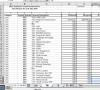
1&2) One more time ... Your TB-tab is as below ... many zeros!
Of course, it could be full and complete ... but ... ?
Screen Shot 2018-09-16 at 09.41.31.png
3) The new file has more numbers... yes!
But did You answered to my questions ... no!
You should give answers that You would get something.
 
vletm, thank you for trying to help. It looks like i cannot meet your requirements. Please drop out my request for further help with this problem.
 
Dan_K_2014
You wrote: what you see in TB sheet is full and complete.
... yes, TB-sheet is full (of zeros) and complete!
Without data as well as without answers, it's challenge to help.
 
Analysing the data using formulas looks somewhat repetitive and tedious but I am not sure that identifying the data blocks to read them into VBA is going to be that much fun either.

It might be worth experimenting with Power Query to clean up the layout and then take the data into a pivot table with the project used as the page filter.
 
Thank you, Peter. I agree with your comment, but, unfortunately, I need a specified reporting format of the statements, which Pivot table does not give, or if it gives, I do not know how to create it.
 
Back
Top